


How can I see my messages again? Messages in my Inbox are there but invisible...the Inbox appears empty (but isn't)

All Inbox emails can't be seen but can be opened by a right click and 'Open Message in New Tab'.
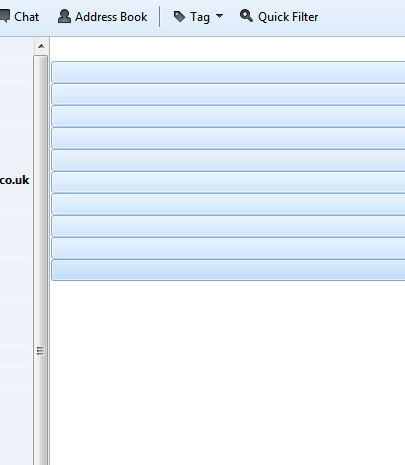
The Inbox appears blank but if clicked on then the shaded bar of an e-mail appears so they are all there. I've several Inboxes (this is my main and most important) and they seem unaffected.
Moving an e-mail elsewhere takes its invisibility with it! Other folder contents show up.
The Repair Folder in Properties seems to have no effect.
All Inbox emails can't be seen but can be opened by a right click and 'Open Message in New Tab'.
The Inbox appears blank but if clicked on then the shaded bar of an e-mail appears so they are all there. I've several Inboxes (this is my main and most important) and they seem unaffected.
Moving an e-mail elsewhere takes its invisibility with it! Other folder contents show up.
The Repair Folder in Properties seems to have no effect.
被選擇的解決方法
Click on the iconette to the right and 'Reset columns to default'...all appear again T.G. ...
從原來的回覆中察看解決方案 👍 7所有回覆 (2)
And attached is a screen grab showing selected e-mails in the Inbox...the white space below are e-mails too!
選擇的解決方法
Click on the iconette to the right and 'Reset columns to default'...all appear again T.G. ...