Pages Loading Slow or Timing Out

Since the last Firefox update, normally used web pages load very slowly or time out. When clicking on a bookmark the page loads very slow so I stop the page from loading and hit refresh and it loads almost instantly like it normally used to do. Any fixes available? Thank you, Dan.
所有回复 (1)

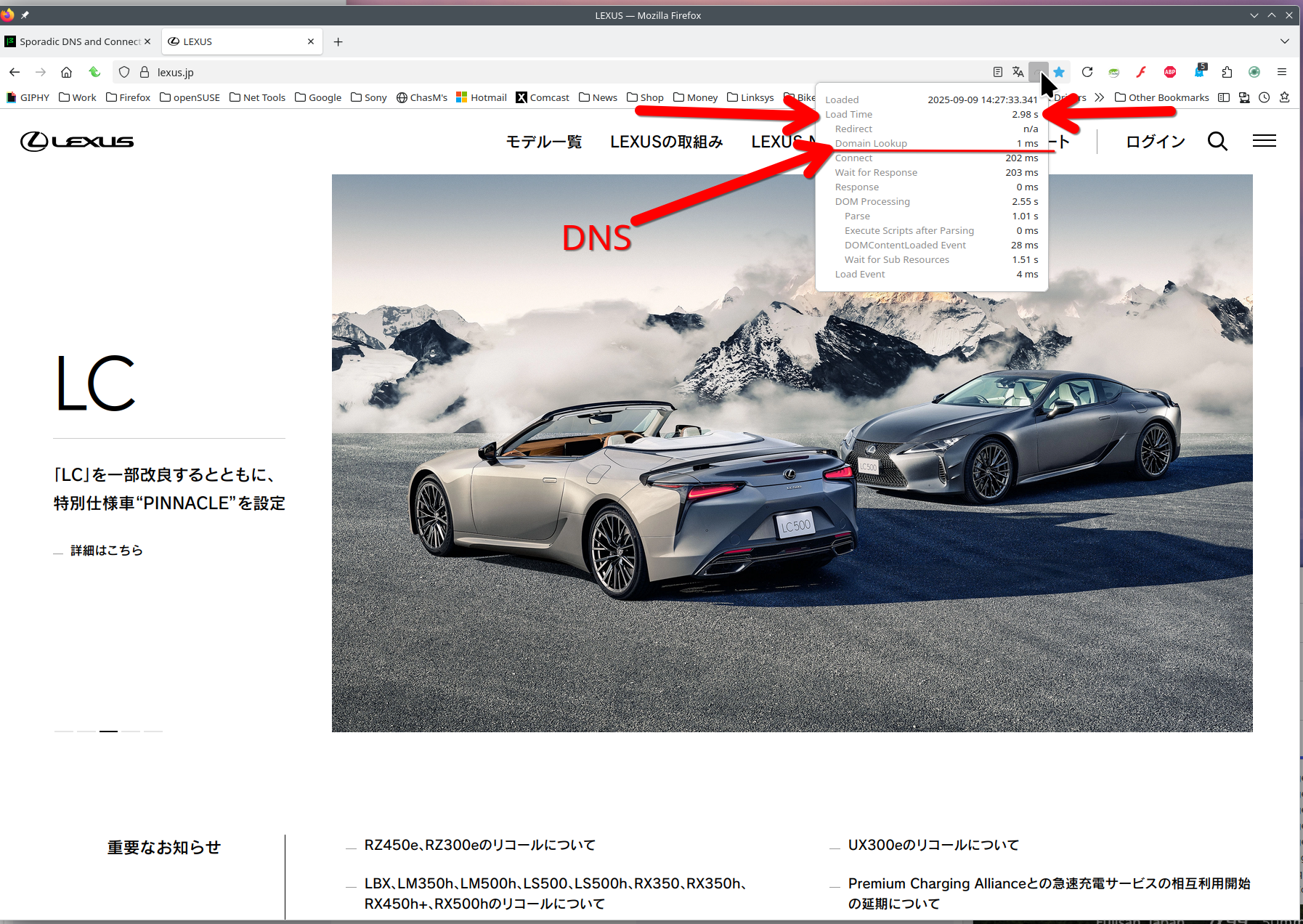
Proof of the issue would help us help you. Here is the add-on I'm using to show load time. https://addons.mozilla.org/en-US/firefox/addon/load-time/?utm_source=addons.mozilla.org&utm_medium=referral&utm_content=search
What is your dns setup on the computer, browser, and router? Lan or WiFi? Laptop, desktop, or DIY? If not DIY, what make and model? Did you try with Firefox in Troubleshoot Mode? https://support.mozilla.org/en-US/kb/diagnose-firefox-issues-using-troubleshoot-mode#search
Did you clear your browser cache? https://support.mozilla.org/en-US/kb/clear-cookies-and-site-data-firefox
Try Firefox Refresh. https://support.mozilla.org/en-US/kb/refresh-firefox-reset-add-ons-and-settings