

话题已存档。
如果需要帮助请提出新问题。

已存档
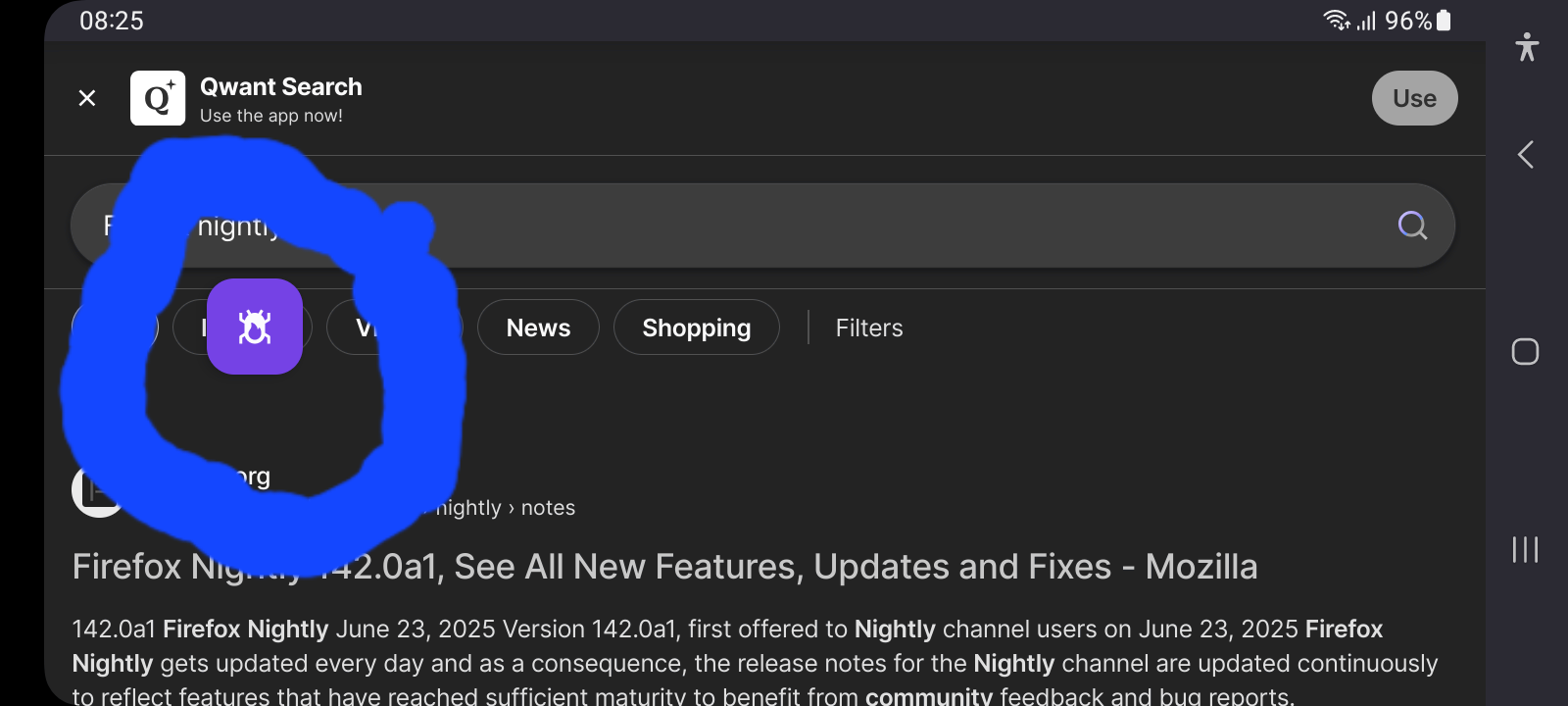
Unwanted Debug Icon Overlay in Firefox Nightly 142.0a1
Description:
A bug-shaped icon appeared on my screen after accidentally enabling a debug setting. I can’t find an option to disable it.
Steps to Reproduce:
1. Unknown (enabled by mistake). 2. Icon persists despite restarting.
Browser Version:
- Firefox Nightly 142.0a1 (Build #2016101983) - GV: 142.0a1-20250711091324 - OS: Android
Tried:
- Toggling "Remote Debugging" in Settings → Developer Tools. - Restarting the browser.
'''Description''':
A bug-shaped icon appeared on my screen after accidentally enabling a debug setting. I can’t find an option to disable it.
'''Steps to Reproduce''':
1. Unknown (enabled by mistake).
2. Icon persists despite restarting.
'''Browser Version:'''
- Firefox Nightly 142.0a1 (Build #2016101983)
- GV: 142.0a1-20250711091324
- OS: Android
'''Tried''':
- Toggling "Remote Debugging" in Settings → Developer Tools.
- Restarting the browser.
所有回复 (1)
Hi
Thank you for helping to test the Nightly version of Firefox for Android, making future updates to Firefox even better.
I recommend that you file a bug report. See File a bug report or feature request for Mozilla products for details.