


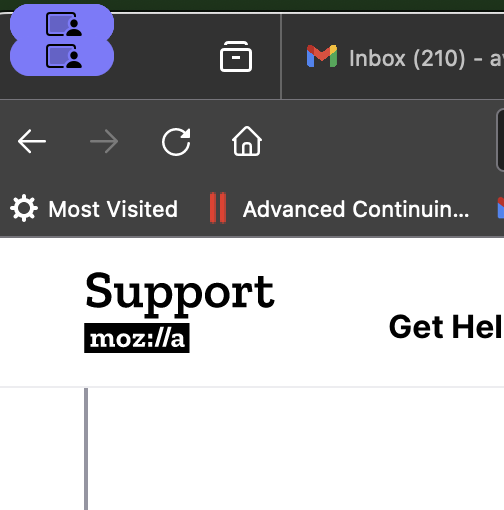
Little purple icon in upper left corner obscures important controls

Over the last week, a little purple icon appears in upper left corner of my firefox browser, it looks like a person viewing a screen. It sits right on top of the red-yellow-green circles that allow me to minimize, enlarge, or close the browser, and renders Firefox unusable. How do I get rid of it?
所有回复 (3)
I ran the icon through Google image search and found this:
https://www.reddit.com/r/MacOS/comments/17k6z9b/how_to_disable_capturing_screen_icon_in_menu_bar/
Further searching turned up:
https://www.reddit.com/r/MacOS/comments/170f6mr/sonoma_screen_capture_menu_bar_notification_is_so/
As a Windows person, I think I'll leave it to Mac users to take it from here.
See also this bug report:
- 1856305 - Firefox on macOS casually indicates active screen sharing (MacOS 14)
由cor-el于修改
In case this was coincidentally fixed in Firefox 124 (toward the end of the comments on the bug, people says they could no longer reproduce it), you could consider updating. See: Update Firefox to the latest release.