

话题已存档。
如果需要帮助请提出新问题。

已解决
已存档
Google Fi Microphone Permissions

Hi,
I'm wondering if anyone can help me here. I use Google Fi to make and receive calls from my browser. I accidentally denied microphone permissions to Google Fi from the Firefox dropdown prompt and I cannot find how to get it back.
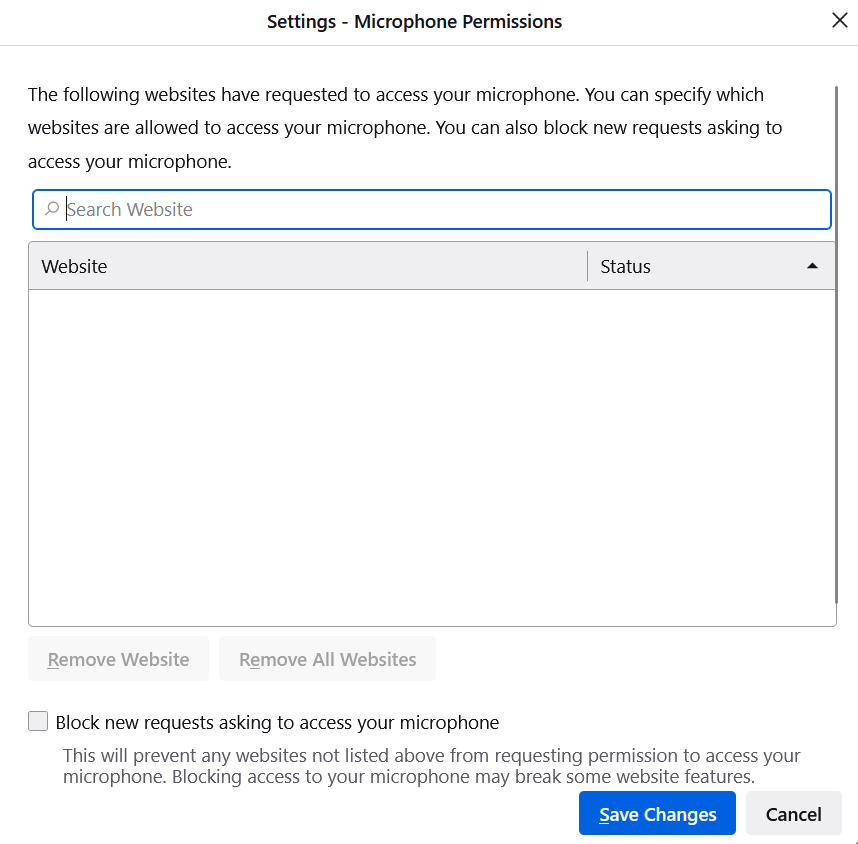
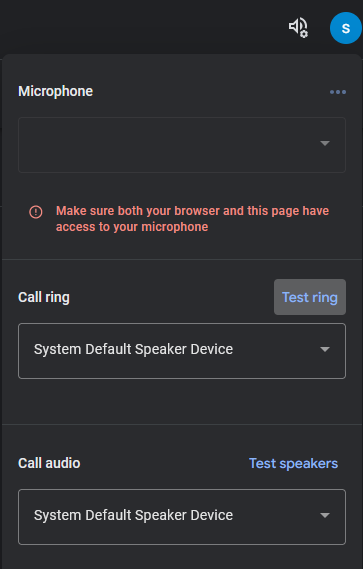
When I click the dropdown menu, I see no options to enable or disable permissions. I also do not see anything listed in the Security settings of the browser. When I check the google fi settings, I see it complaining about denied permissions though.
I've attached screenshots. Does anyone know where I can revoke the blocked permissions?
Thanks,
Hi,
I'm wondering if anyone can help me here. I use Google Fi to make and receive calls from my browser. I accidentally denied microphone permissions to Google Fi from the Firefox dropdown prompt and I cannot find how to get it back.
When I click the dropdown menu, I see no options to enable or disable permissions. I also do not see anything listed in the Security settings of the browser. When I check the google fi settings, I see it complaining about denied permissions though.
I've attached screenshots. Does anyone know where I can revoke the blocked permissions?
Thanks,

所有回复 (1)
选择的解决方案
You can check the permissions for the current tab in "Tools -> Page Info -> Permissions".
See also: