


browsing

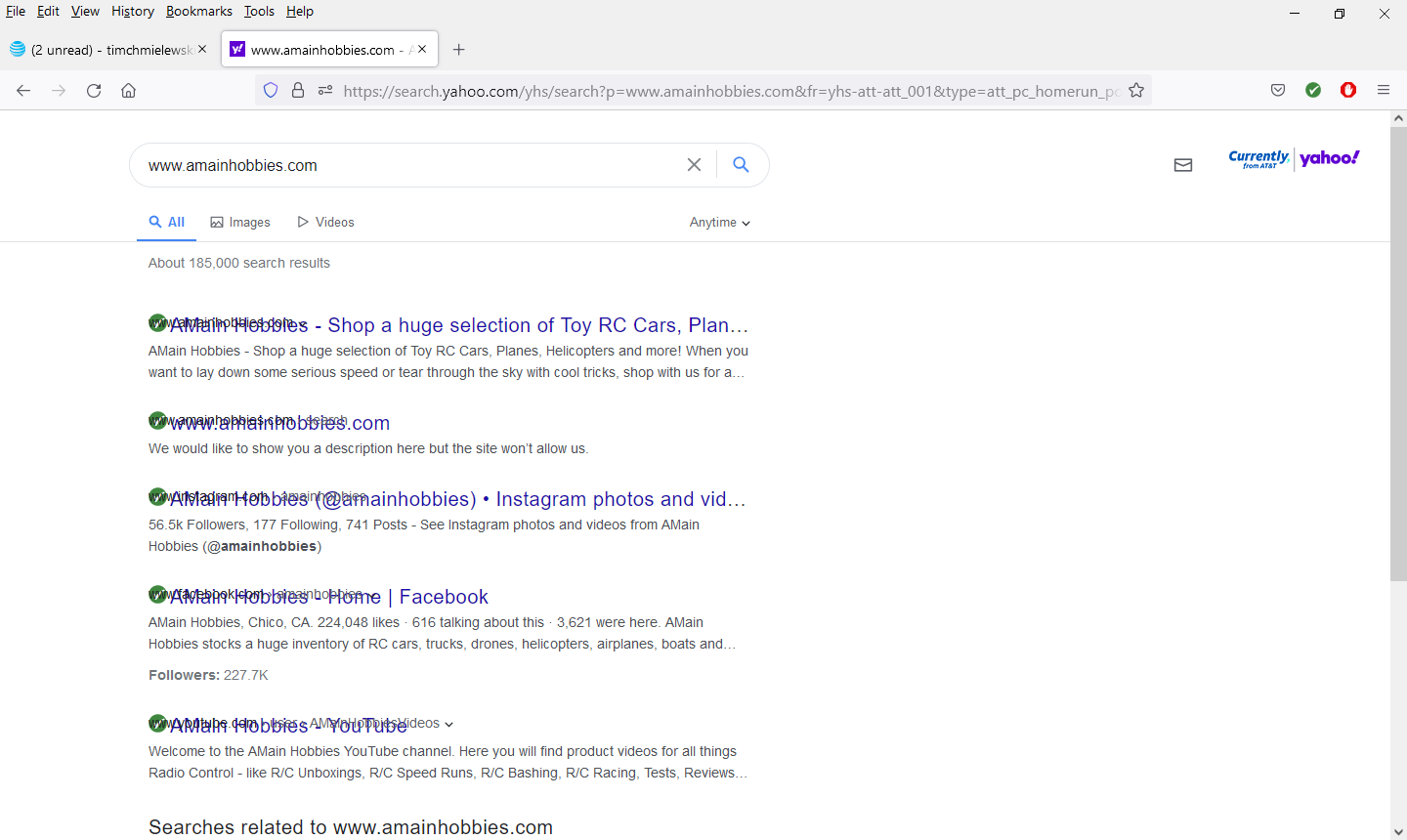
after typing in search term and hitting enter, the website (url) appears behind the search term. only happens in firefox. not in google chrome using at+t internet service any advice?
所有回复 (11)

Hello,
In order to better assist you with your issue please provide us with a screenshot. If you need help to create a screenshot, please see How do I create a screenshot of my problem?
Once you've done this, attach the saved screenshot file to your forum post by clicking the Browse... button below the Post your reply box. This will help us to visualize the problem.
Thank you!


[v56+] Type about:preferences#general<enter> in the address bar. Under fonts and colors, press the Advanced button. Scroll to the bottom, turn on Allow Web Sites To Choose Their Own.
Make sure you haven't enabled a High Contrast theme in the OS settings.
We have seen reports that this can be caused by a problem with fonts like Roboto or Helvetica that you have installed locally and that might be corrupted or are missing some variants. Also, make sure you allow pages to choose their own fonts and that you do not block remote (downloadable) fonts.
- /questions/1325619 Weird font on some website's
Dear FredMcD this did not resolve the problem
Many site issues can be caused by corrupt cookies or cache.
Warning ! ! This will log you out of sites you're logged in to. You may also lose any settings for that website.
- How to clear the Firefox cache {web link}
If there is still a problem,
Start Firefox using Troubleshoot(Safe) Mode {web link}
A small dialog should appear. Click Start In Troubleshoot(Safe) Mode (not Refresh). Is the problem still there?
While you are in Troubleshoot(Safe) mode;
Try disabling graphics hardware acceleration in Firefox. Since this feature was added to Firefox it has gradually improved but there are still a few glitches.
How to disable Hardware Acceleration {web link}
problem does not appear in safe mode, unchecking hardware acceleration did not help
It could be the work of one of your add-ons.
Type about:addons<enter> in the address bar to open your Add-ons Manager. Hot key; <Control> (Mac=<Command>) <Shift> A)
In the Add-ons Manager, on the left, select Extensions. Disable a few add-ons, then Restart Firefox.
Some added toolbar and anti-virus add-ons are known to cause Firefox issues. Disable All Of them.
If the problem continues, disable some more (restarting FF). Continue until the problem is gone. After, you know what group is causing the issue. Re-enable the last group ONE AT A TIME (restarting FF) until the problem returns.
Once you think you found the problem, disable that and re-enable all the others, then restart again. Let us know who the suspect is, detective.
the only add-on, I had was Ad Blocker, turned it off, restarted Firefox, no better
when i use www.currently.com is my home page the line reads as follows. https://currently.yahoo.com/?err=404&err_url=https%3a%f2%2currently.att.yahoo.com%2f%2520www.yahoo.com does this help any thanks
timchmielewski said
when i use www.currently.com . . . . .
I ended up at https://currently.att.yahoo.com/?guccounter=1
Are you using a link from the Bookmarks Manager, or something else? If the manager, try creating a new bookmark.
Delete browsing, search and download history on Firefox {web link}
Remove a single website from your history {web link}
Open the History Manager <Control> (Mac=<Command>) <Shift> H. In the search bar, enter the name of the site. Right-click on one of the listings and select Forget About This Site. This should remove all information, including any site settings And Passwords.
apparently there is no solution