


Google messages on Firefox

I have installed Googles messages on Firefox and it works fine after I scan the QR code. However, when I close down Firefox and then reopen it does not remember the QR code and I must scan again to use messages even though is clicked on the "remember this device" button. How do I fix this? Betty Parrott
被采纳的解决方案
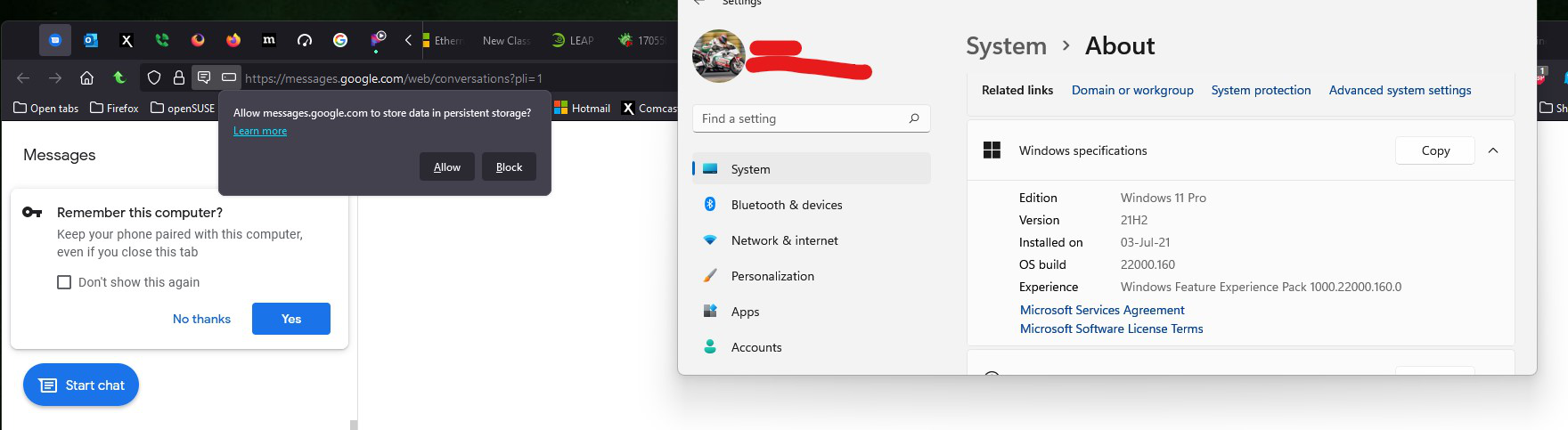
I switched to Win11 to verify the process and it's the same. You should clear your browser data and start the process over and you should get the prompts.
https://support.mozilla.org/en-US/kb/clear-cookies-and-site-data-firefox
定位到答案原位置 👍 0所有回复 (5)
Do you recall seeing these messages?

This is a shot of the Persistent cookie, if this is removed you will have to scan the QR code. I closed the tab and reopened it with no issue, but after I cleared the cached from the browser (removing the persistent cookie) I had to rescan.
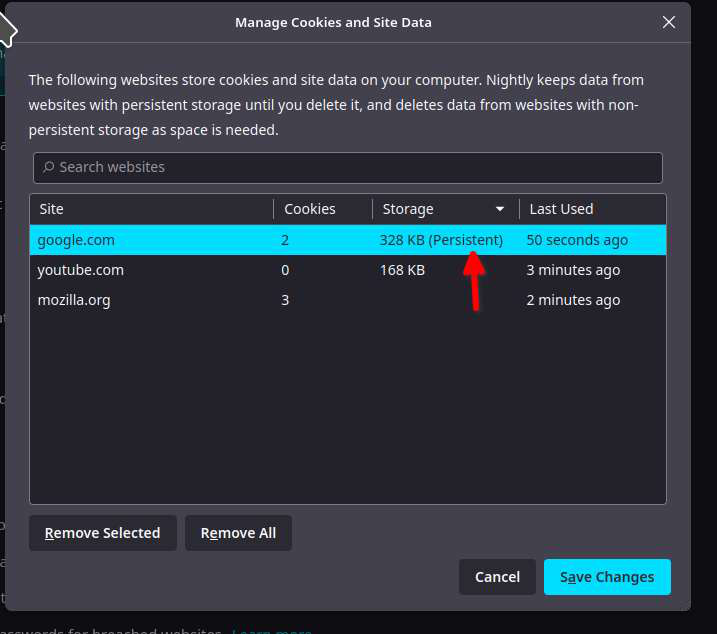
由jonzn4SUSE于修改
I have not seen this message. Where should I look for it?
选择的解决方案
I switched to Win11 to verify the process and it's the same. You should clear your browser data and start the process over and you should get the prompts.
https://support.mozilla.org/en-US/kb/clear-cookies-and-site-data-firefox

This question has been locked because the original author has deleted their account. While you can no longer post new replies, the existing content remains available for reference.