


Old devices cannot be removed from synced devices list

On my device list I can see old PCs which don´t exist anymore, but clicking the "sign out" button doesn´t sign them out. What can I do to remove these old devices from the sync-list ?
所有回复 (5)
Type about:accounts<enter> in the address bar.
[v57+] https://accounts.firefox.com/settings
Is this the button that is not working?
Make sure you are not blocking content.
Diagnose Firefox issues using Troubleshoot(Safe) Mode {web link}
A small dialog should appear. Click Start In Troubleshoot(Safe) Mode (not Refresh). Is the problem still there?
https://support.mozilla.org/en-US/kb/enhanced-tracking-protection-firefox-desktop
Many site issues can be caused by corrupt cookies or cache.
Warning ! ! This will log you out of sites you're logged in to. You may also lose any settings for that website.
- How to clear the Firefox cache {web link}acking-protection-firefox-desktop
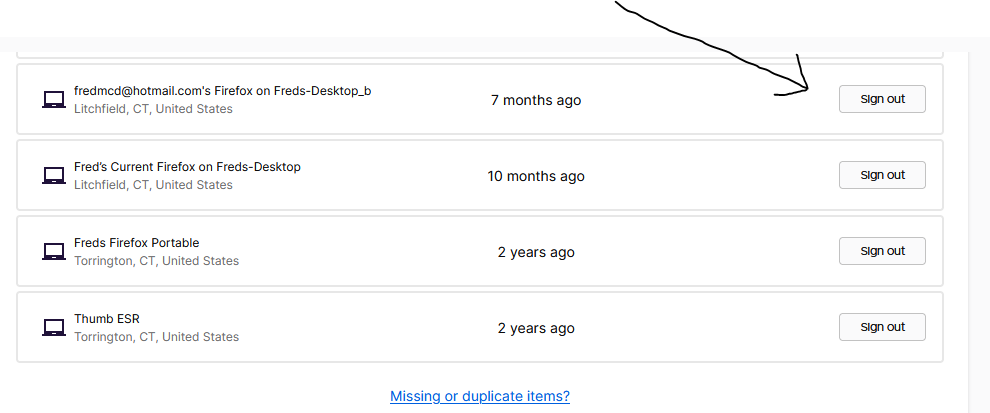
Thank you very much, FredMcD. I tried all suggestions you made. Sorry to say that nothing worked.
I will try to create a new sync-account. Maybe these old entries will not be there.
I have another Firefox-account, created a few years ago. Login worked and when logging an old entry out, Firefox sent an code to my e-mail. With this code the entry got deleted. But not the other old entries. Now it is the same problem as before. Nothing is deleted anymore.
Now I will create a new account.
It is not possible to create a new account. I am giving up now.
I called for more help.