

话题已存档。
如果需要帮助请提出新问题。

Solved
已存档
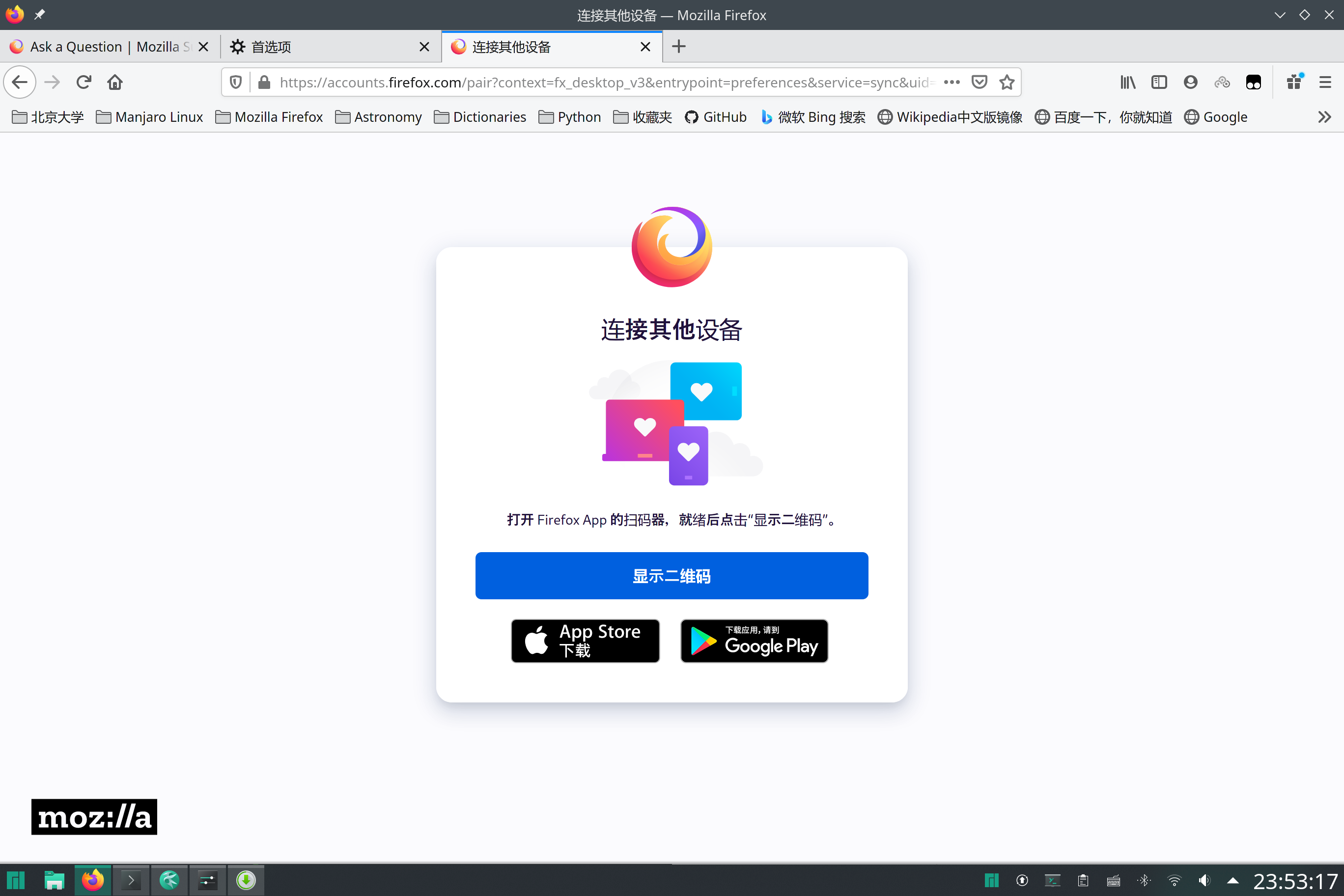
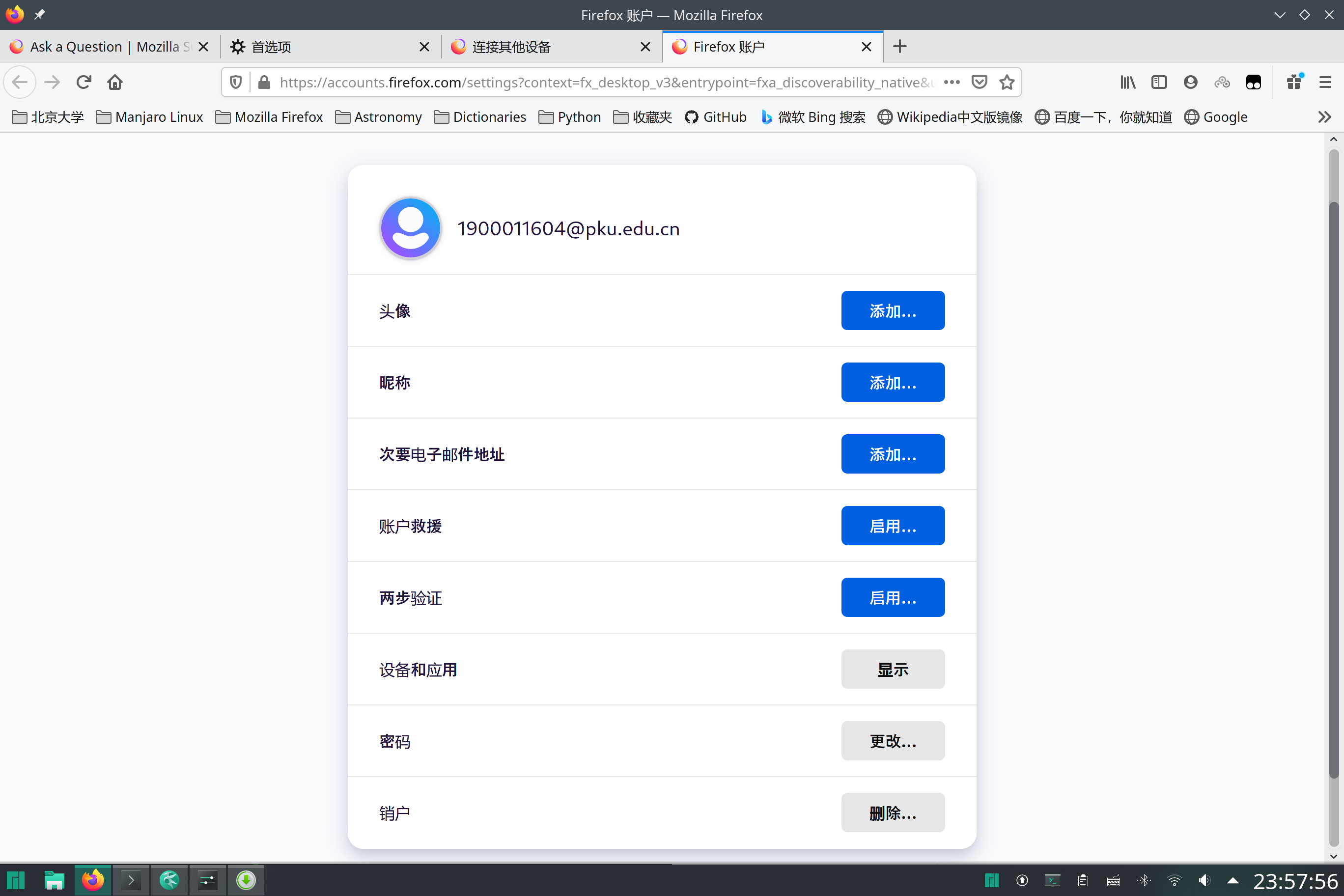
Chinese language pack gave Japanese Characters
“连”、“设备” are Microsoft YaHei(MSYH), but the others are other fonts which are not on my computer, and although my settings are zh-CN, my language pack is zh-CN, my Default Font is MSYH, the bold characters are JAPANESE STYLE CHINESE CHARACTERS. Maybe it is because in your font-config, ja-JP is former to zh-CN, please fix it.
“连”、“设备” are Microsoft YaHei(MSYH), but the others are other fonts which are not on my computer, and although my settings are zh-CN, my language pack is zh-CN, my Default Font is MSYH, the bold characters are JAPANESE STYLE CHINESE CHARACTERS. Maybe it is because in your font-config, ja-JP is former to zh-CN, please fix it.
所有回复 (1)
选择的解决方案
Delete MS Gothic and Yu Gothic fonts.