


How Can i remove the russian ads ?

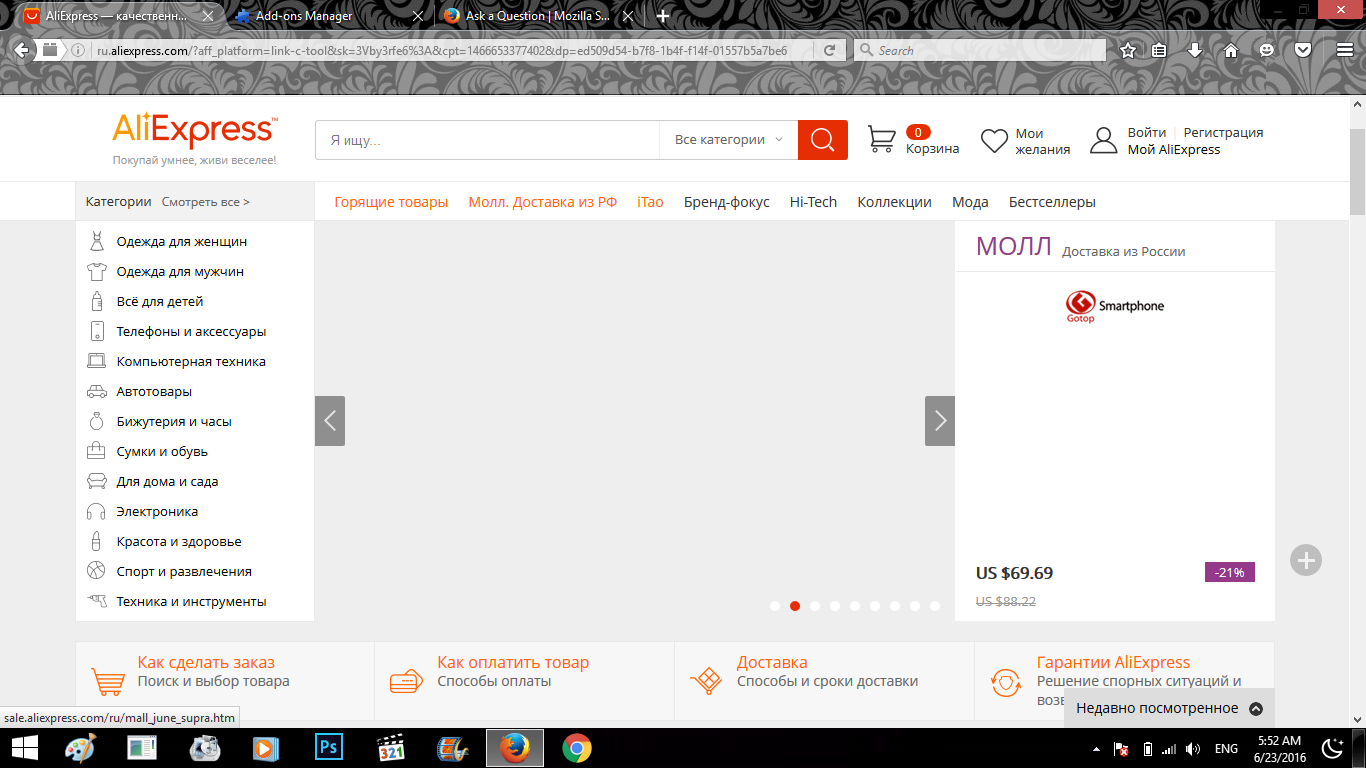
always when i open Mozilla i find Russian ads automatically opened !! , and i can't remove it !
所有回复 (1)
You can check the target line in the Firefox desktop shortcut (right-click: Properties) to make sure nothing is appended after the path to the Firefox program.
You can check the home page setting.
- Options/Preferences -> General -> Startup: Home page
- https://support.mozilla.org/kb/How+to+set+the+home+page
Firefox supports multiple home pages separated by '|' (pipe) symbols.
You can open the about:config page via the location/address bar and search for prefs that refer to this website (domain). You can reset user set (bold) pref(s) on the about:config page via the right-click context menu to the default value.
You can open the about:config page via the location/address bar. You can accept the warning and click "I'll be careful" to continue.
Start Firefox in Safe Mode to check if one of the extensions ("3-bar" menu button or Tools -> Add-ons -> Extensions) or if hardware acceleration is causing the problem.
- Switch to the DEFAULT theme: "3-bar" menu button or Tools -> Add-ons -> Appearance
- Do NOT click the "Refresh Firefox" button on the Safe Mode start window
- https://support.mozilla.org/kb/Safe+Mode
- https://support.mozilla.org/kb/Troubleshooting+extensions+and+themes
Do a malware check with several malware scanning programs on the Windows computer.
Please scan with all programs because each program detects different malware. All these programs have free versions.
Make sure you update each program to get the latest version of their databases before doing a scan.
- Malwarebytes' Anti-Malware:
http://www.malwarebytes.org/mbam.php - AdwCleaner:
http://www.bleepingcomputer.com/download/adwcleaner/
http://www.softpedia.com/get/Antivirus/Removal-Tools/AdwCleaner.shtml - SuperAntispyware:
http://www.superantispyware.com/ - Microsoft Safety Scanner:
http://www.microsoft.com/security/scanner/en-us/default.aspx - Windows Defender:
http://windows.microsoft.com/en-us/windows/using-defender - Spybot Search & Destroy:
http://www.safer-networking.org/en/index.html - Kasperky Free Security Scan:
http://www.kaspersky.com/security-scan
You can also do a check for a rootkit infection with TDSSKiller.
- Anti-rootkit utility TDSSKiller:
http://support.kaspersky.com/5350?el=88446
See also:
- "Spyware on Windows": http://kb.mozillazine.org/Popups_not_blocked
由cor-el于修改