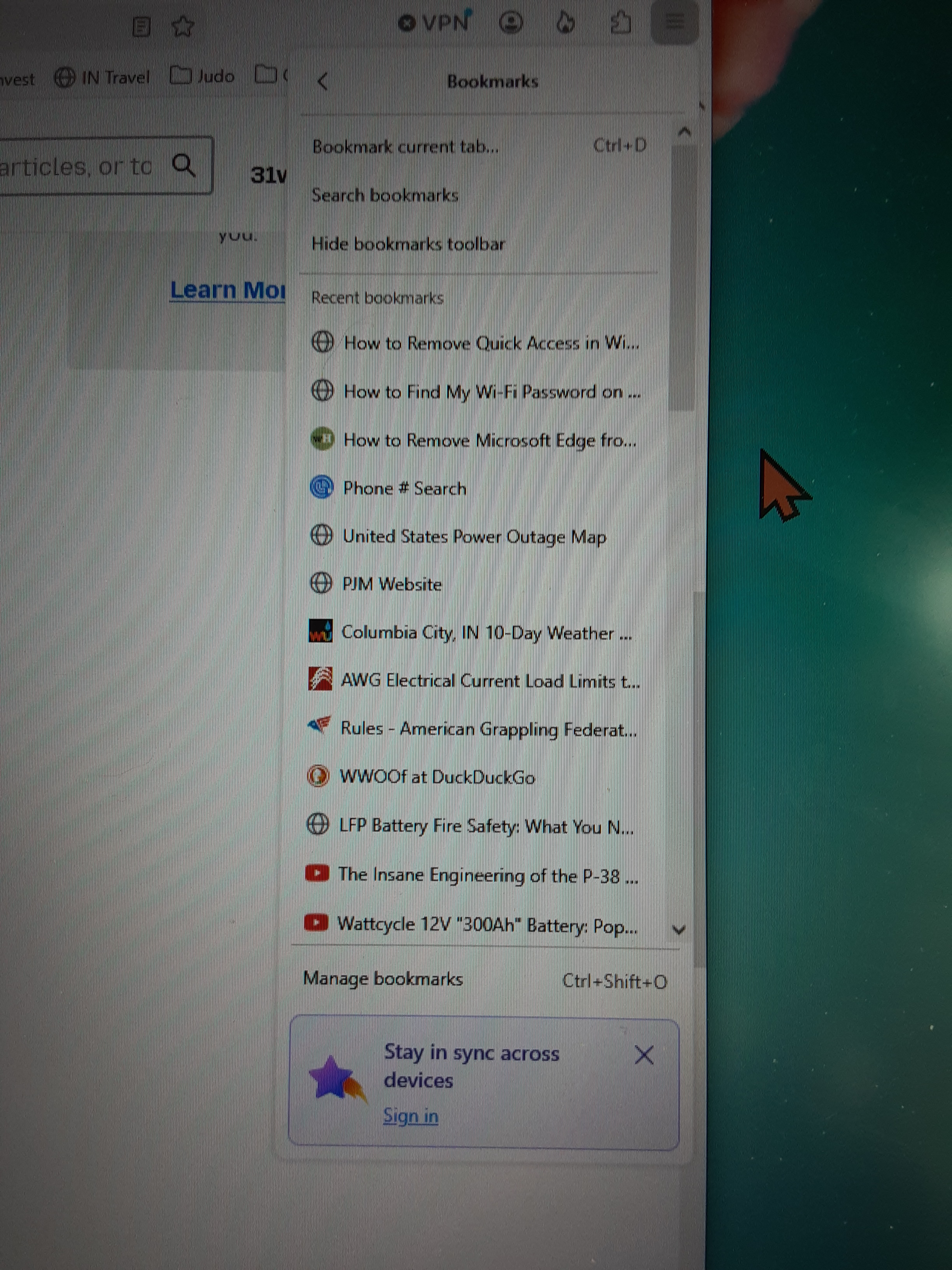
I have not figured out how to clear/delete Recent Bookmarks.

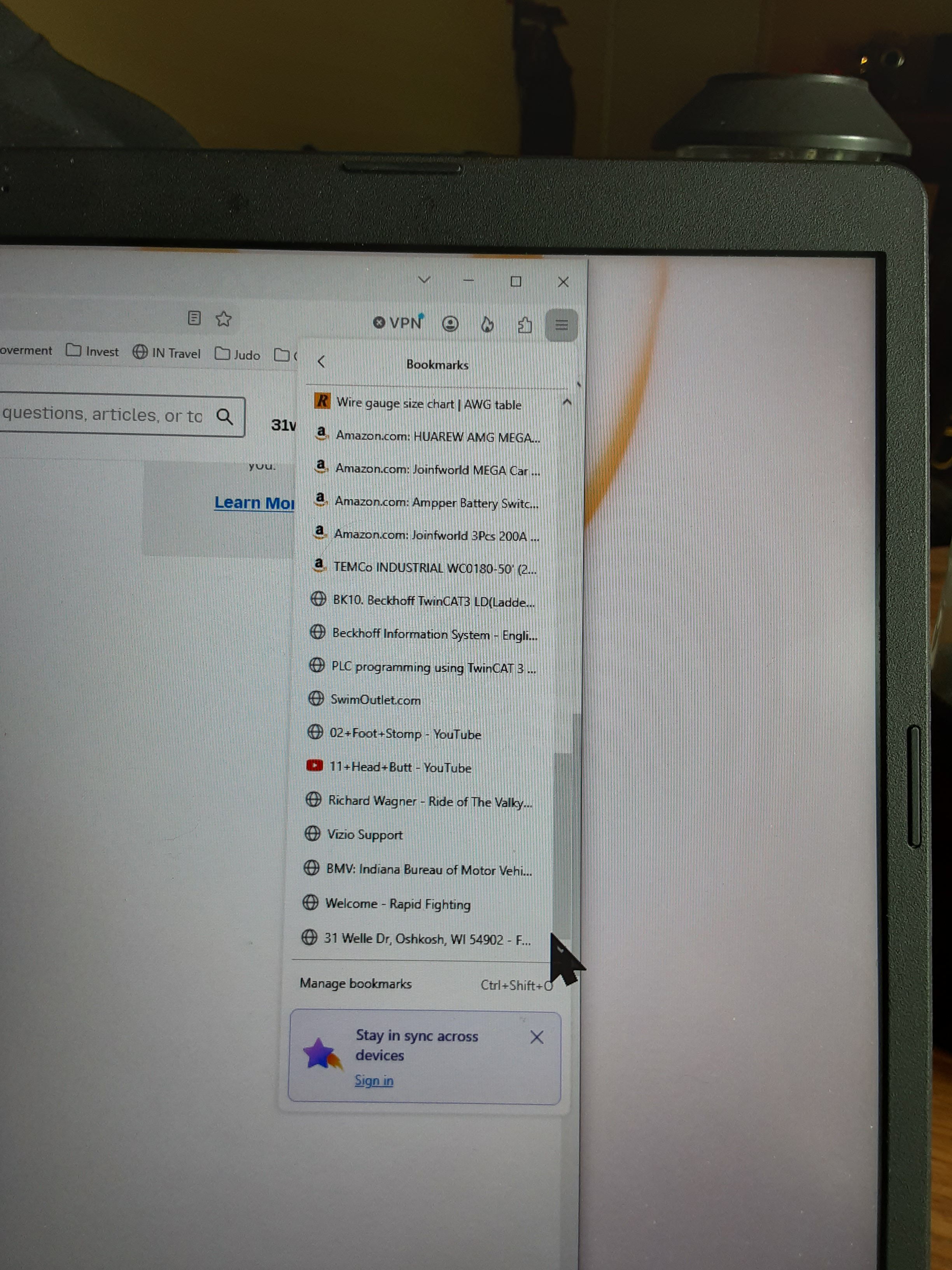
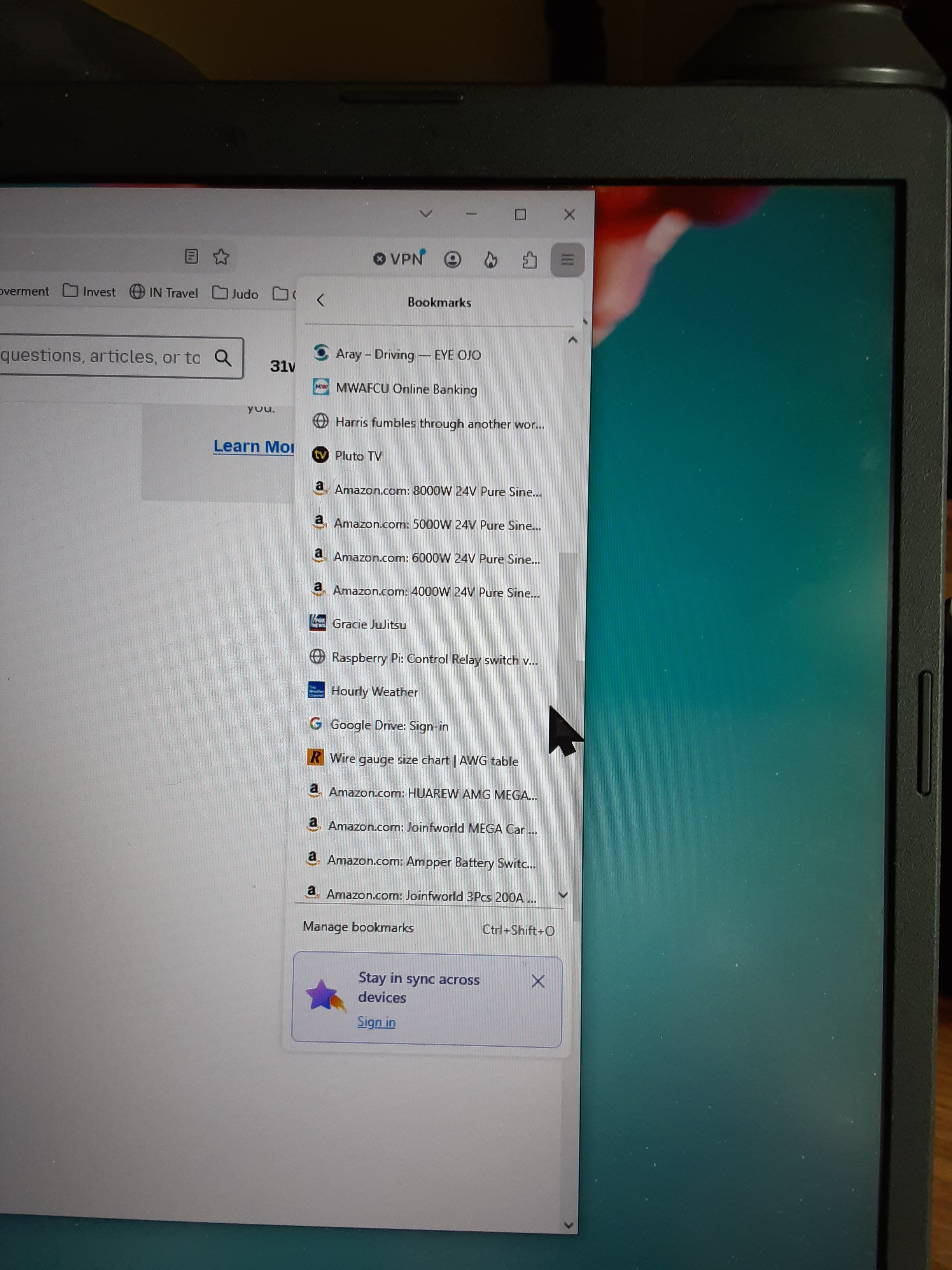
When I start Firefox, open the application menu, and select Bookmarks, about 50 Bookmarks are displayed under "Recent bookmarks". Many of the bookmarks are not recent. Some are months old and several might be years old.
I've used Firefox for years and only noticed this because I'm trying to help a friend who is having trouble with and old Windows 10 laptop. I installed Firefox 1560.1 (64bit) and added a lot of folders and bookmarks using "Manage bookmarks" or Ctrl-Shift-o. It currently only has 42 bookmarks displayed under "Recent Bookmarks" because I started Rt-clicking and deleting them before I figured that this deletes the bookmark that I had added to a folder in addition to removing it from the Recent bookmark list.
I feel this feature (Recent Bookmarks) totally negates the privacy and security that the Clear Browsing data and Never remember history options USED to give me.
Ọ̀nà àbáyọ Tí a Yàn
Yes, recent bookmarks do not track your browsing. The list only sorts recently added or edited bookmarks and does not reflect their actual use. Some people explicitly like this separation and clear non–bookmarked browsing history, and rely on bookmarks to retain only the useful bits without any visit details for them.
Also please appreciate if a government or marketing agency has already access to your physical device to be able to leverage your local bookmark data, you're potentially in bigger trouble than leaking what's your favorite banana bread recipe. Or to put it this way: whether a menu item is shown some way does not impact the database storage backing it, so whether some recent additions are surfaced or not changes nothing in the actual data, and if you can't trust files from your local device being safe you potentially want to store your bookmarks outside of the device, on paper perhaps.
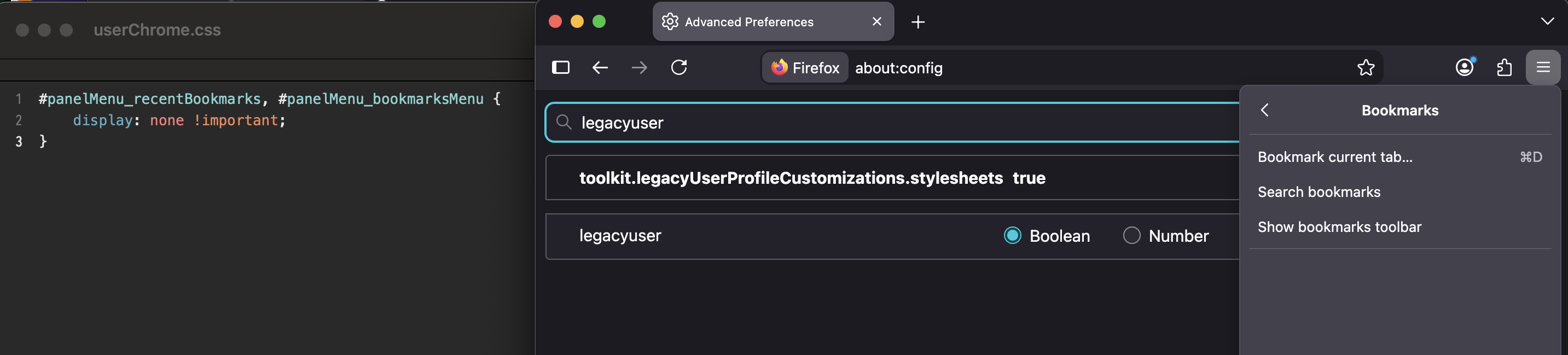
(This menu is basically for those who don't want to click too much, and need to quickly access the recently added bookmark without searching trees of hundreds etc.; and as you mention, to not have a separate configuration option for pretty much everything… this menu also doesn't have an option to configure it some way. That said, there's no preference to hide it, so if you need to remove the section, customizing the code might be your only option: https://www.userchrome.org/what-is-userchrome-css.html — there were people reporting success but it assumes some debug and markup skills.)
Thanks for the explanation, I was wondering why would people see a "list in plain sight" (after clicking two menus) as a "breach of privacy", where, clicking one extra folder would not be seen as such — which bookmarks normally are, in plain sight around the browser for handy use.
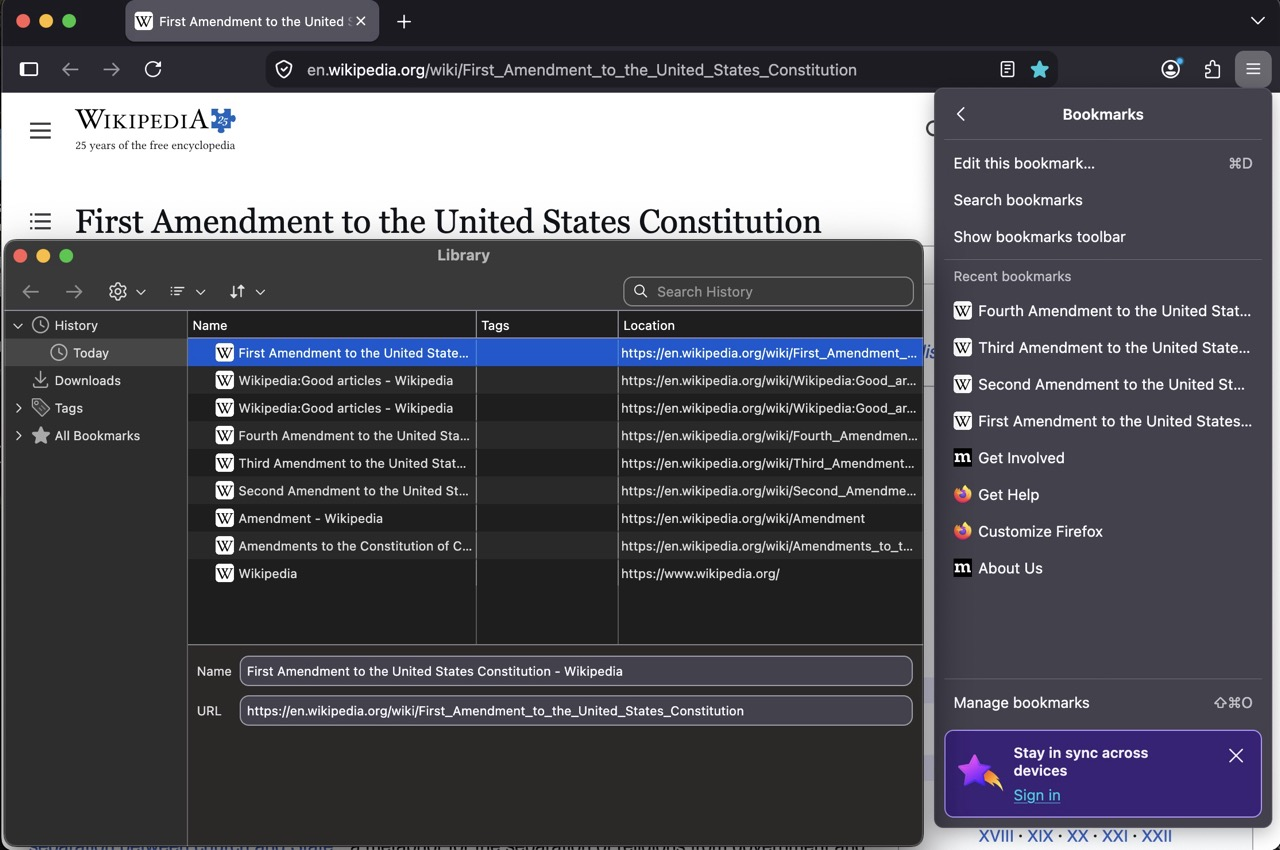
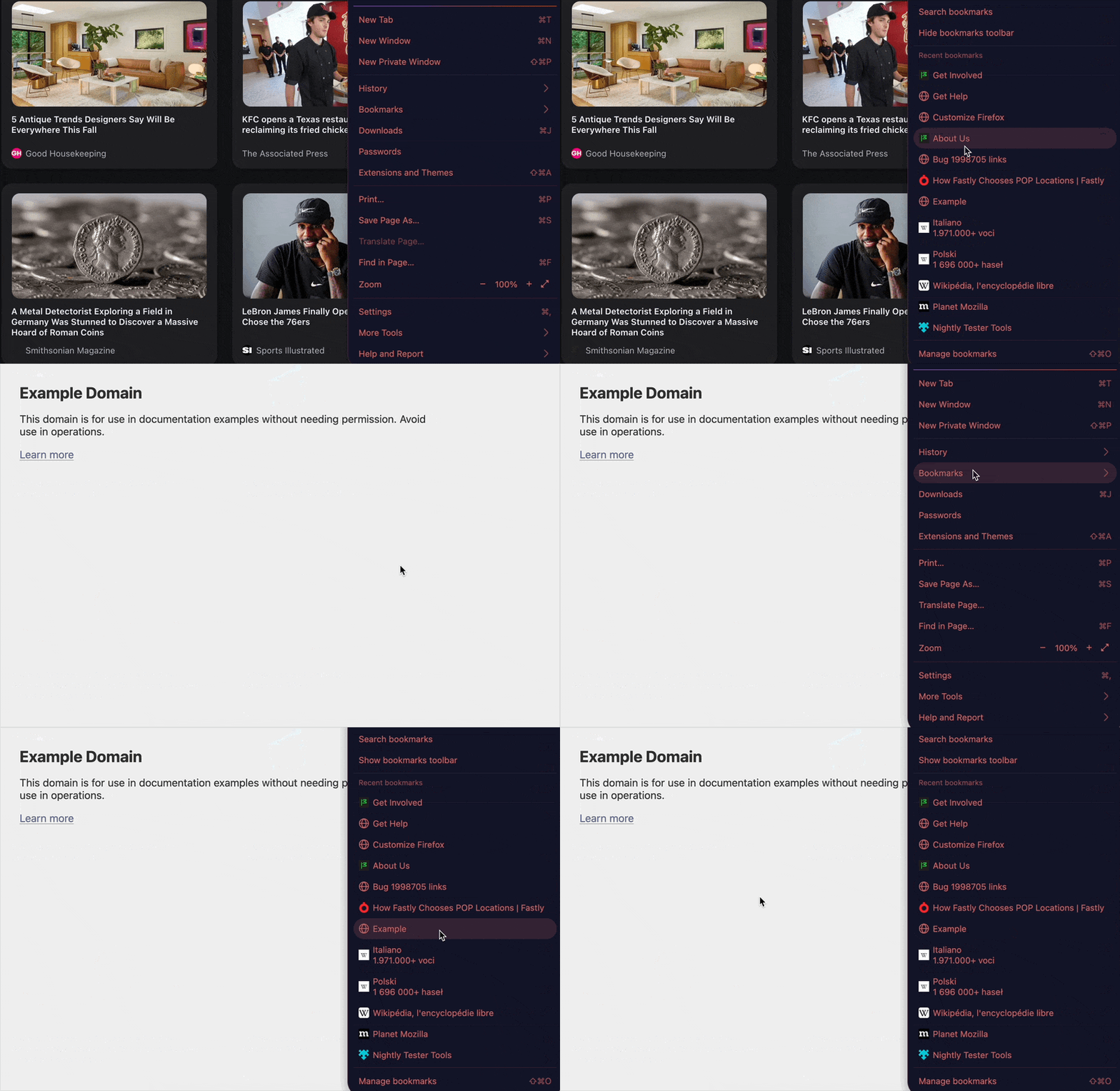
Just to demonstrate the recent order only mirrors actual bookmark changes, not navigating there: [fig.1]: a comparison bookmarking amendments from I to IV but visiting in different order; and [fig.2]: re-visiting a bookmark from the middle of the list staying put after the visit:
All Replies (7)
This is interesting as several people mentioned the same…
Could you elaborate a little on how a bookmark shown in "recent" list is a privacy concern, while one click away in the bookmark panel/library or a sidebar the same bookmarks are shown as well?
Is the recency a factor in what feels like leaking some personal/behavioral info on top? Thanks!
Good question. I'm not very current with today's computer technology (it took me a couple of minutes to figure out how to send a reply to you) but was pretty good about 50 years ago and your question made me step back and examine my objections. The first thing I thought was "yes" all my bookmarks are just 1 or 2 clicks away, so that doesn't diminish my privacy or security in any meaningful manner. I believe I thought the recent bookmarks were created by going to a website (which is what I was doing a lot to verify the bookmark still worked), but on reflection, I was using a bookmark to get there. So, I did a search and opened a website and it did NOT show up in the recent bookmarks area.
The idea of a "recency" factor also plays in because of my objections to tracking & profile creation for marketing or government purposes and just the availability of too much unnecessary information which can be hacked leading to personal data breeches.
Finally, I get frustrated when programs have so many options that I can't get tasks accomplished without having to bypass or close pop-ups to get to where I want.
In summary thanks for the question, it has reduced my anxiety a little, but I would still like to be able to shut it off or clear it. I know how to search and I know what I have bookmarked, this function just gets in my way.
Ọ̀nà àbáyọ Tí a Yàn
Yes, recent bookmarks do not track your browsing. The list only sorts recently added or edited bookmarks and does not reflect their actual use. Some people explicitly like this separation and clear non–bookmarked browsing history, and rely on bookmarks to retain only the useful bits without any visit details for them.
Also please appreciate if a government or marketing agency has already access to your physical device to be able to leverage your local bookmark data, you're potentially in bigger trouble than leaking what's your favorite banana bread recipe. Or to put it this way: whether a menu item is shown some way does not impact the database storage backing it, so whether some recent additions are surfaced or not changes nothing in the actual data, and if you can't trust files from your local device being safe you potentially want to store your bookmarks outside of the device, on paper perhaps.
(This menu is basically for those who don't want to click too much, and need to quickly access the recently added bookmark without searching trees of hundreds etc.; and as you mention, to not have a separate configuration option for pretty much everything… this menu also doesn't have an option to configure it some way. That said, there's no preference to hide it, so if you need to remove the section, customizing the code might be your only option: https://www.userchrome.org/what-is-userchrome-css.html — there were people reporting success but it assumes some debug and markup skills.)
Thanks for the explanation, I was wondering why would people see a "list in plain sight" (after clicking two menus) as a "breach of privacy", where, clicking one extra folder would not be seen as such — which bookmarks normally are, in plain sight around the browser for handy use.
Just to demonstrate the recent order only mirrors actual bookmark changes, not navigating there: [fig.1]: a comparison bookmarking amendments from I to IV but visiting in different order; and [fig.2]: re-visiting a bookmark from the middle of the list staying put after the visit:
Thanks again for your replies. I appreciate the time you take to compose them – it certainly takes me a long time. I know I’m a “dinosaur”; my first programming experience was using punch cards. I had no use for a personal computer mouse when they first came out and my phone does not connect to the internet because I set it up so it doesn’t (a dumb Smart Phone?). I think Apple got ripped off when Microsoft got away with virtually copying the Operating system which made mice useful. I still have some skills as I have been off the electric grid for over two years and somewhat successful with simple computer repairs like replacing an undersized hard drive in a laptop using cloning software.
I believe I have set up Firefox to delete all browsing data when I close Firefox. I also think I do not have any personal information (credit card #’s, Phone #, passwords, financial accounts, & etc) stored on any of my computers – basically your paper system. In spite of these actions, I know all of the aforementioned information is available via the internet. So, I’m not really worried about my personal devices allowing marketing agencies, the government, or hackers getting access to my devices either physically or remotely because there is more information in web databases than on my devices.
As I stated in my first message, I only had discovered the recent bookmarks section because I was helping a friend with a 2018 era Windows 10 OS laptop. I was very tired & frustrated with Microsoft co-pilot constantly popping up and asking if I wanted something I didn’t want, other pop-ups when moving the mouse across the search box in preparation of starting regedit, OneDrive having files and not being able to move them to a data drive, his Anti-virus programs, some hacker programs, and File Explorer’s multiple displays of the same data (Quick Access, This PC, & Actual drives), multiple Desktops with different icons, and secure boot problems because the manufacturer is no longer providing support to incorporate new requirements Microsoft is implementing. So, when I installed Firefox & tried to arrange bookmarks and the Recent Bookmarks popped up with a long list I jumped to the wrong conclusion and was worried how I could justify to my friend that Firefox did not data farm like I believe Microsoft Edge does.
Any, I’ve slept since your previous message and am not really concerned about recent bookmarks mostly because of your responses.
Thanks for your help & keep it up for the other not-so-computer-skilled people like me out there.
I believe Apple actually snatched the engineers from Xerox along with their work done in Palo Alto Research Center back then on the personal computing GUI interpreted as skeuomorphic everyday objects, so… — karma?;)
I understand the potential to customize this part of the menu — some users could actually use the real folder structure there instead etc. — luckily there are multiple entrypoints to the bookmark system so folks can usually find something that suits them (see e.g. previous support.mozilla.org/questions/1598487 for examples), and if not — there are endless add–on options for the others.
[…] when I installed Firefox & tried to arrange bookmarks and the Recent Bookmarks popped up with a long list I jumped to the wrong conclusion and was worried how I could justify to my friend that Firefox did not data farm […]
Alright, this is potentially the key moment — you were most likely at that point importing bookmarks at bulk — so at that point in time "all" of the bookmarks were "recent" to this new device, and hence shown like that. This will shorten over time, as new entries are added, only the actually individually curated recent ones will be listed there on top, for convenience. It's kind of a last resort for folks who just starred something and then forgot to which folder;) so it's here on top, for quick verification/edits.
Regarding data sensitivity, if you have a need for something more custom, there are addons like addons.mozilla.org/firefox/addon/webext-private-bookmarks/ that give you the idea how to go about bookmark data that's not stored in the regular, locally accessible storages — but encrypted with the extra passphrase. Not that I'm recommending this particular extension or the concept per se (with extra encryption layers there's always bigger potential for data loss etc.) it's mostly a demonstration of the configuration flexibility and customization options that exist out there to cater to specific needs. You should be in control as much as you prefer!
Karma! I didn’t remember Xerox and the Palo Alto Research Center until you reminded me. It appears that you have either been around awhile also and have kept current or you have learned a LOT about computer science. I guess it could also be a little of both.
I forgot to mention in my last reply that I might be able to figure out how to use the chrome link to customize the code to remove the section but felt the chances that I could succeed without making things worse were not worth the effort since there are really no privacy or security problems associated with Recent Bookmarks. The same logic and the potential of lost data apply to encrypting bookmarks. I’m going to prefer to be lazy and not worry about controlling unimportant things.
Based on our discussions, I have lost some of my bias against Microsoft and remembered some things Apple does that have frustrated me. I’ve reset my viewpoint for both companies. Their goal is to make money, which is slightly different from getting customers by making the best product. I was happy with my negative biases but now I’m happier with two new neutral biases – Thank-you again.
Hope you have a Grrr8 Day!
That comes from living in Palo Alto for a bit I guess, and enjoying the views down from Stanford Dish and the surrounding hiking trails, the legacy there is almost tangible! (And the architecture is not too bad either;))
Knowing the engineers inside the companies personally, I know they greatly contribute to advancements that we take for granted today, no matter the "hard sell" and "shareholder value" thrown around by the "top brass" — so I try to enjoy and make use of their successes… and appreciate their internal opinions on things do not necessarily contradict those of outside folk, i.e. if you were ever in such position, you know;)
If you plan to hack on the browser front–end styling, the getting started is covered e.g. in github.com/MrOtherGuy/firefox-csshacks#setup or userchrome.org/how-create-userchrome-css.html and the inspector for the elements is documented in firefox-source-docs.mozilla.org/devtools-user/browser_toolbox/
This is a very simple rule to hide the "recent bookmarks" section: