


Unable to set up Thunderbird Mobile on my Android phone

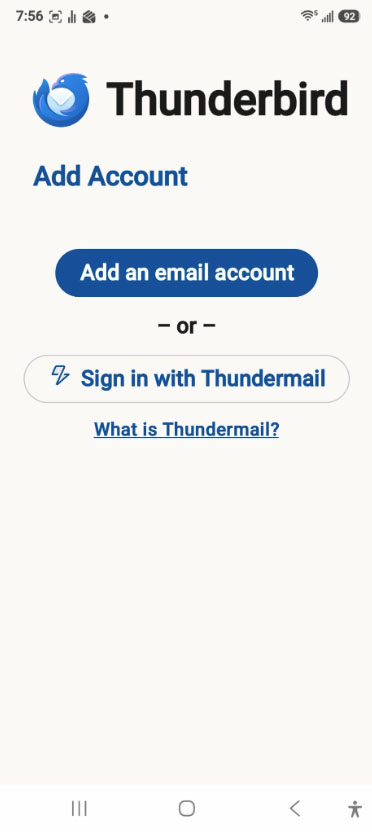
I have been trying to set up Thunderbird Mobile on my Android phone. I scanned the QR code to export my settings. However, when I open the app on my phone, the only options I have are "Add an email account", or "Sign in with Thundermail". The instructions state that clicking on "Get Started" should bring up the option to "Import Settings" but it does not.
All Replies (4)
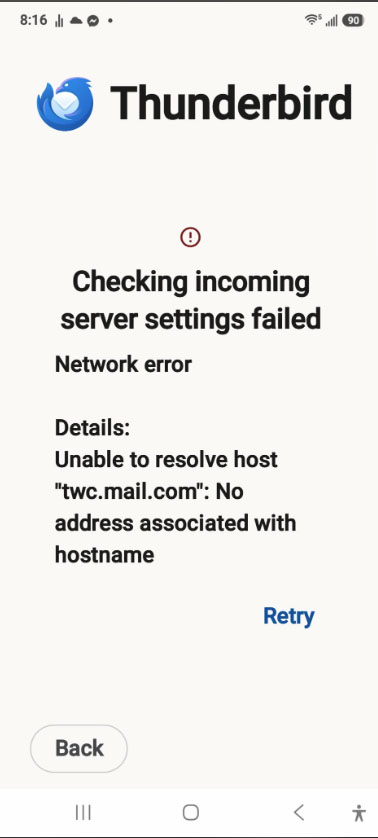
I should also add, when I try to put in the settings (which I know are correct, same as what I have in Thunderbird Desktop), it comes up with "Checking incoming server settings failed Network error Details: Unable to resolve host "twc.mail.com": No address associated with hostname. I positively know that is correct.
This is the Thunderbird for desktop operating systems forum. You might be better off asking your question in the Thunderbird for Android forum where its experts reside.
https://support.mozilla.org/en-US/questions/thunderbird-android
But I will say this... Spectrum (including, presumably, TWC) has been having severe connectivity problems that affect all email agents, for several weeks at least, though they rarely admit it. We are watching the situation closely, but there's not much we can do.
According to Spectrum's help web page <https://www.spectrum.net/support/internet/mobile-email-setup>, that is a valid address, but it is not online right now, which is why you're getting the "Unable to resolve host" error. Hopefully that's a temporary situation, but you would have to check with them for status.

Moving this topic to the TBfA queue.

This is a duplicate of https://support.mozilla.org/en-US/questions/1604884 I've responded to that post.
The correct server name is mail.twc.com, not twc.mail.com