


Settings overwritten on update

I do not want Firefox to be my default browser, nor to I want it to start when the computer is started. I DO want it to use the same tabs & windows as the previous time I closed it.
But every time Firefox updates automatically, it resets those setting back to te default. How can I get it to keep those setting?
All Replies (2)
I do not want Firefox to be my default browser,
That's a setting in Windows https://www.howtogeek.com/767462/how-to-change-the-default-web-browser-on-windows-11/
I DO want it to use the same tabs & windows as the previous time I closed it.
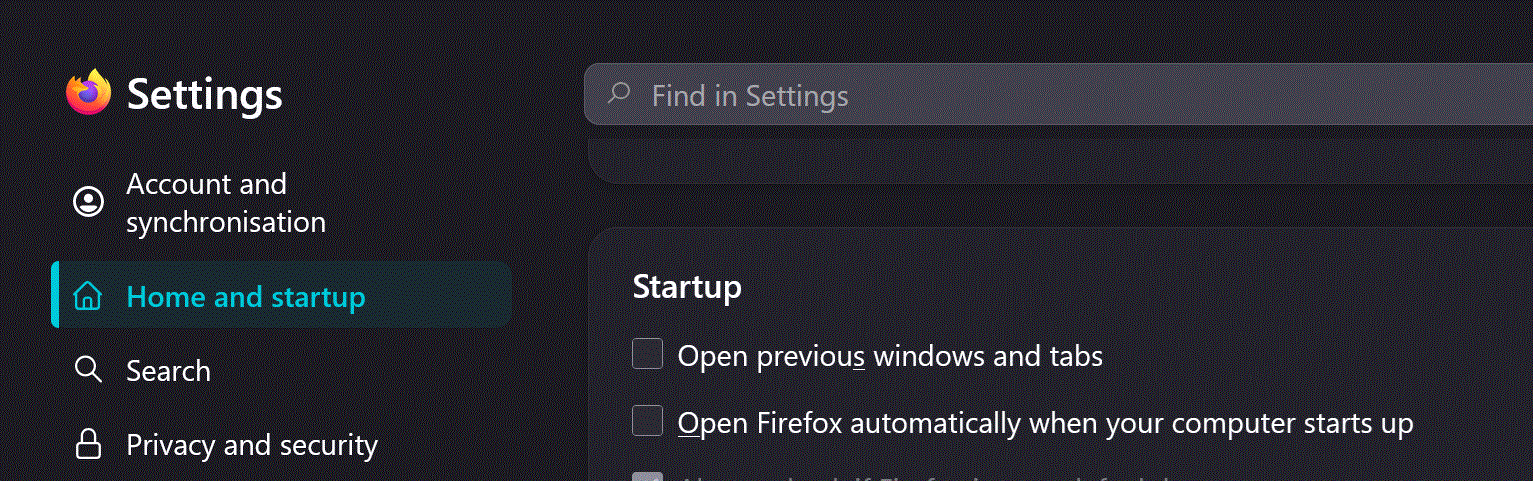
That's a setting in Fx ... see image
Ti ṣàtúnṣe nípa amoun
I know perfectly well that is in settings. I asked how you prevent Firefox from overwriting those settings when it gets an update.
I have reset that several times in the last few weeks, and each time it reverts back within a few days.