


lines bordering cells in table

lines bordering cells in table
All Replies (7)
Yes? Which is your problem with those lines?
Thanks How do I get them to display solid? Russell Greene
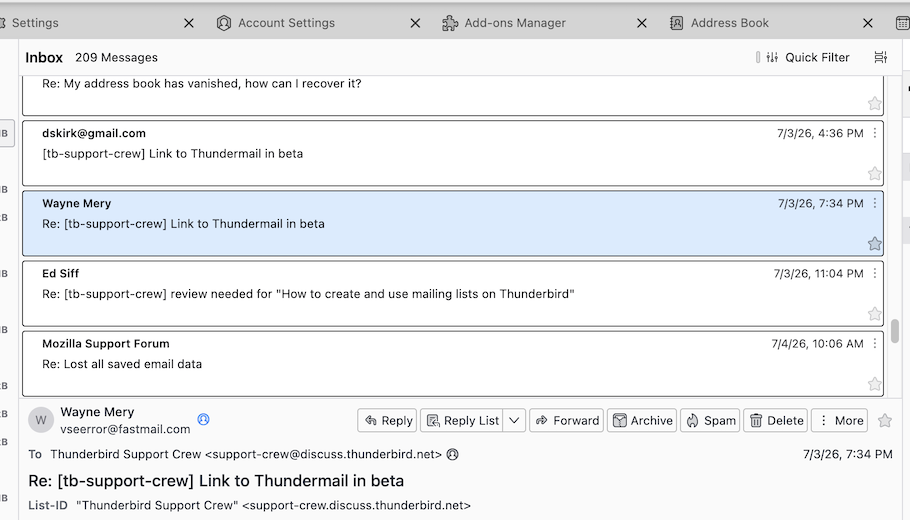
If in "cards view" you want the cards displayed with a solid border as shown in my attached image, you can do it only with the following CSS code in a userChrome.css text file:
#threadTree[rows="thread-card"] .card-container{
border: 1px solid !important; }
To do this you need the following requirements:
• go to Settings > General ... scroll down to the bottom and click on Config Editor ....
Search for the preference toolkit.legacyUserProfileCustomizations.stylesheets and toggle its value to true
• open a text editor, copy & paste the above code and save the text file under the name of userChrome.css (delete the suffix .txt your OS will automatically add at the end)
• create a new folder on your desktop, name it chrome and move the userChrome.css in the folder chrome
• in the Thunderbird main window go to Help > Troubleshooting Information > Profile Folder > Open Folder, then quit Thunderbird
• move the chrome folder in the profile folder which might have a name somewhat like xxxxxxxxx. default-release
• restart Thunderbird and verify if the CSS code works in the cards view message list

Russell, what kind of table do you mean? An HTML table in a message?
Rick said
Russell, what kind of table do you mean? An HTML table in a message?
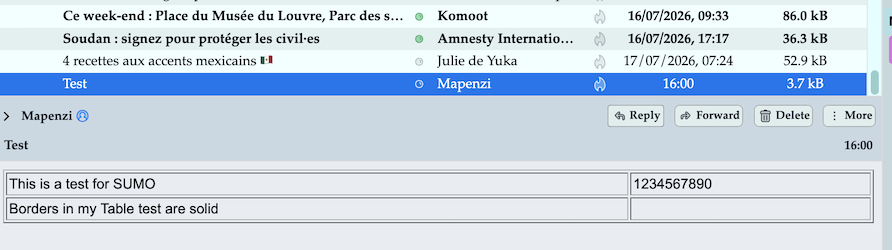
Ah, I didn't think of THAT table in a message. By default borders of a "table cell" are solid in my test mail
but notin mine! Thanks anway Russell Greene
Just a regular body-text message