Èròjà atẹ̀lélànà yii ni a ti fi pamọ́ fọ́jọ́ pípẹ́.
Jọ̀wọ́ béèrè ìbéèrè titun bí o bá nílò ìrànwọ́.

Solved
A ti fi pamọ́ fọ́jọ́ pípẹ́
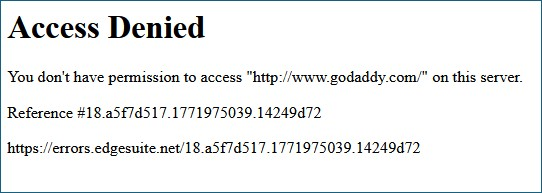
Access Denied You don't have permission to access "http://www.godaddy.com/" on this server.
i HAVE CLEARED THE CACHE, DATA, HISTORY, everything i CAN THINK OF. aLL WEB SITES WORK FINE except gO dADDY.
Access Denied You don't have permission to access "http://www.godaddy.com/" on this server.
Reference #18.6bf7d517.1771978173.2cedcff8
https://errors.edgesuite.net/18.6bf7d517.1771978173.2cedcff8
i HAVE CLEARED THE CACHE, DATA, HISTORY, everything i CAN THINK OF. aLL WEB SITES WORK FINE except gO dADDY.
Access Denied
You don't have permission to access "http://www.godaddy.com/" on this server.
Reference #18.6bf7d517.1771978173.2cedcff8
https://errors.edgesuite.net/18.6bf7d517.1771978173.2cedcff8
All Replies (2)
Hi,
If you clear cookies and data for it and then immediately enable Chrome Mask, does that help?
Ọ̀nà àbáyọ Tí a Yàn
I will never put Chrome anything on my desktop.
I solved the problem by deleting Mozilla Firefox and then completely reinstalling it. I tried ALL the other suggestions to no avail.
The error message I WAS getting was: