


Unified Mode

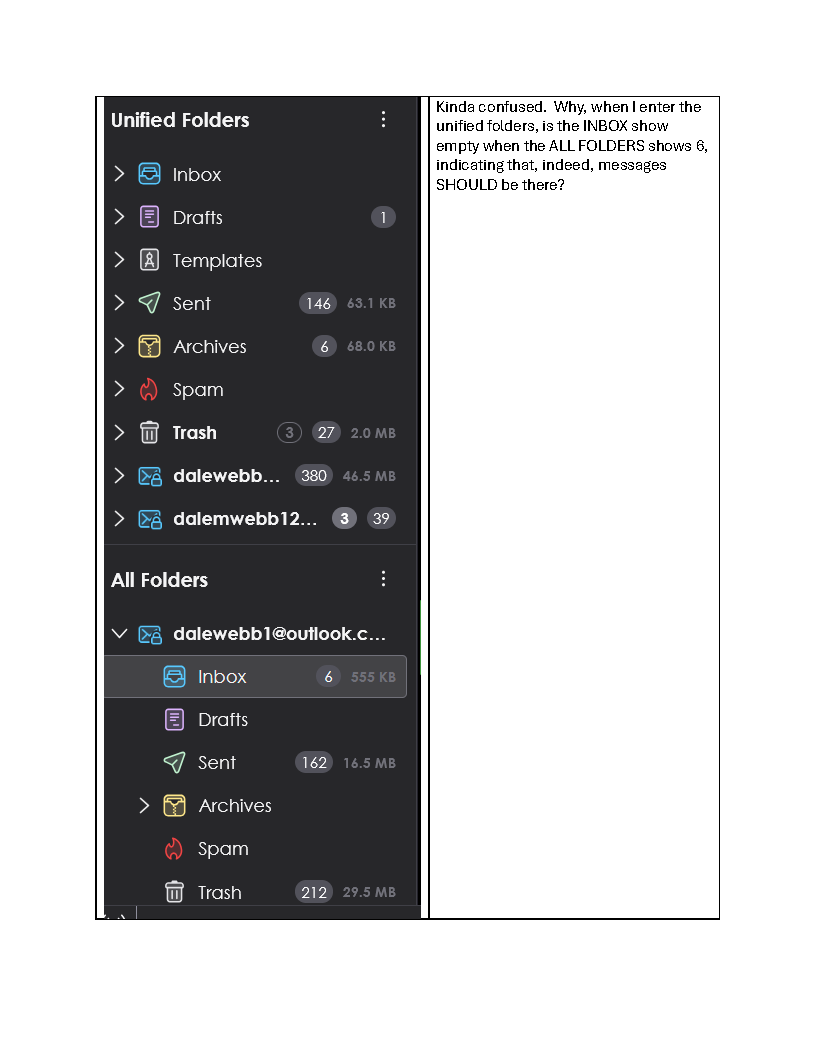
Kinda confused. Why, when I enter the unified folders, is the INBOX show empty when the ALL FOLDERS shows 6, indicating that, indeed, messages SHOULD be there? See attached.
Kinda confused. Why, when I enter the unified folders, is the INBOX show empty when the ALL FOLDERS shows 6, indicating that, indeed, messages SHOULD be there? See attached.
All Replies (3)
Try this: Highlight the unified inbox, rightclick and select properties. then select choose and see if the inbox of all accounts are checked.
I don't know why TB didn't "check all the right boxes," but they were NOT. I opened each unified folder in turn and chose Properties. Selected all the appropriate boxes for each folder. Why were they not done by TB? Are there other things I'm missing? After a restart, the messages did appear in the Unified Inbox.