


Street names and route numbers disappear in Google maps

Windows 11, Firefox 129.02
I've done both a refresh and a clean install and the problem persists. Fonts set to "allow site to substitute"
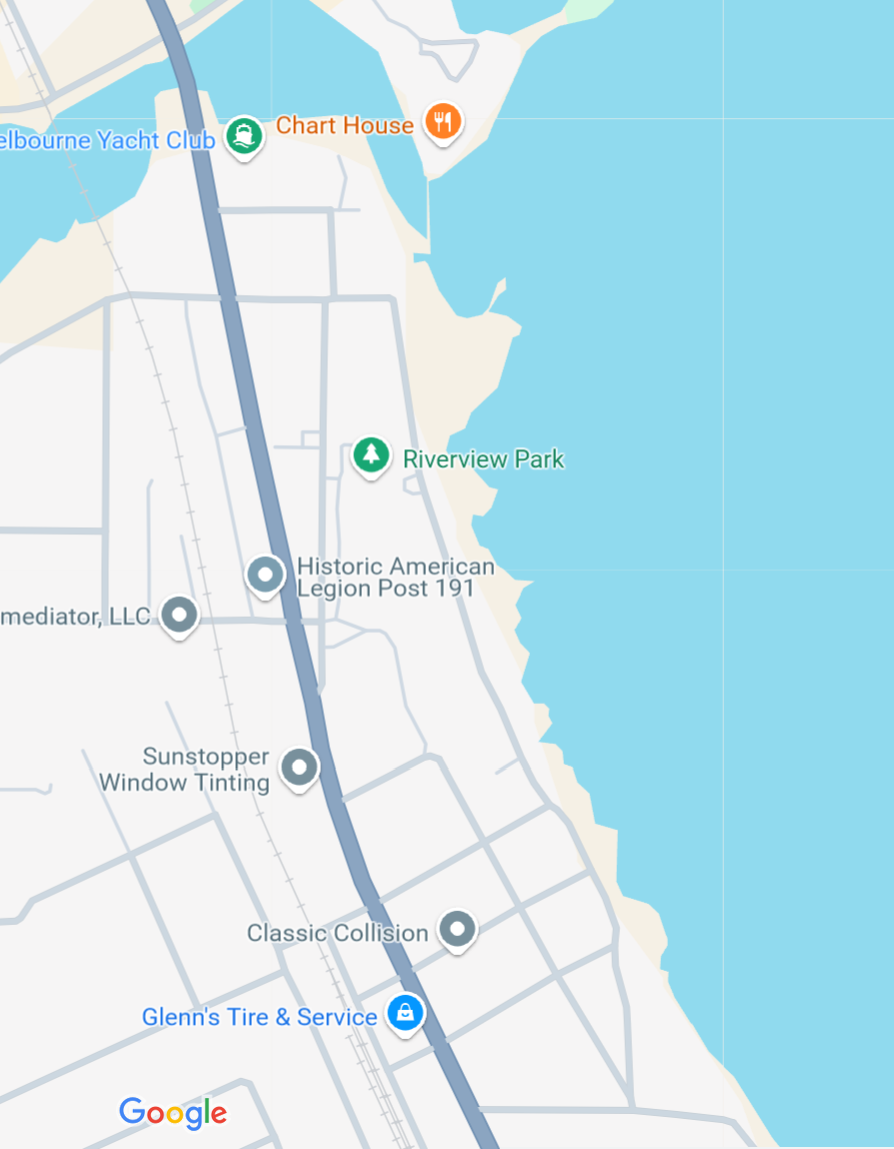
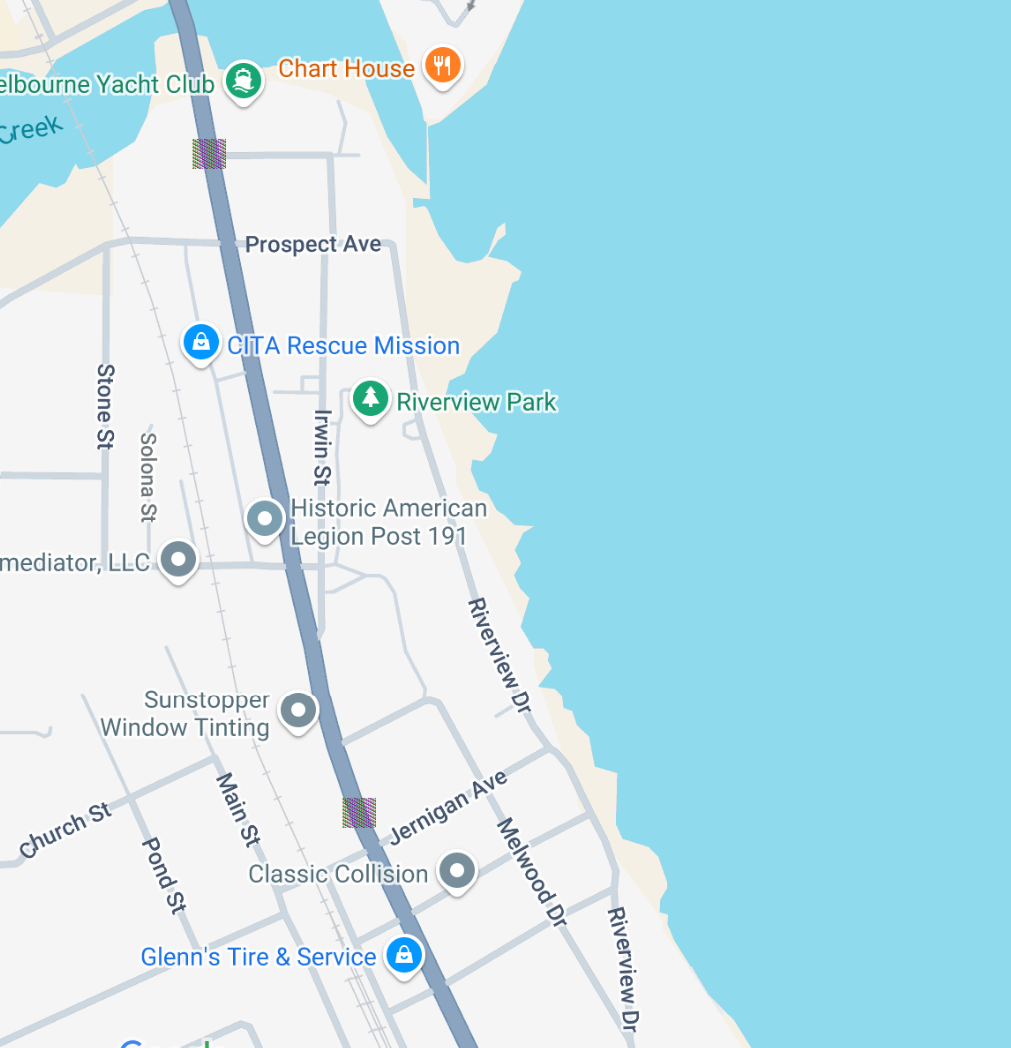
In Google Maps (maps.google.com), the street names and route numbers (graphic) disappear after a second. This happens in both regular and incognito windows, and regardless of zoom level.
Oddly, when I set privacy.resistFingerprinting in about:config to True, the street names appear, but route numbers are just color boxes. When set to False, I can see both for a second before they disappear.
All Replies (2)
Are you using Private Browsing mode?
Does it make a difference if you disable Enhanced Tracking Protection or at least known and suspected fingerprinters if this feature is enabled? This new fingerprintingProtection (privacy.fingerprintingProtection.*) allows finer control (privacy.fingerprintingProtection.overrides).
Note that the problem with privacy.resistFingerprinting is about blocking access to canvas and you get a randomized image (privacy.resistFingerprinting.randomDataOnCanvasExtract).
Thanks. The problem exists in regular and private browsing. Disabling tracking protection in Settings has no effect.
Changing the value of privacy.resistFingerprinting.randomDataOnCanvasExtract also has no effect.