


thunderbird forwarding format

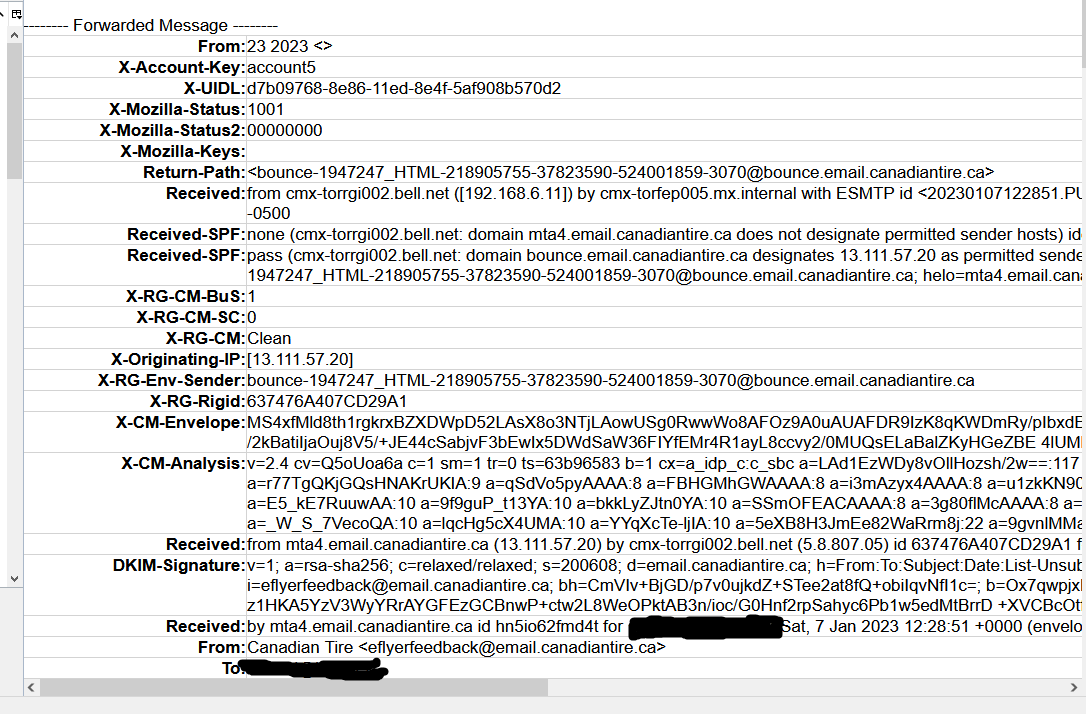
How do i make Thunderbird not insert the table with all the previous email data into a forward?
Ọ̀nà àbáyọ tí a yàn
jdevlin said
That my problem I can't figure how to hilight the table and not just the contents. I always end up with an empty table.
Have you changed from ALL yet? It is quite difficult to select something that routinely is so large.
Or you could use the menu Format > table > delete > table
Ka ìdáhùn ni ìṣètò kíkà 👍 0All Replies (6)
Not an option to remove it. But you might want to try changing the view menu entry for headers to normal from all. That will reduce it to 4 of 5 lines like
------- Forwarded Message --------
Subject: 	Re: Tbird: Pop to IMAP
Date: 	Sun, 8 Jan 2023 17:07:39 +0000
From: 	Mozilla Support Forum <no-reply@support.mozilla.org>
Reply-To: 	no-reply@mozilla.org
To: 	unicorn.consulting@gmail.com
I say 4 or 5 as reply-to only appears if it is set.
Then is there a way to delete it? I can't seem to delete the whole table.
I highlight with my mouse and then press the delete key. but the entire table has to be sewlected or you only clear the contents. Hence the normal view make that much easier as well.
That my problem I can't figure how to hilight the table and not just the contents. I always end up with an empty table.
Ti ṣàtúnṣe nípa jdevlin
Ọ̀nà àbáyọ Tí a Yàn
jdevlin said
That my problem I can't figure how to hilight the table and not just the contents. I always end up with an empty table.
Have you changed from ALL yet? It is quite difficult to select something that routinely is so large.
Or you could use the menu Format > table > delete > table
Yes I switched. Table delete works. I could not find that option. Now I know where it is. Thanks.