


Extensions will not download or install

On the extensions page, all of the adblocker extensions show up after a search, however when I attempt to install any of them I get a message that says "Download failed. Check your connection". This occurs on all ad block extensions that I have tried. I tried AdBlock Plus, UBlock, and Privacy Badger.
I also tried some other extensions on the main extensions page. None of them work. Is your extensions server down for maintenance or something?
I am obviously connected. I have attached a screenshot of the issue.
Ọ̀nà àbáyọ tí a yàn
Mozilla has rolled-out a fix for this. The fix will be automatically applied in the background within the next few hours, you don’t need to take active steps.
In order to be able to provide this fix on short notice, they are using the Studies system. You can check if you have studies enabled
- Go to [=] > Options > Privacy & Security.
- Make sure Allow Firefox to install and run studies is check marked.
I you had it disabled, you can disable studies again after your add-ons have been re-enabled.
They are working on a general fix that doesn't need to rely on this and will keep you updated.
Ka ìdáhùn ni ìṣètò kíkà 👍 0All Replies (6)
Sorry, the Add-ons team is working on a fix for this. It looks like a certificate used to sign many popular extensions expired. The verification process checks that certificate, and anything that doesn't pass is blocked.
I don't know how soon re-signed versions of those extensions will become available, or whether another workaround will be discovered. We are all hoping to learn more soon.
Picture did not take the first time
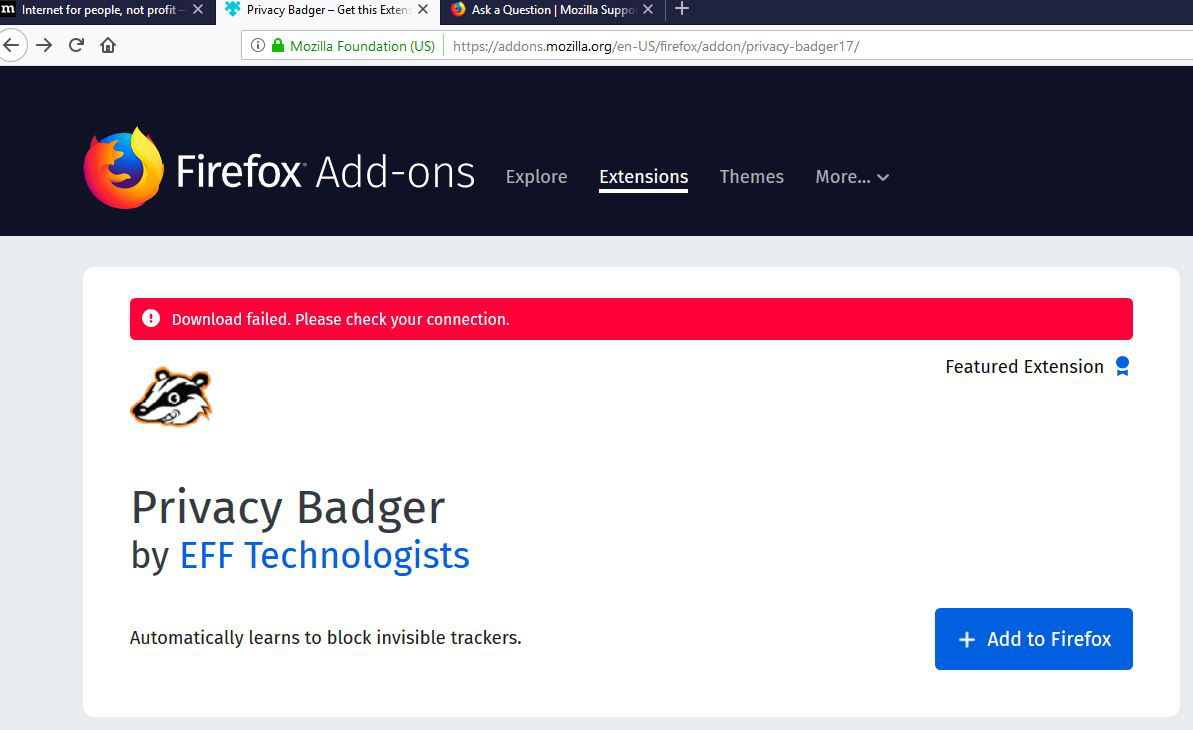
Thank you for the SUPER FAST response!
There is a problem with an expired intermediate certificate that is used to sign extensions that causes extensions to get disabled (so it is probably not a problem with the extension). This is being worked on by the Add-ons team.
See:
- [/questions/1257928] Will the disabling of add-ons be fixed, or is it the new way?
- https://discourse.mozilla.org/t/certificate-issue-causing-add-ons-to-be-disabled-or-fail-to-install/39047
At about 6:10 PST we received a report that a certificate issue for Firefox is causing add-ons to stop working and add-on installs to fail.
Our team is actively working on a fix. We will update as soon as we have more information.
- Bug 1548973 - (armagadd-on-2.0) All extensions disabled due to expiration of intermediate signing cert
(please do not comment in bug reports
https://bugzilla.mozilla.org/page.cgi?id=etiquette.html)

Ọ̀nà àbáyọ Tí a Yàn
Mozilla has rolled-out a fix for this. The fix will be automatically applied in the background within the next few hours, you don’t need to take active steps.
In order to be able to provide this fix on short notice, they are using the Studies system. You can check if you have studies enabled
- Go to [=] > Options > Privacy & Security.
- Make sure Allow Firefox to install and run studies is check marked.
I you had it disabled, you can disable studies again after your add-ons have been re-enabled.
They are working on a general fix that doesn't need to rely on this and will keep you updated.