


TB 38.0.1 on Fedora 20 with gmail: OAuth2 puts up "Sign in" window and hangs after I click <NEXT>

thunderbird-31.7.0-1.fc20.x86_64.rpm was installed and successfully connecting via IMAP to my gmail account until today when it suddenly started repeatedly requesting a gmail password. I was using the same password successfully to access gmail via Chrome.
I next tried to go the OAuth2 route and found and installed thunderbird-38.0.1-2.fc20.x86_64.rpm which contained the OAuth2 option.
I set the OAuth2 method with existing IMAP
                            Server Name: imap.googlemail.com
    and Outgoing Server Name: smtp.googlemail.com
Result is:
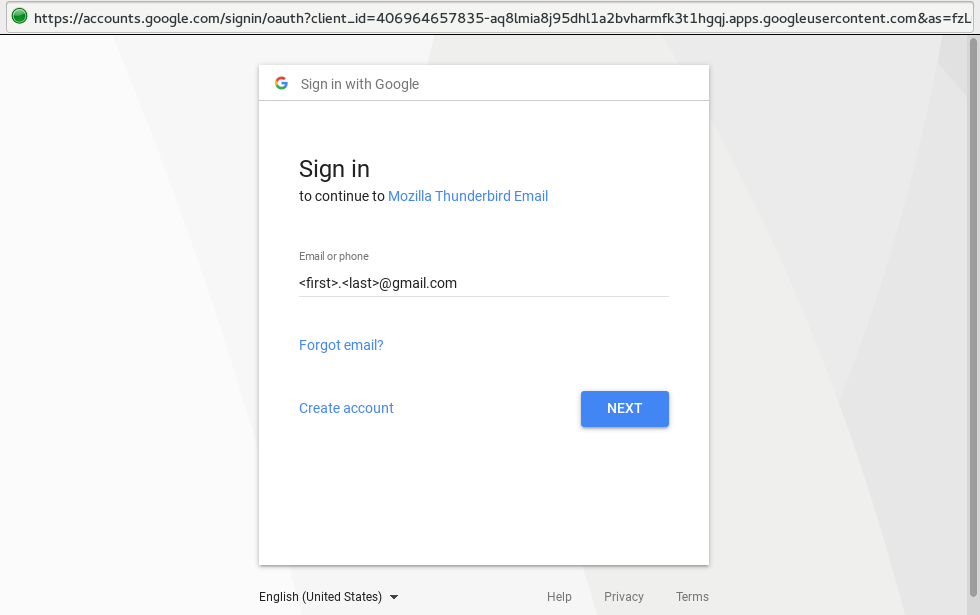
     "Enter credentials ... " window appeared with my correct gmail address inserted
      clicking on <NEXT> button caused TB to hang with msg in lower-left corner:
      <first>.<last>@gmail.com: Sending login information
Short of fixing OAuth2 problem, I'd be happy rolling back and finding a fix for "TB Requesting Password loop"
Ti ṣàtúnṣe nípa Irv_TB_FF_User
Ọ̀nà àbáyọ tí a yàn
Then update to the latest version of Fedora first. Or install the current vanilla release version of Thunderbird from Mozilla. https://www.mozilla.org/thunderbird/
Ka ìdáhùn ni ìṣètò kíkà 👍 1All Replies (4)
There was a bug in Thunderbird causing this behavior. I don't remember the exact version in which this was solved, but I suggest you try upgrading to a recent version of Thunderbird. Thunderbird 52.7.0 is the current version, and Thunderbird 60.0 is coming soonish…
Thunderbird 38.0.1 is the latest version I can find in rpm's for fc20

Ọ̀nà àbáyọ Tí a Yàn
Then update to the latest version of Fedora first. Or install the current vanilla release version of Thunderbird from Mozilla. https://www.mozilla.org/thunderbird/
I installed a Fedora Live on USB flash and got latest TB it Works! Evidently gmail decided that 38.0.1-2 wasn't secure and blocked it w or wo OAuth2 authorization. christ1 said
Then update to the latest version of Fedora first. Or install the current vanilla release version of Thunderbird from Mozilla. https://www.mozilla.org/thunderbird/