


Can't Receive Emails

I have Thunderbird installed on a desktop and laptop (both running Windows 11) and an Android phone. I can no longer receive emails on the two PCs, though the phone still works OK. Webmail works fine on all three devices. I have tried all the remedies I can find on the web, but so far without success. When I send a test email to myself it goes out OK and appears in my webmail, but does not appear in my Sent box. I tried doing Repair Folder on my desktop Inbox. This caused all the existing messages in the inbox to disappear, though the folder size still shows as 400Mb. I have a secondary email address which I use occasionally (a gmail address). This is still working OK. All help gratefully received. Alan
All Replies (6)
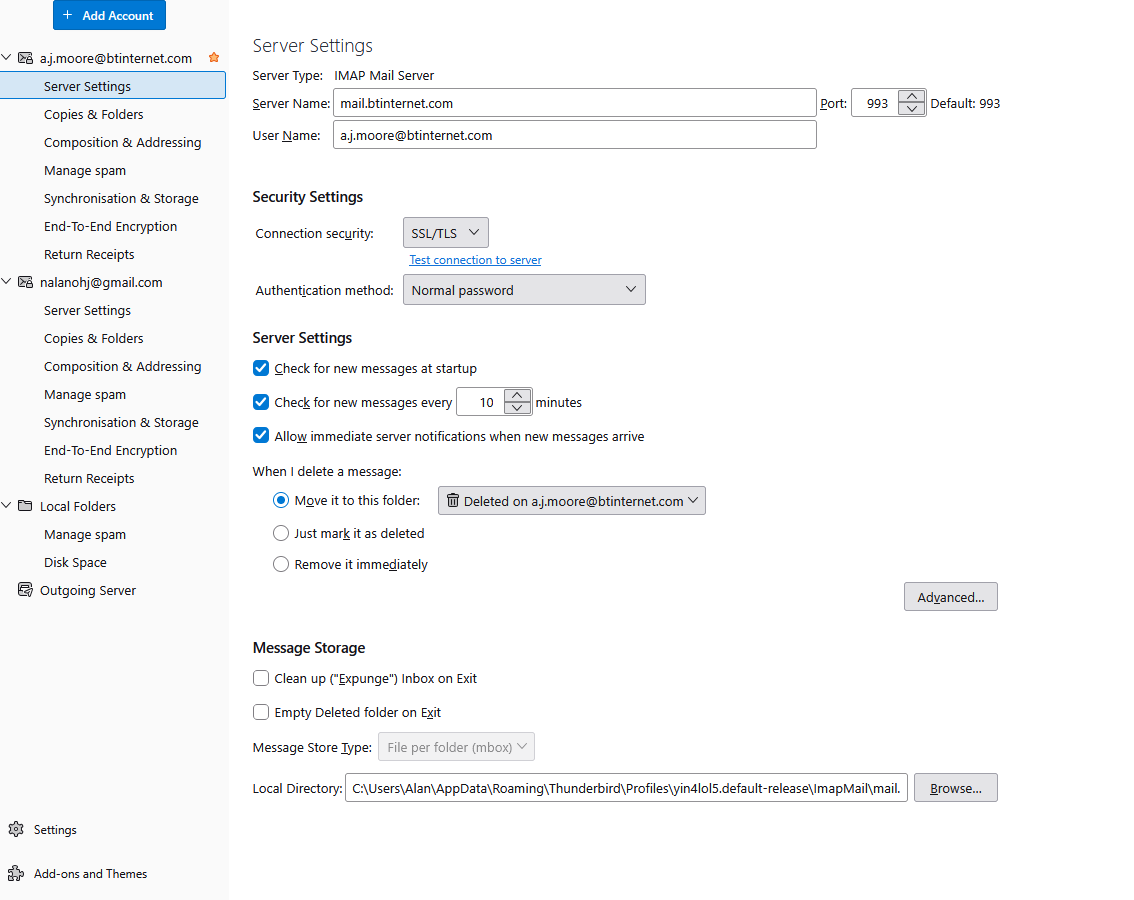
First, just because I'm responding doesn't mean I know the solution. My suggestion is to post complete text of any error message and a screenshot of your server settings pane. That's the only way that anyone can give feedback, by seeing what your settings are. Thank you.
Error message on sending an email:-
Screenshot of server settings:-
Alan PS. I don't know why I can't get the images themselves to display, but I can't.
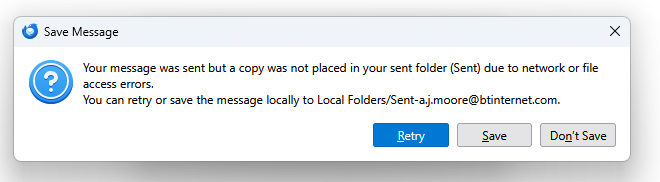
Are you receiving error message when receiving mail? The error you show is for sending. And that is often correct if there are network issues.
I am not receiving any emails and not getting any error messages about incoming mail. I do not know what the network issues could be - webmail works fine and internet browsing is unaffected.
Maybe posting screenshots of the server settings pane may offer ideas.
After missing for eight days my incoming emails have started arriving again - no idea why. Perhaps we'll never know.
Anyway, David, thank you for your help. Alan