


In Thunderbird, in the table list of emails, what does column Date mean

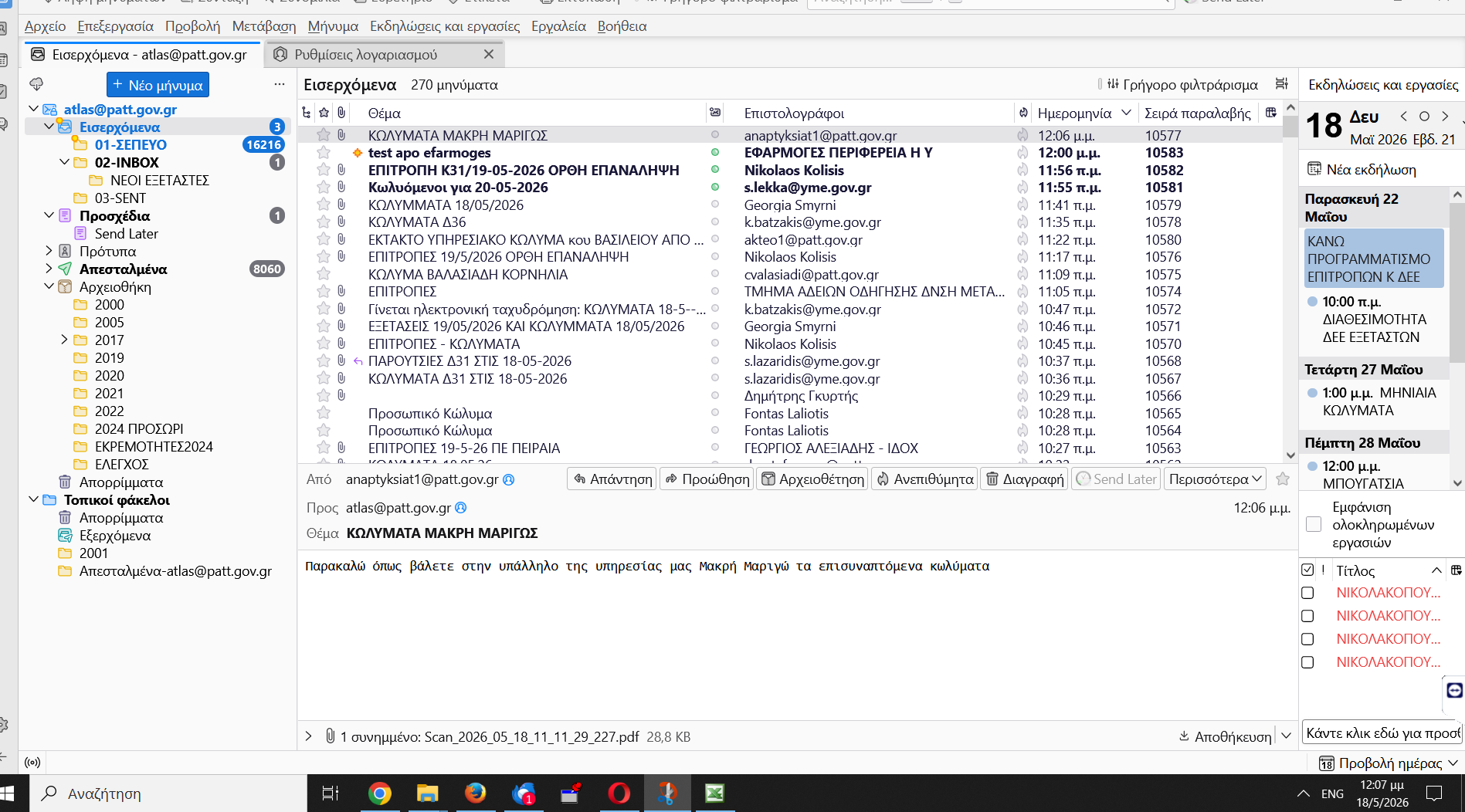
Hello, I face a problem with my email provider. I received an email and I can see 2 dates-hours in the emails platform of my provider (coprmail Cosmote, Athens, Greece). Specifically, 111:24 am and 12:06 pm. In Thunderbird, for the same email account, the column Date shows the value 12:06 pm. This caused other problem. In search I made, in the emails platform of my provider, for the same email, I have 11:24 am and in the preview window of the body of the email shows 12:06 pm. In my question to the provider, why this happened, I received the answer that the message received at their email server at 11:24 am, and the other date, 12:06 pm is the hour that the sender sent the email. I can understand that the PC of the sender could had wrong date+hour, but what is happend with thunderbird? So, my question to the community is: In the table list of emails in Thunderbird, the column Date what does it mean? I am waiting for receiving your reply. Yours sincerely Panagiotis Sousounis Region Of Attica Athens Greece
All Replies (1)
Date normally reflects the time and date of the header lines in the message.
But sometimes those header lines are missing. When that happens for a received message, the date and time are frequently set to when Thunderbird downloaded the message.