


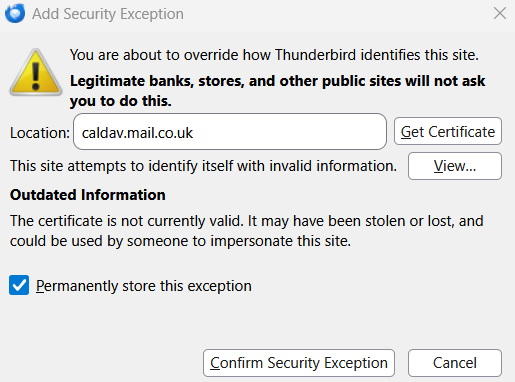
how do I get rid of the pop up - you are about to override how Thunderbid identifies this site - for a deleted mail.co.uk email account

Every time I log in and then every so often afterwards I get the pop up - you are about to override how Thunderbird identifies this site- for a now deleted mail.co.uk account. I have tried all the fixes suggested by Google but it still keeps happening and is driving me mad. It tells me the certificate is outdated or invalid and asks to confirm to permanently store the exception but just keeps coming back every time I click on confirm, it only goes away if I click cancel but then keeps coming abck.
All Replies (4)
I would click on the view button and have a look at who issued the certificate. I am guessing your antivirus product when it hacked you encrypted communications to scan your mail. But a confirmation is basically needed before using the confirm security exception button.
Issuer name is "Let's Encrypt"? if I click on get certificate it says "The certificate is not currently valid, it may have been stolen or lost and could be used by someone to impersonate this." I wholeheartedly wish i had never added a mail.co.uk account, has been nothing but trouble. never had this with any other account and now I just can't get rid of the pop up.
So is the sever it is issued to caldav.mail.co.uk? As a learned later, yes it is. Or close enought
Mail servers tend to be low of the priority list for most providers and they tend to have issues with getting timely updates. It is just a fact of life. You do not see certificate issues with Microsoft and Google properties as often as they are registrars and can issue their own. but obviously mail is using lets encrypt
What I know specifically about mail.co.uk could be inscribed on the head of a pin with a railway track spike (that is virtually nothing). But they do offer instructions for using calendar with Thunderbird, so they must intend the option to work. https://mail.co.uk/en/help/calendar/external_access/mozilla_thunderbird SO all that remain is to decide if you should record an exception (that will see the end of that dialog) or not.
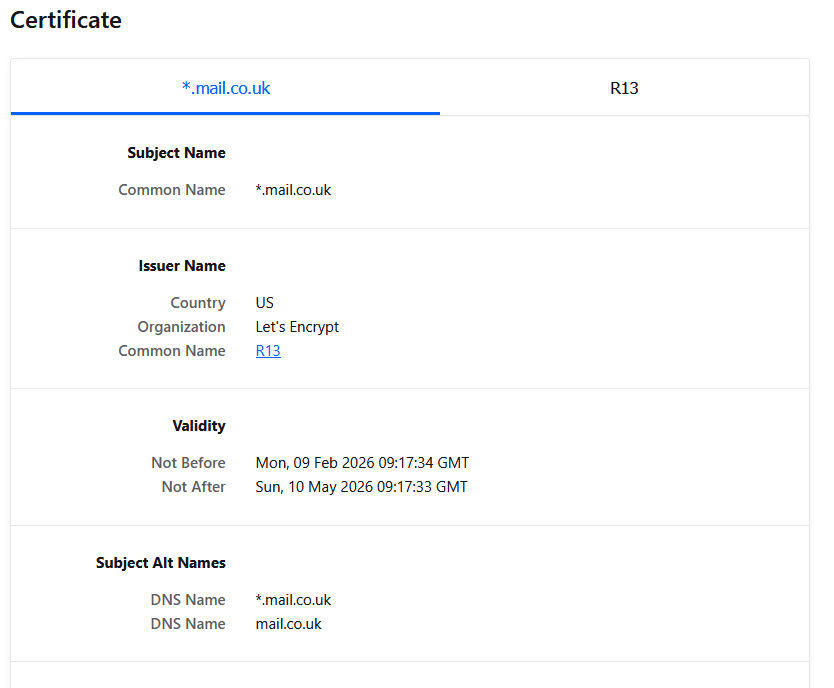
I went to the site address using Firefox and got a copy of the certificate.
Firefox was also rather verbose in it's description of the issue
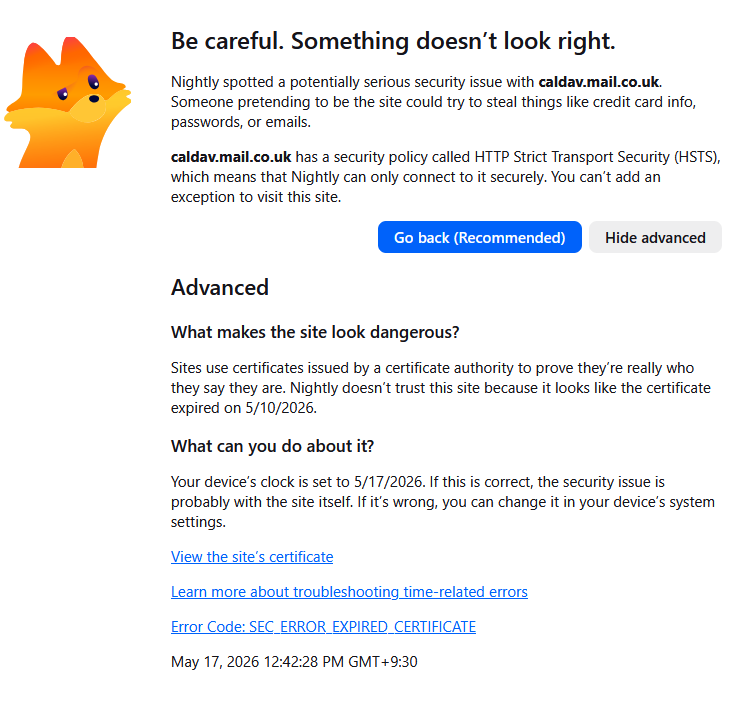
So I think the issue here is someone at mail.co.uk has let the issue of renewal slip through the cracks and you need to raise it with them so they can renew the certificate. It might be that one individual server in a cluster of server just did not get the memo. Until then I would allow the exception (If it sticks the Firefox message indicates that might not happen and Thunderbird uses the same code to manage certificates)
Thanks. The only way to get rid of the pop up temporarily is to click cancel, nothing else works, and then it just comes back again later anyway. I have already emailed mail.co.uk to see if they can help. The most annoying thing is that it is still happening even after removing the mailbox and files from Thunderbird!