


Accessing Gmail in InCognito is Buggy!

When Gmail is opened in Private Tab, I got to options (1) To open the Inbox with default/latest Gmail look or (2) In HTML mode. Among these two: Option-1 didn't work. And when I had chosen Option-2, upon clicking "Search" icon, got the XML Parsing Error! Please fix these 2 issues
All Replies (5)
I could reproduce the XML parser error, however I did not run into the first issue. I did find Google threads with no response to this as well as no bugs in bugzilla.mozilla.org.
The error I got looked like this on a Galaxy S6, I might encourage filing a bug. However it also sounds like a compatibility issue if we get the same XML Parsing error details. I added mine below:
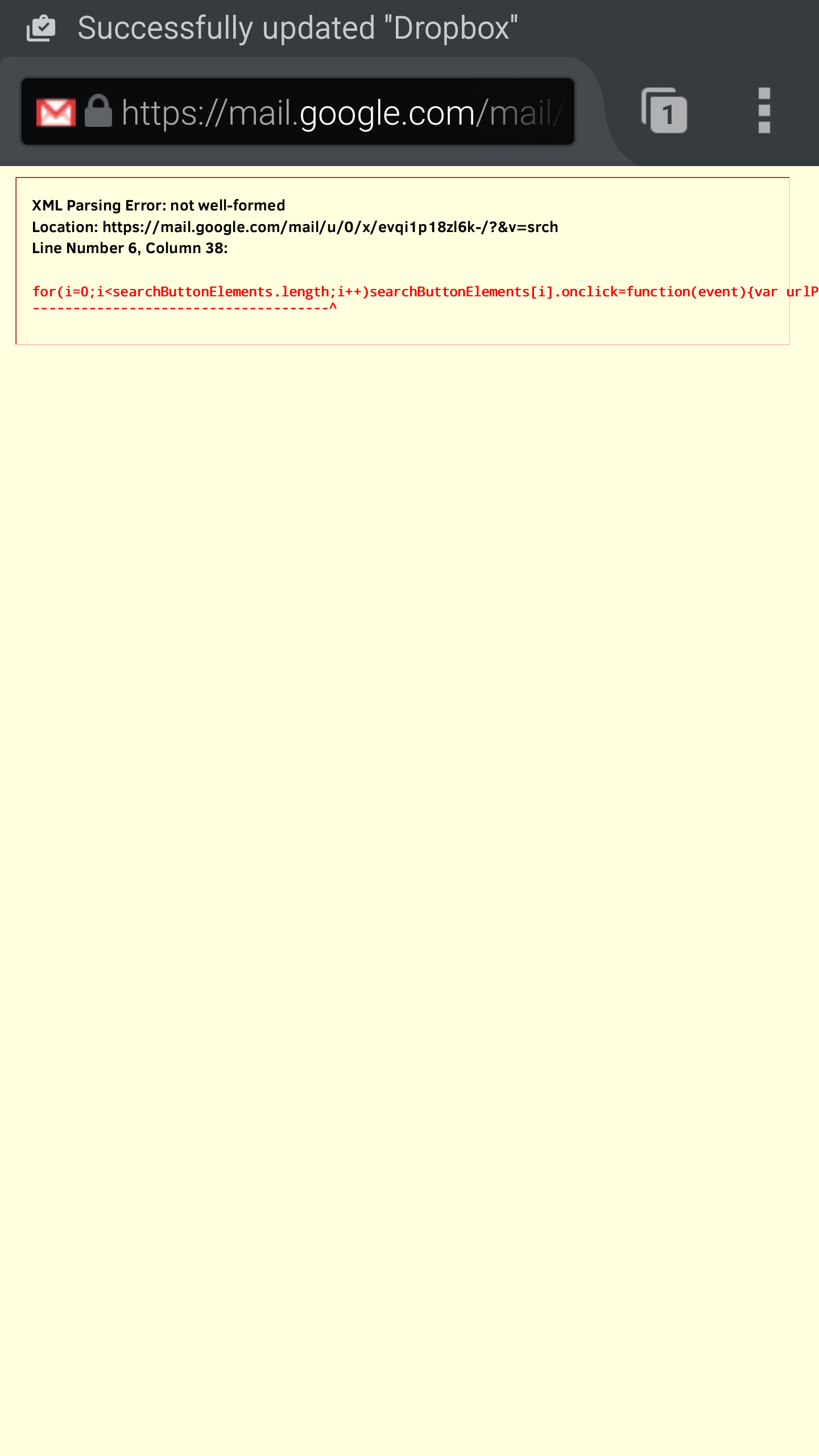
I use Motorola MotoX. I can continuously reproduce those 2 issues on my Android mobile (which OS 5.1.1) !
I use Motorola MotoX. I can continuously reproduce those 2 issues on my Android mobile (which OS 5.1.1) !

As Guigs said this is likely a Gmail issue. Firefox renders the data gmail sends to it. If gmail sends broken code it is up to gmail to fix it.
But, in Chrome browser, I could able to access the same Gmail without any issues. Hence, it cannot be an issue with Gmail as such!