


Yahoo mail not being downloaded to Thunderbird.

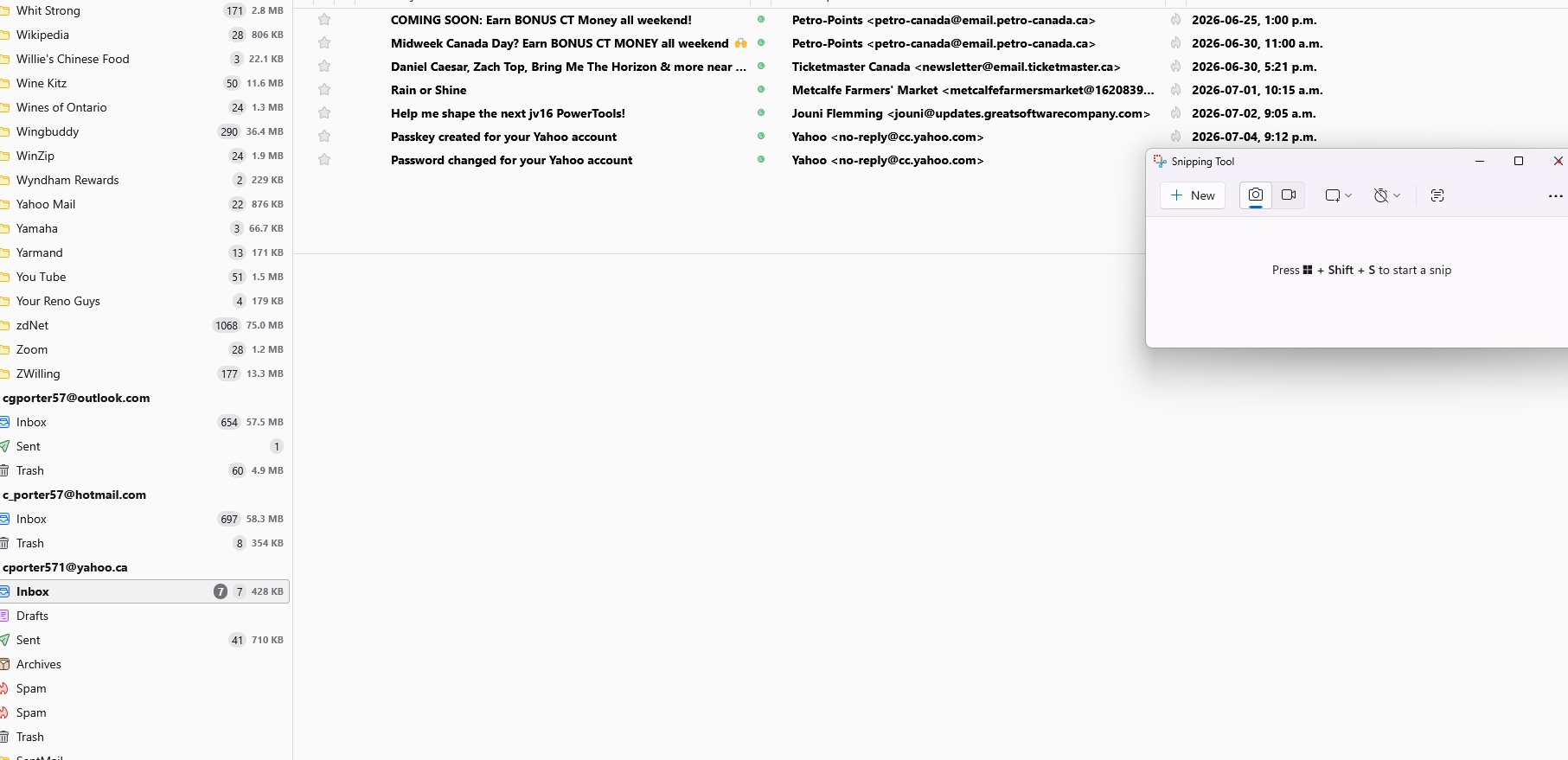
I have been using Thunderbird for many years as my email application, and have been using it with all of my email addresses such as from Yahoo (cporter571@yahoo.ca), Gmail (christopherporter04@gmail.com), and Outlook (cgporter57@outlook.com). I have recently noticed that my Yahoo mail was not being synchronized properly. Most of my Yahoo emails were not being downloaded. I have deleted and added the account into Thunderbird several times. I have been using POP3 settings, but tried changing to IMAP settings but that did not work. I then changed my email password with my ISP, and updated Thunderbird but that did not work. Only a few from my ISP such as when I changed my password, or enabled a Passkey. Emails from subscription lists or family members are not being downloaded. I have added two images: One shows that only some emails are being displayed in Thunderbird, and the other shows that there are emails on the Yahoo site. Any assistance would be appreciated. Thank you. Christopher Porter OTTAWA, Canada
تمام جوابات (1)

It sounds to me like this article will apply to you. Please read it thoroughly, but in a nutshell, if you have multiple Yahoo accounts set up in Thunderbird you may have to jump through a few hoops so that the accounts are kept separate during the log-in process.
https://support.mozilla.org/en-US/kb/thunderbird-and-yahoo
The most relevant part is the section titled, "Configure a Thunderbird preference to make multiple accounts work.