


Windows 10 reached EOS (end of support) on October 14, 2025. For more information, see this article.

Шукати в статтях підтримки

Остерігайтеся нападів зловмисників. Mozilla ніколи не просить вас зателефонувати, надіслати номер телефону у повідомленні або поділитися з кимось особистими даними. Будь ласка, повідомте про підозрілі дії за допомогою меню “Повідомити про зловживання”

Докладніше

It is impossible to edit the standard search engine

  • 1 відповідь
  • 0 мають цю проблему
  • 30 переглядів
  • Остання відповідь від TyDraniu

more options

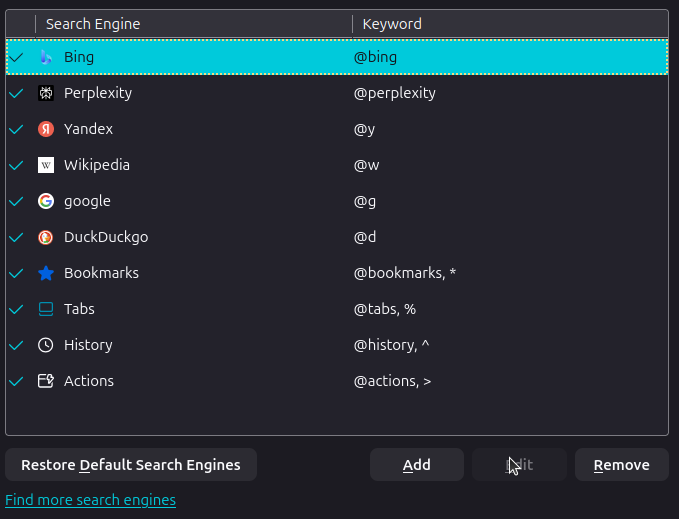
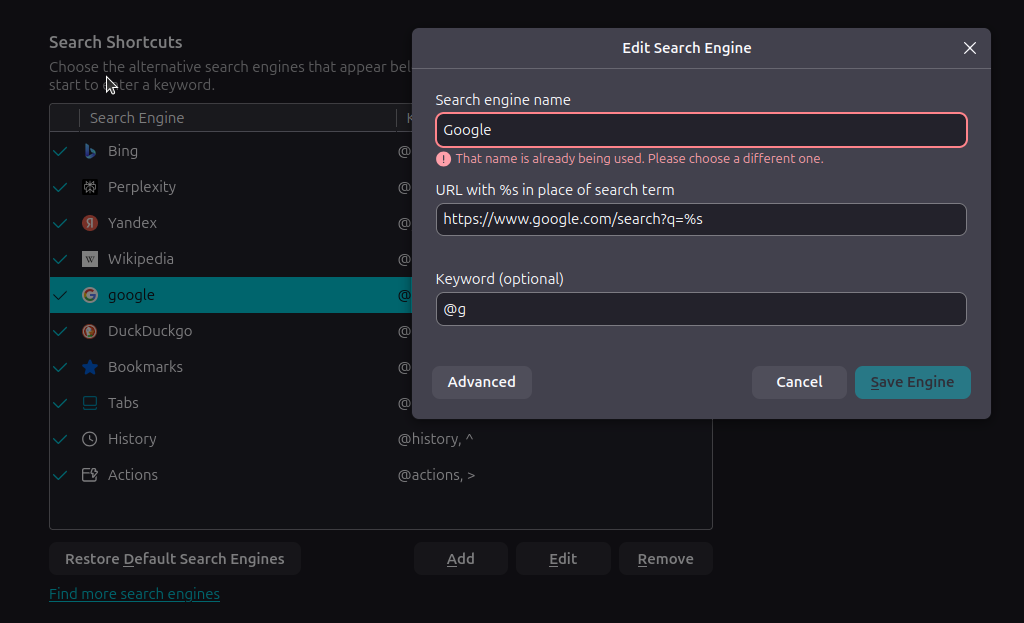
I wanted to set keywords for search engines (in order to quickly change them for a single query). This cannot be done for search engines by default (why?), so I had to delete them and create a new one with the same link and my own keywords. But now I can't give them the same name back, firefox says that such a search engine already exists. In general, it doesn't matter to me which letter is there. The main purpose of my appeal is to draw attention to the fact that search engines cannot be edited by default, because it is quite inconvenient. Thanks for the answer (I apologize in advance if I made a grammatical mistake somewhere, I used a translator) My OS: Ubuntu 24.04 LTS; firefox version: 145.0.2 (64-bit)
I wanted to set keywords for search engines (in order to quickly change them for a single query). This cannot be done for search engines by default (why?), so I had to delete them and create a new one with the same link and my own keywords. But now I can't give them the same name back, firefox says that such a search engine already exists. In general, it doesn't matter to me which letter is there. The main purpose of my appeal is to draw attention to the fact that search engines cannot be edited by default, because it is quite inconvenient. Thanks for the answer (I apologize in advance if I made a grammatical mistake somewhere, I used a translator) My OS: Ubuntu 24.04 LTS; firefox version: 145.0.2 (64-bit)
Вкладені знімки екрана

Обране рішення

You don't have to edit the standard search engine or create another one just to set a different keyword. Just double click in the Keyword column, where you have @google, then type in @g and press Enter. Then @g will be added to your list of keywords.

Читати цю відповідь у контексті 👍 1

Усі відповіді (1)

more options

Вибране рішення

You don't have to edit the standard search engine or create another one just to set a different keyword. Just double click in the Keyword column, where you have @google, then type in @g and press Enter. Then @g will be added to your list of keywords.

Запитати

Щоб відповідати на повідомлення, ви повинні ввійти у свій обліковий запис. Поставте нове питання, якщо ви ще не маєте облікового запису.