


MIME type not found (MP4)
Windows 11 Pro - Dell XPS8940 desktop - i9
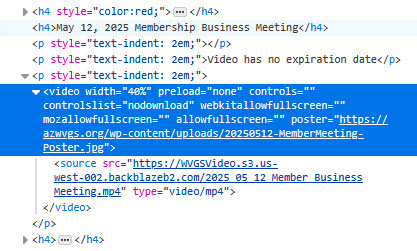
Firefox will not play video from a website. If I save the video, it is a MP4 file. Windows Media Player and VLC will play the video file. But the browser shows the message: "No video with supported format and MIME type found."
Chrome and Edge will play this video correctly in their browsers. Firefox will not play the video on 3 different computers, and even when a different user account is involved (without Firefox sync).
The evidence seems to point at firefox. The website is a Wordpress site.
Is it possible that the website is the problem? If so, why do Edge and Chrome work?
I uninstalled Firefox (latest version) and reinstalled it. Not fixed.
My windows updates are current, as are Dell updates.
This is stumping me. I hope someone can help.

Усі відповіді (3)
Hi Michael
To help us to look into this, please can you share a link to the page where we can try to view that video?
The videos that I am trying to view are in a secure area requiring login. I dug further into the issue and looked for any videos that are not in the secured area. I found one and it played correctly.
So maybe is looks like it may be something to do with the wordpress security module.
I'm not a liberty to give you access to the secure area. I can run some tests and collect information. Let me know what I need to do.
Mike
What version of Firefox? Can you play video on this site? https://thehighwire.com/watch/
What security software are you running besides MS Defender? You should have Windows Sandbox enabled for testing. https://www.howtogeek.com/399290/how-to-use-windows-10s-new-sandbox-to-safely-test-apps/