


Delete and Detach attachment grayed out

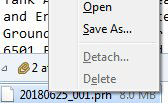
I get a lot of large attachments. Usually these don't need to be saved, however I like to save the email without the attachment. I do this by deleting or detaching the attachment.
However after a recent update, these features are now grayed out.
How do I get this feature back. My inbox is filling fast, and I don't want to necessarily delete the whole email, just the attachment.
Thanks, Dan
Обране рішення
So the message actually is signed. Thunderbird does not allow deleting or detaching attachments from signed messages. The reasoning is that this would break the signature regardless. Not every one agrees to that point of view though. A bug exists to change that behavior, but there's no progress on it. https://bugzilla.mozilla.org/show_bug.cgi?id=1282701
To be fair with the developers, there are more pressing problems than this, and resources are limited.
I'm facing exactly the same problem on my work computer. The (admittedly imperfect) workaround is to use Outlook to delete attachments.
Читати цю відповідь у контексті 👍 0Усі відповіді (5)

Are any of those email cryptographically signed?
Deleted...
Змінено dkemppai
Ahhh, Hold on...
"This message is not encrypted", but The "Digital Signature is Not Valid".
So, maybe you are on to something. What more information will help?
Thanks, Dan
Вибране рішення
So the message actually is signed. Thunderbird does not allow deleting or detaching attachments from signed messages. The reasoning is that this would break the signature regardless. Not every one agrees to that point of view though. A bug exists to change that behavior, but there's no progress on it. https://bugzilla.mozilla.org/show_bug.cgi?id=1282701
To be fair with the developers, there are more pressing problems than this, and resources are limited.
I'm facing exactly the same problem on my work computer. The (admittedly imperfect) workaround is to use Outlook to delete attachments.
Hi,
OK, yeah, now I understand the issue.
I'll just delete the whole email.
I get several of these 20+ mb attachments a week. Can't have them laying around filling the storage folders any more...
Thanks, Dan