


How to turn off "Firefox Homepage Change Notification" message.

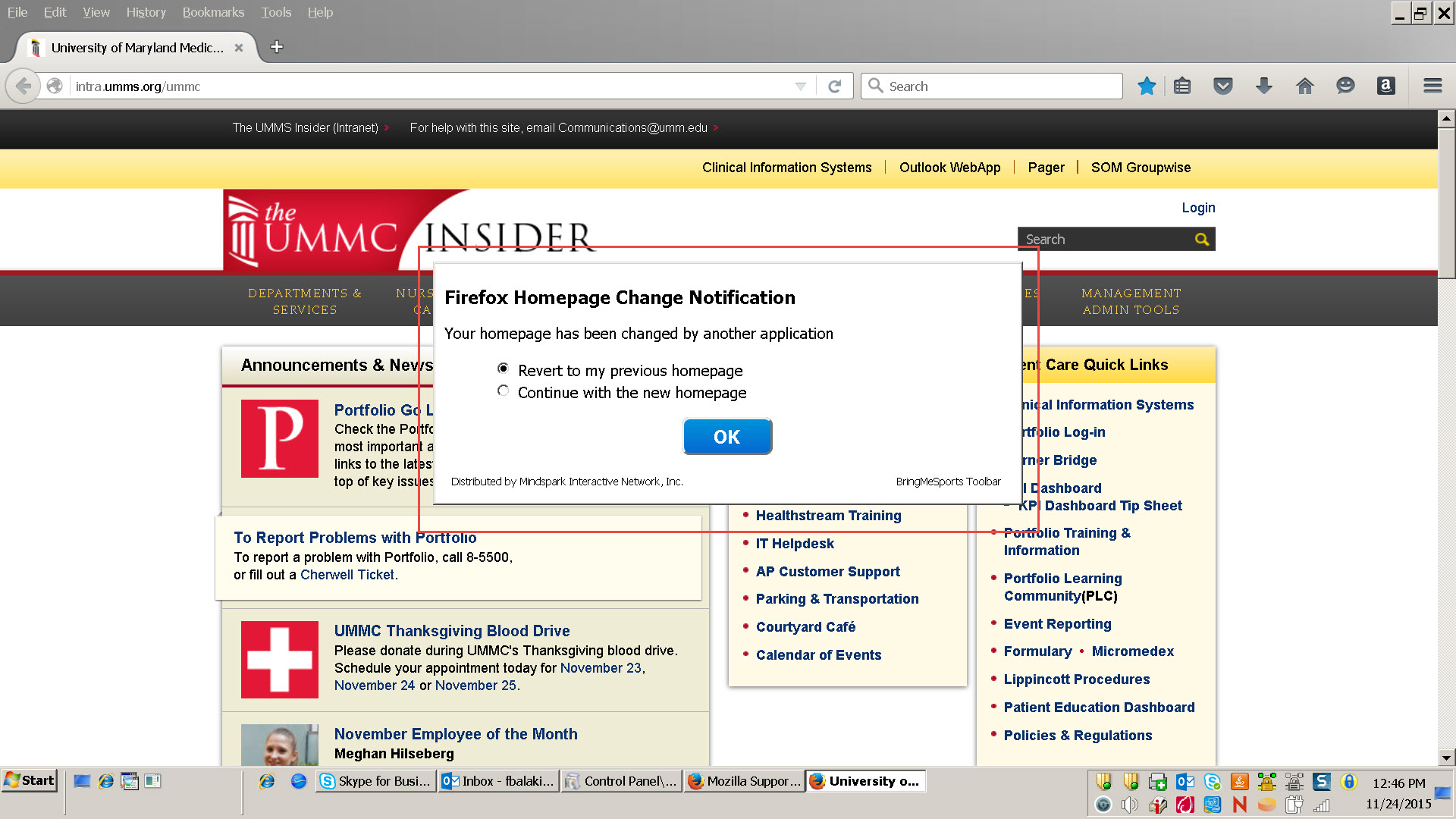
Hi, Could you please help me to take care of this problem? Every time I open a Firefox browser I get "Firefox Homepage Change Notification" with "Your homepage has been changed by another application" message with two options: 1. Revert to my previous homepage 2. Continue with the new homepage Please see attached print screen.
It started popping up recently and is very annoying. Please help me to turn it off.
Thank you.
Hi,
Could you please help me to take care of this problem?
Every time I open a Firefox browser I get "Firefox Homepage Change Notification" with "Your homepage has been changed by another application" message with two options:
1. Revert to my previous homepage
2. Continue with the new homepage
Please see attached print screen.
It started popping up recently and is very annoying. Please help me to turn it off.
Thank you.
Tüm Yanıtlar (1)
You have been infected by malware. Follow these articles to remove it: