


Incorrect time on Thunderbird

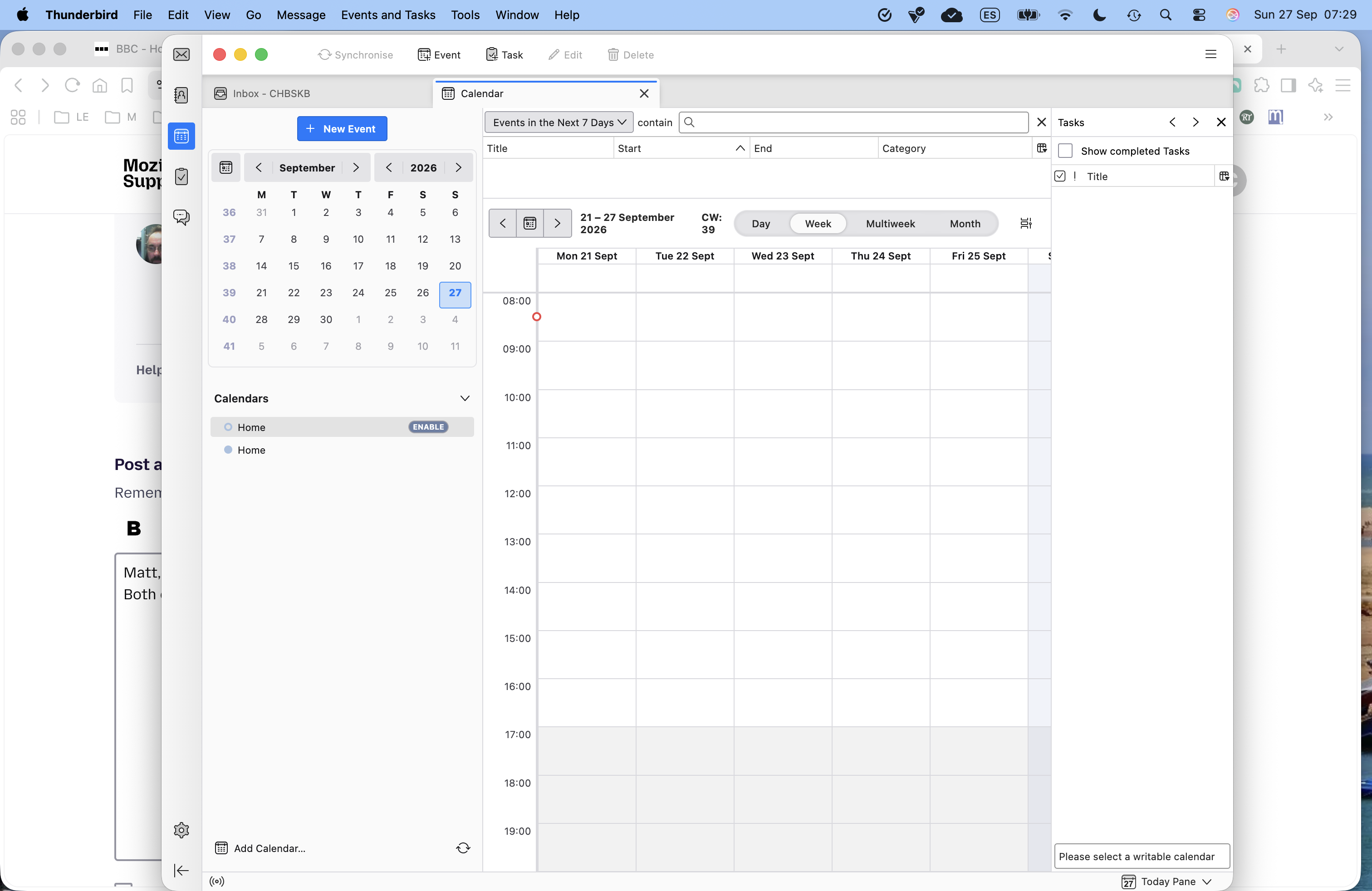
Since our clocks/time went back one hour last weekend, Thunderbird for Mac is displaying the incorrect time. It displays the time as 1 hour ahead, effectively hasn't accepted the time change. The system time is correct, and Thunderbird is set to read system time. I have also tried changing it to "set manually" to our location, it makes no difference. Any assistance greatly appreciated.
Chosen Solution
Thanks JBR.
I should have posted earlier. I eventually noticed that Thunderbird was still treating Morocco as linked to WET, whereas on the clock change they moved permanently to UTC. I made the change manually, problem solved. Anyway, thanks for posting.
All Replies (6)
where exactly is the time being incorrectly displayed? email times are derived from the message that is received, not some local setting.
Matt, thanks for your reply. Both email times and calendar. I have attached a screenshot, you will Thunderbird calendar showing 8.30, whereas system time correctly showing 7.30. Regards,
I know exactly nothing about apple products. I just refuse to pay extra without getting value. So no apple for me.
Check here to ensure your apple product is correctly configure to make the necessary automatic changes. https://support.apple.com/en-za/guide/mac-help/mchlp1124/mac
Most issues come from the incorrect timezone in the operating system or a manually set operating system time. Neither of which will translate correctly to Thunderbird with uses UTC time with offsets for the timezone. So the timezone must be correctly set, not the time.
The timezone is correct. Casablanca, Morocco.
Can this be affected by the JS support for this change still missing?
https://bugzilla.mozilla.org/show_bug.cgi?id=2074079 https://bugzilla.mozilla.org/show_bug.cgi?id=2058419
Chosen Solution
Thanks JBR.
I should have posted earlier. I eventually noticed that Thunderbird was still treating Morocco as linked to WET, whereas on the clock change they moved permanently to UTC. I made the change manually, problem solved. Anyway, thanks for posting.