


Windows 10 reached EOS (end of support) on October 14, 2025. If you are on Windows 10, see this article.

Search Support

denyshon is currently working on this problem. Post a reply | View other questions that need attention.

Avoid support scams. We will never ask you to call or text a phone number or share personal information. Please report suspicious activity using the “Report Abuse” option.

Learn More
Open

How can I disable automatic forced dark mode on websites?

Unky

I have selected 'Dark/Auto' in my customization settings. I assumed this setting was meant strictly for the Firefox app UI theme, not to automatically force dark mode onto web pages. However, the issue now is that websites are being forcibly rendered in dark mode. I actually appreciate forced dark mode because it renders images and colored text cleanly without messing them up. The real problem is that I can't seem to find any option to turn it off. When I try enabling dark mode using a website's own native toggle, it displays inverted/negative colors, whereas light mode works properly. So my question and issue come down to this: how do I disable the feature that automatically forces dark mode on the websites I browse? (I haven't been able to find this setting anywhere.)
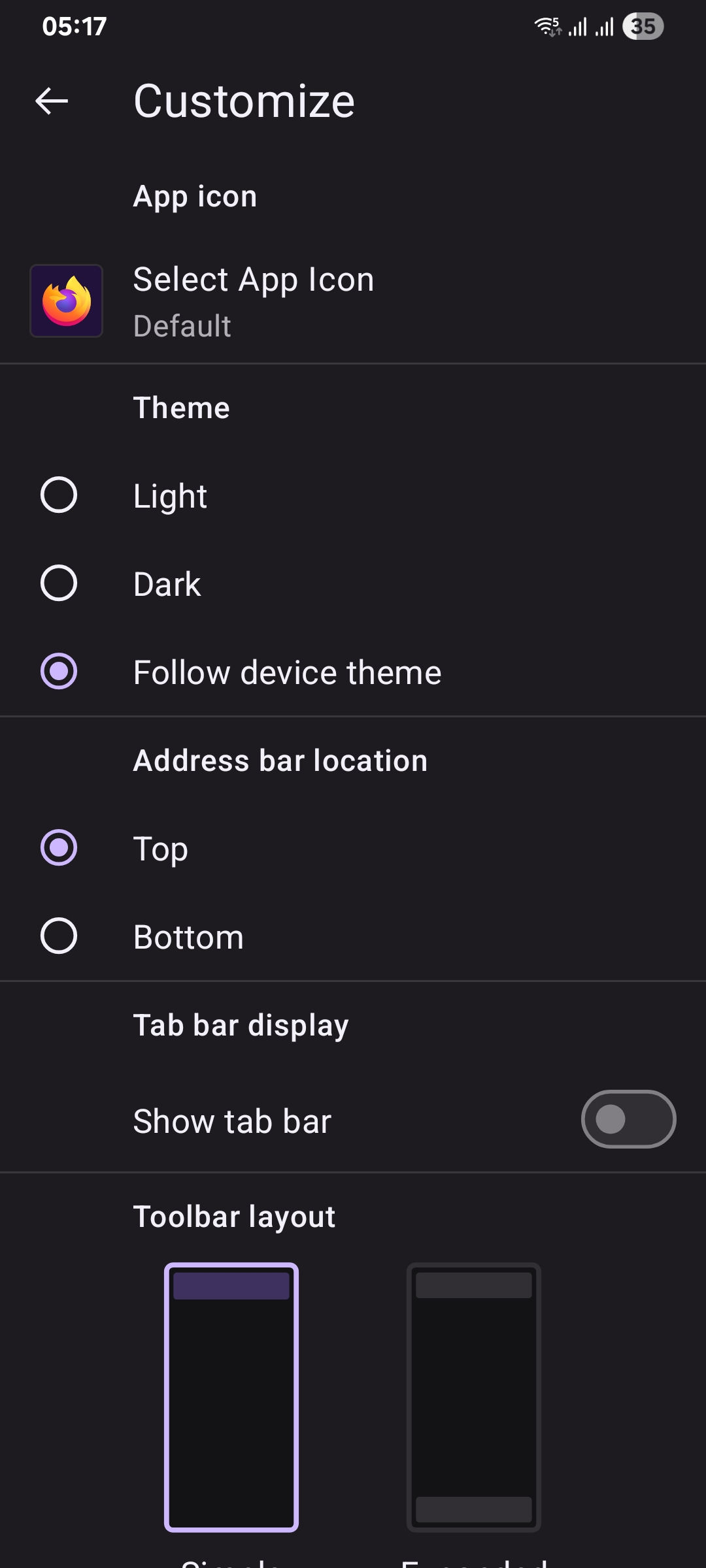
I have selected 'Dark/Auto' in my customization settings. I assumed this setting was meant strictly for the Firefox app UI theme, not to automatically force dark mode onto web pages. However, the issue now is that websites are being forcibly rendered in dark mode. I actually appreciate forced dark mode because it renders images and colored text cleanly without messing them up. The real problem is that I can't seem to find any option to turn it off. When I try enabling dark mode using a website's own native toggle, it displays inverted/negative colors, whereas light mode works properly. So my question and issue come down to this: how do I disable the feature that automatically forces dark mode on the websites I browse? (I haven't been able to find this setting anywhere.)
Attached screenshots

All Replies (1)

Hi,

There's no feature in Firefox that forces dark mode for websites. The mentioned setting is purely for the Firefox UI.

Maybe one of your extensions is causing this? Or your OS?

Ask a question

You must log in to your account to reply to posts. Please start a new question, if you do not have an account yet.