Moved profile isn't working
Hello
I use Thunderbird for many years, I have a profile weighing 3,6 GB now… I already moved this profile on my old computer, from default location to a data disk. Now I needed to move it to a new computer, so I moved it to my Dropbox (with local storage on both), to conveniently access it from the new machine, and to have some kind of backup (with a real backup, more occasional, of course). I don't plan to launch Thunderbird from both computers, so there should be no conflict.
I installed a fresh new download of Thunderbird (152), which I just upgraded to 153. The new computer runs Windows 11 Professional (build 26200.8875), has 32 GB of memory and a large amount of free disk space.
My profile.ini file currently looks like: ``` [Install734AE0B000379192] Default=C:\Dropbox\Applications\Thunderbird\0q9jw2nn.default Locked=1
[Profile1] Name=default IsRelative=1 Path=Profiles/ncc2rvps.default
[Profile0] Name=default-release IsRelative=0 Path=Profiles/30jrlwud.default-release
[General] StartWithLastProfile=0 Version=2
[Profile2] Name=PhiLho IsRelative=0 Path=C:\Dropbox\Applications\Thunderbird\0q9jw2nn.default Default=1 ``` Profile 0 and 1 were created at installation time. I added the Profile2 and I set StartWithLastProfile to 0 to ensure the profile manager sees the profile.
When I start Thunderbird, after choosing the PhiLho profile, I end up with an empty window: no accounts, no messages, no folders, etc. I see no relevant error in the developer console, or the logs. What I am missing?
Chosen Solution
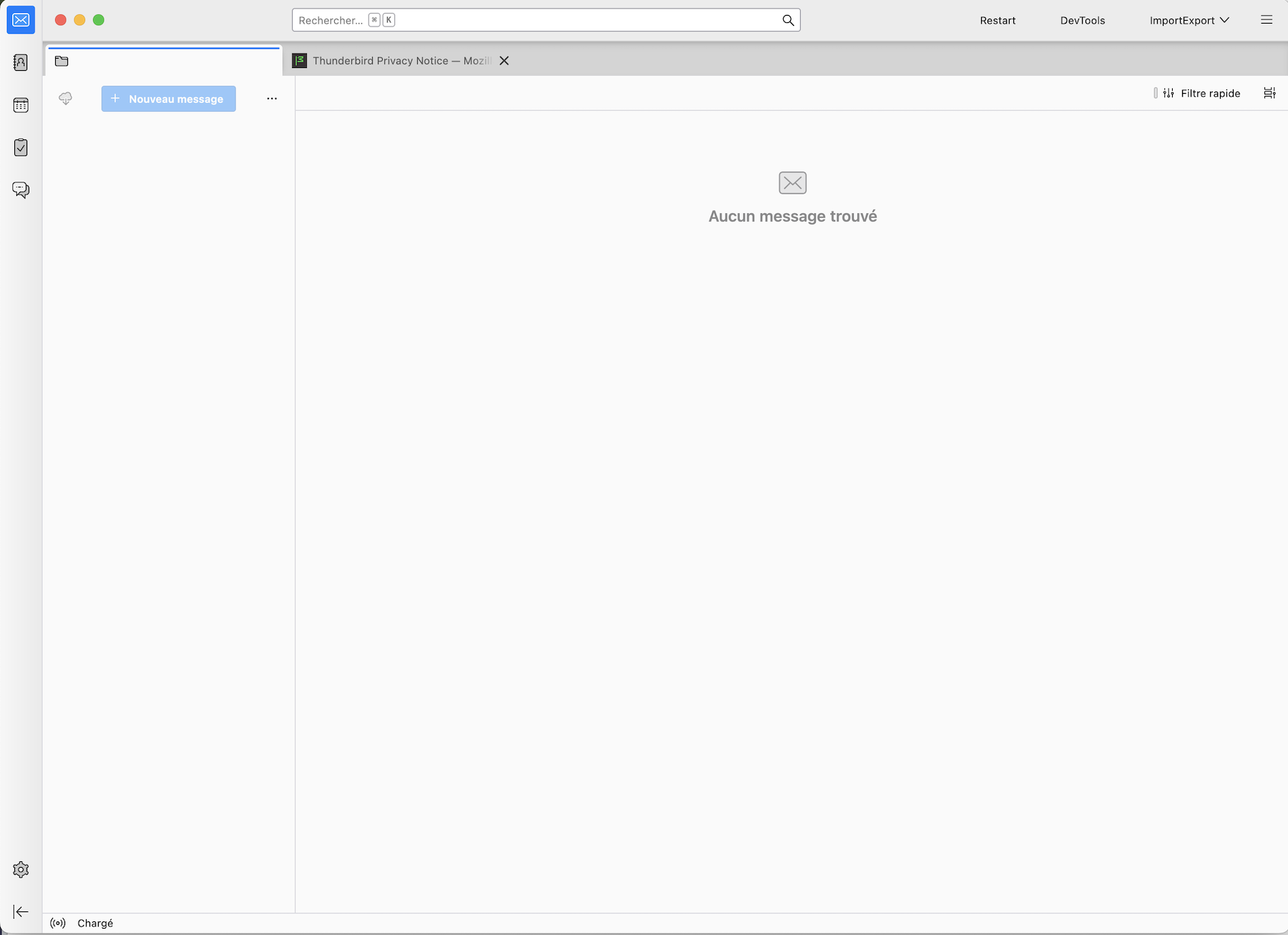
I apologise for misinterpreting your screen shot from July 28, 2026. In the meantime I made several tests: in one of these tests I deleted the prefs.js file from my test profile and started Thunderbird. I got the same start page as the one you attached to your message.
The prefs.js file is one of the most important files in the profile folder since it contains, among others, all data of the email accounts. Some times it can get corrupted (Thunderbird crash, PC crash, power failure, ..). When this happens Thunderbird renames the corrupt prefs.js in prefs-1.js (or invalid.prefs) and creates a new virgin prefs.js of 6 kB size with default settings.
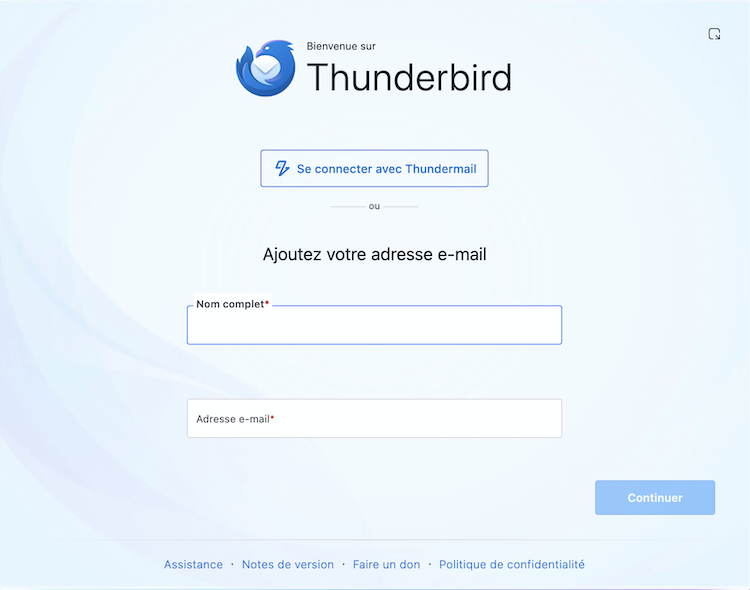
And until recently, when this happened, Thunderbird displayed a start page with a prompt set up an account for an existing email address. This start page has changed and now in the case of a corrupt prefs.js file Thunderbird displays the start page I attach to my reply. It is the same as yours from a couple weeks. So please open your 0q9jw2nn.default profile folder and verify the prefs.js file(s) it contains.
Modified by Mapenzi
All Replies (9)
Hi, I wonder why you have located your Thunderbird profile in that directory Path=C:\Dropbox\Applications\Thunderbird\0q9jw2nn.default
If Thunderbird in Dropbox\Applications\ is really the program (application) Thunderbird, the path is invalid and your PhiLho profile cannot be opened. Also see "Dangerous Directories" https://support.mozilla.org/en-US/kb/dangerous-directories-Thunderbird-account-settings
An easy way to recover your profile would be:
• move the 0q9jw2nn.default profile folder from its actual location to C:\Users\username\AppData\Roaming\Thunderbird\Profiles\ here
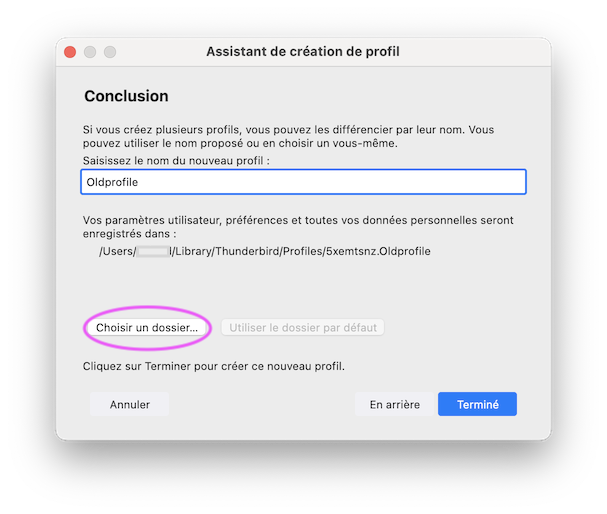
• StartWithLastProfile=0 in your profiles.ini file means that actually when you start Thunderbird it first opens the profile manager: so start Thunderbird and when the profile manager is displayed, create a new profile, click on "Choose Folder...", navigate to Profiles, select your profile folder 0q9jw2nn.default and click "Open button, then the "Done" button and finally "Start Thunderbird".
Modified by Mapenzi
Thank you for your answer. No, this folder in Dropbox is for applications' settings, not for program themselves, which I don't care to backup. They are outside Dropbox. I will try this "create profile" workflow, that's a step I didn't take. ... No, that didn't work, still "No message found", everything is still empty.
PhiLho said
No, that didn't work, still "No message found", everything is still empty.
If you get "No message found" when opening your old profile this means that Thunderbird can access it but for an unknown treason doesn't display messages. Please show a screen shot of the Thunderbird start page where you see "No message found". It may be a "View" problem...
Here is the screenshot.
I fear something critical didn't get moved and is missing to Thunderbird. The error I made is to move the profile folder instead of copying it, because it is much faster on Windows. Although is something was locked, I should have an error message, probably. Or Dropbox was able to manage a file? Unlikely too. Note that Thunderbird was closed when I did the move.
Right now, I have no access to the original computer (will have it later), so I can't tell if TB still works on it. It should be on the latest version or near, I update regularly.
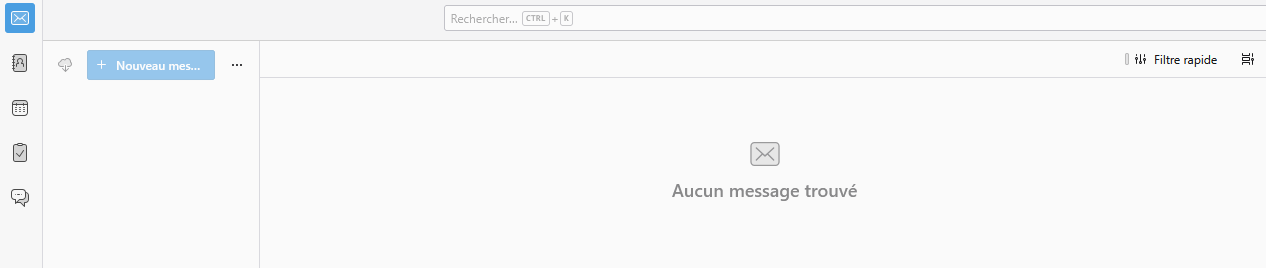
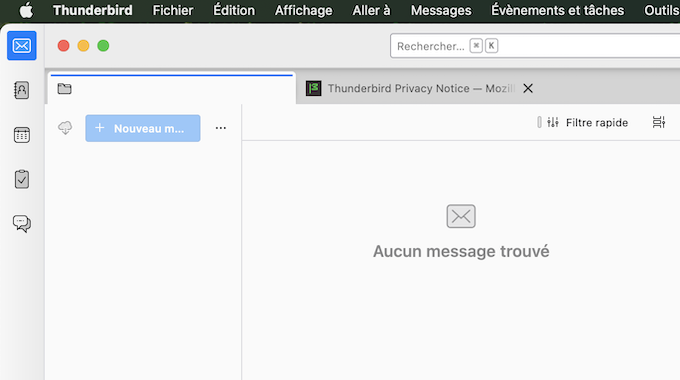
Very strange image: all your accounts seem to be missing. But I am able to reproduce your issue: I removed the folder "Thunderbird" (containing profiles and profiles.ini file) from its standard location in my user Library (mac) to my Desktop. When I restarted TB the start page displayed the new "Account Hub" prompting to add my email address (image) When I closed the account hub I had the same window as shown in your screen shot! (second image).
This means that Thunderbird has created a new profile, and maybe the logic explanation is the following. when you created a new profil in the profile manager you did not "link" the new profile with your old profile folder 0q9jw2nn.default, but clicked on "Done" (Terminé) instead. And Thunderbird logically created a new virgin profile... When you had created and named the new profile in the profile wizard you should have clicked on "Choose Folder ..." (Choisir un dossier), then navigate to your old profile folder 0q9jw2nn.default in Profiles, select it and click the "Open" button, then the "Done" button and finally "Start Thunderbird" (just as I'd explained in my first reply)
Thanks for taking the time to try and reproduce my issue. Although I did follow your instructions. As I said, Thunderbird acts like it doesn't recognize the folder as a profile. Perhaps something is missing. Alas, there is no trace of error in the logs. When I go back to my old computer, I will try to launch TB, hoping at least to recover the data. I hope I don't have years of mail archives lost. I chose TB precisely because it keeps the mails in plain text archives (classical, standard Mime format). So there is a chance to recover data, at least.
Chosen Solution
I apologise for misinterpreting your screen shot from July 28, 2026. In the meantime I made several tests: in one of these tests I deleted the prefs.js file from my test profile and started Thunderbird. I got the same start page as the one you attached to your message.
The prefs.js file is one of the most important files in the profile folder since it contains, among others, all data of the email accounts. Some times it can get corrupted (Thunderbird crash, PC crash, power failure, ..). When this happens Thunderbird renames the corrupt prefs.js in prefs-1.js (or invalid.prefs) and creates a new virgin prefs.js of 6 kB size with default settings.
And until recently, when this happened, Thunderbird displayed a start page with a prompt set up an account for an existing email address. This start page has changed and now in the case of a corrupt prefs.js file Thunderbird displays the start page I attach to my reply. It is the same as yours from a couple weeks. So please open your 0q9jw2nn.default profile folder and verify the prefs.js file(s) it contains.
Modified by Mapenzi
Oh ! You might have put the finger on something.
I have a pref.js and a pref-1.js, differing mostly by the stored timestamps. I also have an older one as I zipped the profile, but a bit too late, and it is similar to the other two. But if I compare the pref.js of my profile to the one in the xxx.default-release profile created on the first launch of Thunderbird, I see all the "mail.xxx.yyy" lines are missing, particularly the mail.root, mail.server, mail.identity, and so on.
That's the missing piece, certainly.
I might have an old backup of the profile (too old, I was careless), maybe I can salvage the data from there, when I will be back. Thank you for the hint.
Modified by PhiLho
PhiLho said
Oh ! You might have put the finger on something. I have a pref.js and a pref-1.js, differing mostly by the stored timestamps.
They also should differ by their sizes! The new prefs.js file must be smaller than the renamed corrupt prefs-1.s file.
PhiLho said
But if I compare the pref.js of my profile to the one in the xxx.default-release profile created on the first launch of Thunderbird, I see all the "mail.xxx.yyy" lines are missing, particularly the mail.root, mail.server, mail.identity, and so on.
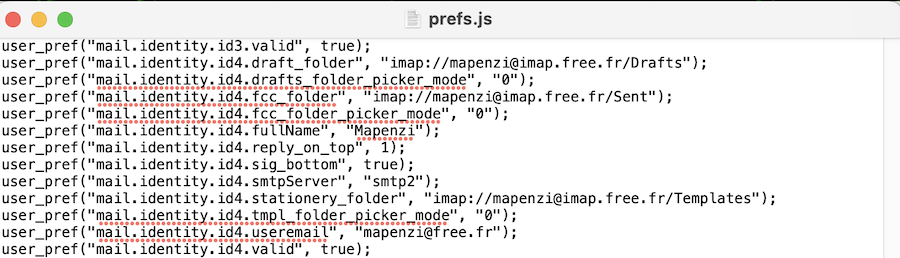
This is the definitive proof that your old prefs.js - now renamed in prefs-1.js - is our culprit since it doesn't contain any account data (See my attachment of a valid prefs.js)
PhiLho said
I might have an old backup of the profile (too old, I was careless), maybe I can salvage the data from there, when I will be back.
Anyway you might make test with the prefs.js file from the profile backup if you didn't add email accounts lately.