


Restoring email from old unused profile

I have been struggling with this issue for months. BDue to a number of computer incidents over the years, I have had to recreate my Thunderbird profiles a few times. This has resulted in there being several old profiles on my PC files from which - especially email files - I would like to restore, or import into my current user profiles. I have tried a few of the solutions on the community forum, but none seem to be working for me. Often the files from which I try to restore show as empty.
I am using a PC with Windows 10. My Thunderbird is version 52.1.0 (32-bit).
Thanks for your help.
All Replies (9)

Please explain what you tried and what happened in more detail. Include full path and exact file names.
christ1 - I feel that I should apologize for allowing your question to linger for so long. I have been occupied with other stuff. I aim to give you a somewhat complete response later today. Thanks, I do appreciate your efforts to assist.
Could someone direct me to posts that could potentially help me solve this problem?
I would create a folder under Local Folders, then in the file manager copy into that folder the required email folders from the old profiles.
This is not a standard procedure, so you won't find articles telling you how to do it.
"I would create a folder under Local Folders, then in the file manager copy into that folder the required email folders from the old profiles."
Where in File Manager do I find the newly-created Local Folder?
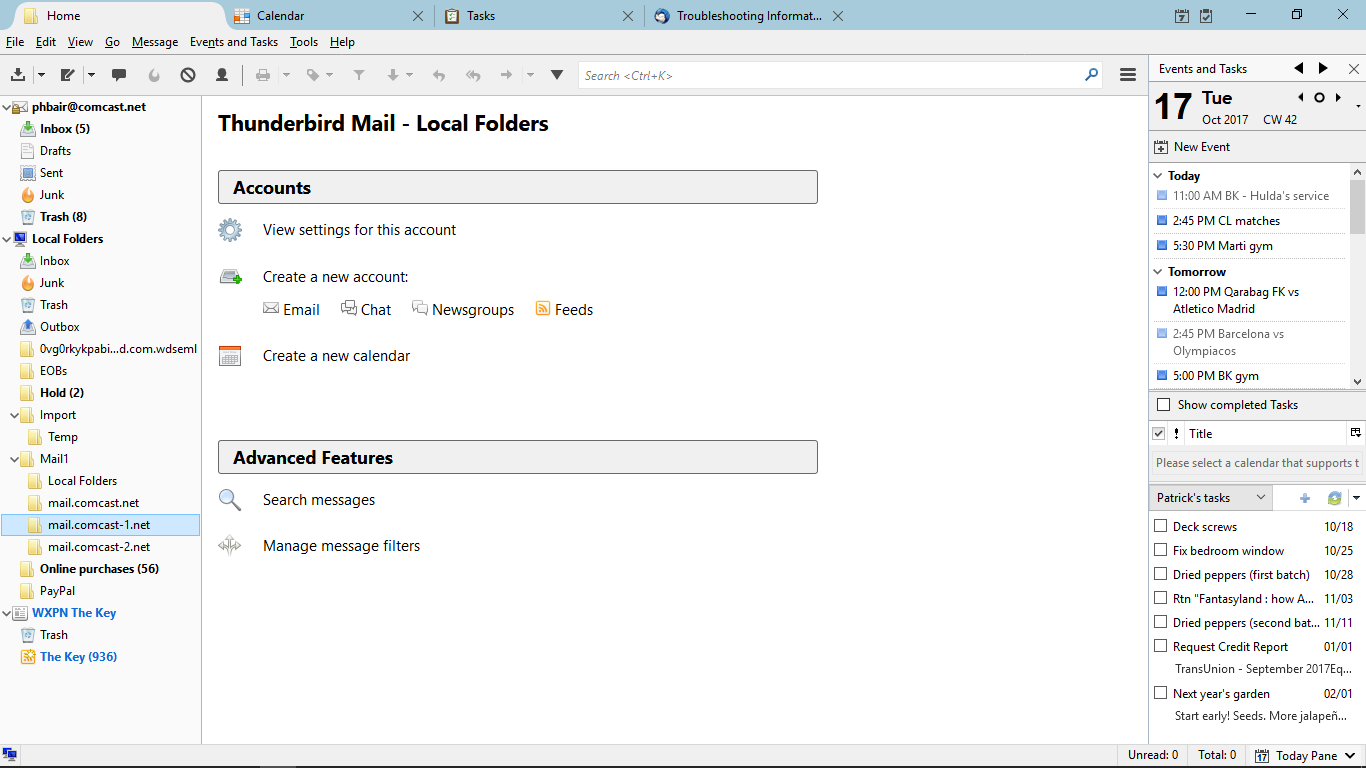
FWIW, I have tried this without success. I now have two Thunderbird profiles with two Mail folder in one of them, one with current email and the other with the old email I can't restore.
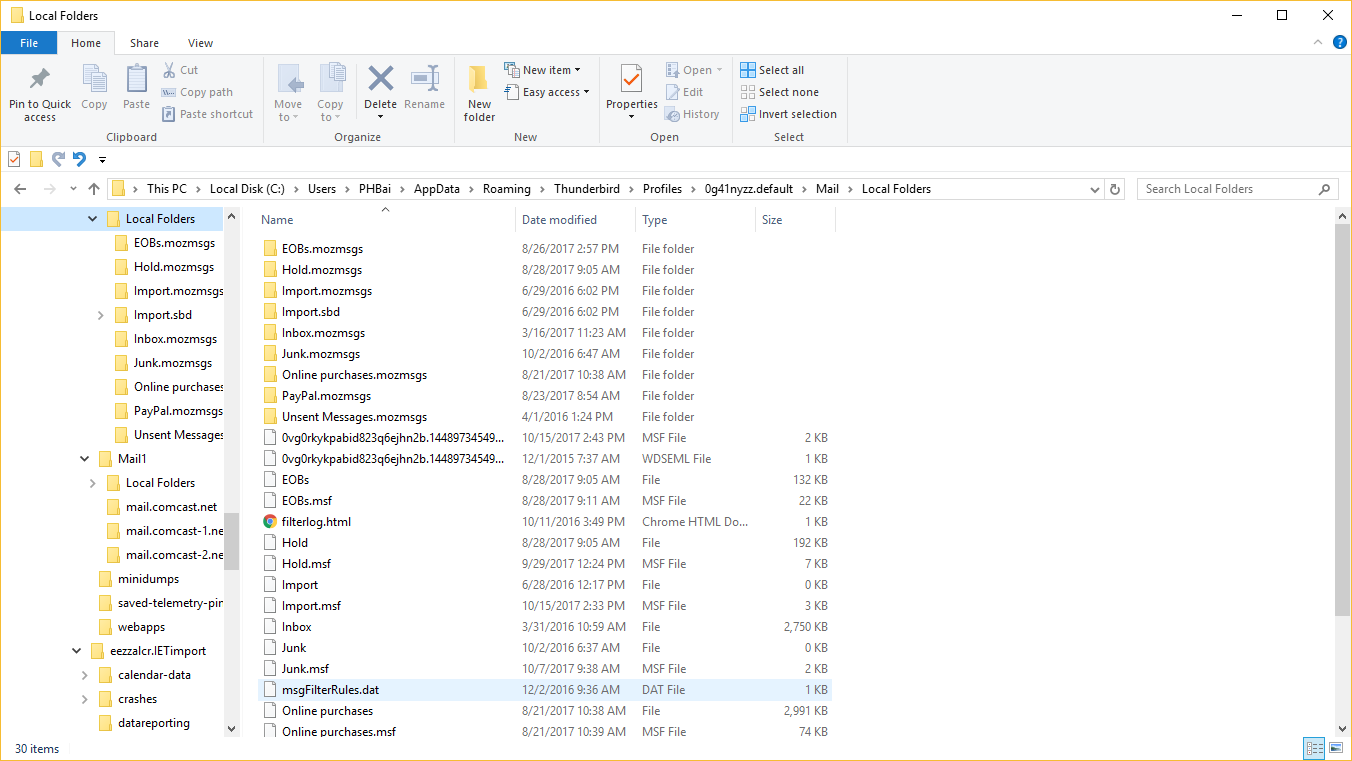
In Windows Explorer, try moving Mail1 so it is a sub-folder of Local Folders.
Zenos - Thanks for your help. I followed your instructions, then rebooted. The picture shows the result. Next steps?
Have I been forgotten?