

This thread was archived.
Please ask a new question if you need help.

Archived
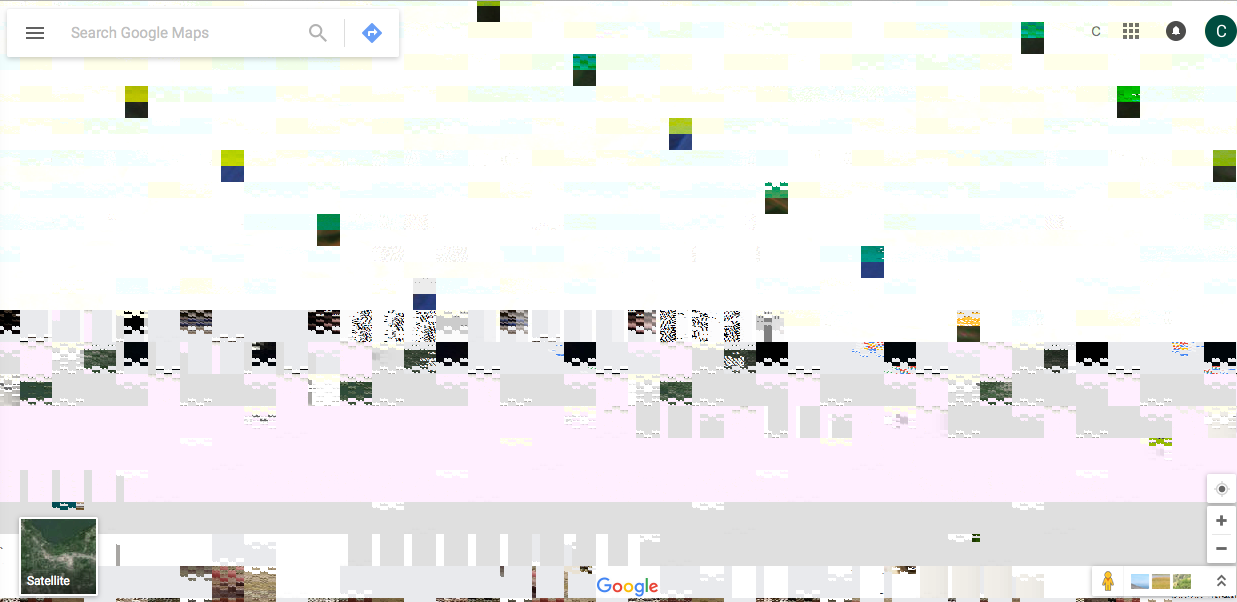
Google Maps and Adobe PDF pages appear as gibberish

All Google Maps and and PDF appears on screen as gibberish. This only happens in Firefox (not Chrome, Safari, etc). v.44.0.2. Also happened with v. 44.0
All Google Maps and and PDF appears on screen as gibberish. This only happens in Firefox (not Chrome, Safari, etc). v.44.0.2. Also happened with v. 44.0
All Replies (1)
You can try to disable hardware acceleration in Firefox.
- Tools > Options > Advanced > General > Browsing: "Use hardware acceleration when available"
You need to close and restart Firefox after toggling this setting.
You can check if there is an update for your graphics display driver and check for hardware acceleration related issues.