Suddenly, my html signature font is displaying wrong

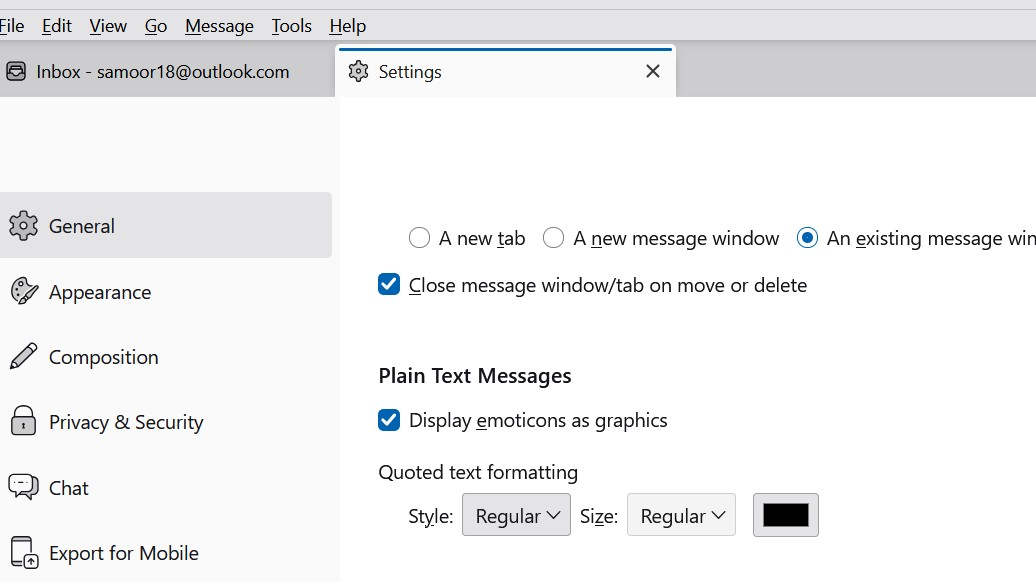
I use HTML as my signature. It has been working just find, but lately when people reply to me, their messages were coming in blue text. So today I changed the: Settings > General > Plain Text Messages > Quoted text formatting from blue colour to black (I have no idea how that was set to blue in the first place). that is all I did. Image attached of the change I made.
In any case, after that, when I tried to send a new email my HTML signature no longer displays the correct font (Pristina) but shows only variable text. The HTML file is not corrupt, it still looks fine in the actual file I saved, but, Thunderbird is changing it somehow. Even when I look back at sent files, Thunderbird is showing me the variable text and not Pristina.
Any assistance would be much appreciated. With thanks, NM
การตอบกลับทั้งหมด (10)
I am unclear on the problem. You state that HTML was working but replies were blue, so you changed plain text to black. How does plain text fit with the HTML issue? And if you only changed a plaintext font color, that should not affect the HTML signature. Possibly , if you post the HTML source code of the sig, that may help. Posting HTML is problematic on the forum, so a screenshot of the HTML may be sufficient. thank you
Thank you David for your reply. Sorry for the confusion. I only mentioned changing the incoming text because that is what I did before I opened Thunderbird to find the signature was not displaying properly, I thought perhaps changing that might have caused the problem with my HTML signature not displaying as it should. (Thunderbird has done odd things before.)
That was the only change I made to Thunderbird before the Signature display changed.
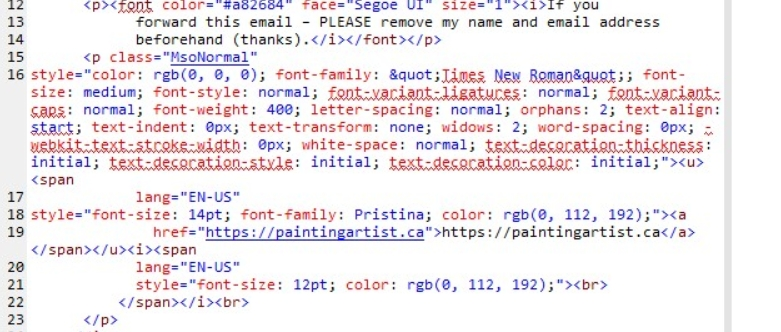
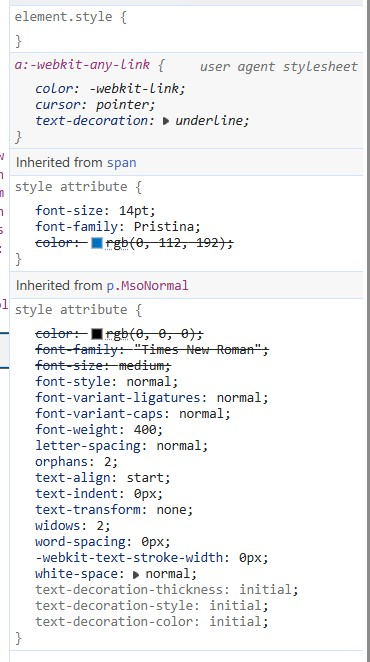
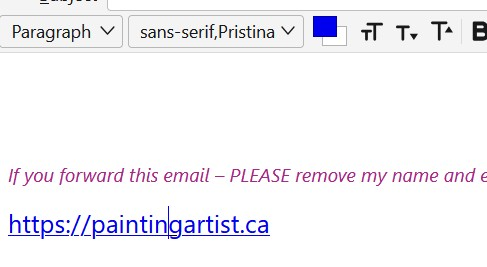
I am attaching 3 images, first of how it should look and how it has always looked until yesterday, second is the source coding, and third - how it looks in Thunderbird as of yesterday.
NM


I am no HTML guru, but it appears to me that you are using more HTML in the sig than that. That is, it appears to be part of a larger HTML envelope. For example, I did a simple sig that did only what you show
<span style="font: arial; font-size 14pt; font-style: italic; ">If you forward this email, please remove my name and email address beforehand (thanks).</span><br/><br/> <a href="https://paintingartist.ca/" target="_blank" style="font-size: 14pt; font-family: pristina; text-decoration-line: underline; font-weight: 400; text-decoration-style: solid;">https://paintingartist.ca</a>
The colors don't match, but what I wrote stands alone, while the sig you use appears to be part of something else. How do you insert it into the sig? (And, maybe someone else will see this and have better advice.)
That is likely because I opened the HTML signature file in my browers and clicked on inspect, so you are seeing the coding for the browser too.
I initially searched Mozilla online on how to create a signature and this is what I found, and did: "'Open a blank email create or paste the wanted formatted text then click File > save as > choose HTML then save it to the folder" The next step was: Then go into Account Settings and choose the appropriate one for each account. Choose “Attach the signature from a file instead (HTLM, text or image)"
That worked perfectly or over a year until yesterday when it changed to plain text, even though it shows in the Thunderbird email menu bar as "sans-serif, Pristina" - see the screen shot attached.
Thunderbird changed the presentation of that font by itself, I have tried removing the signature, closing Thunderbird, then putting the html file back in but I still get the wrong font showing. Even if I open an old email that I sent weeks ago when the font did show as Pristina - as of yesterday it just shows as the plain font you see in the uploaded image, that font is not Pristina.
I was hoping someone had heard of this happening before.
That is what I anticipated; you're creating a template for the entire message, not just the sig. The HTML in the sig you posted is overriding some other HTML that we're not seeing.
After reading your reply I went to: https://support.mozilla.org/en-US/kb/signatures#w_signatures-stored-in-files They wrote this:
You can create a signature file by using the Thunderbird composer. As an example, open a new HTML-formatted message window in Thunderbird (File > New > Message) or click on Write located on the'Mail Toolbar'. Make sure that the formatting toolbar is displayed. (If it is not displayed, you are composing a message formatted in text, not HTML. To change to HTML, select Options > Delivery Format > Rich Text (HTML) Only.) Compose and format your signature as desired. Note that numerous formatting functions are available from the Insert and Format menus. 1. Click File > Save As > File. Choose where to save your HTML file. Make sure Save as Type : "HTML files" is selected, and then specify a file name and click Save. 2. Close the message window and discard the message without saving. 3. Open the Account Settings and select the email account in the panel on the left. 4. Check Attach the signature from a file, click Choose and navigate to the file you created.
That is what I did. If that is a template, then that is what Mozilla support said to do - it worked before - so why not now?
You did not post the full template. The HTML you showed is an override to other non-thunderbird HTML. Fixing this may be more than I can do, but posting all of the template may prove helpful.
I am not sure how to post the email as a template, but will open it in my WYSIWYG website building app and copy the code from there. Hopefully that will be what you want to see.
I opened the signature html file that I created as per instructions from Mozilla in my app and it is the code for my signature.
But before you examine the code, please note, this is the code that worked before, I didn't change that signature in any way, it was working, then next day, after I tried to change the text colour of recipient's replies, it changed. (As I explained in my first query for help).
I tried to post the code directly here but posting I tried to preview it but it created an error, maybe because it is html coding - not sure what will happen when I try to post it.) So I decided to make a screenshot of the coding to avoid any errors. Thanks
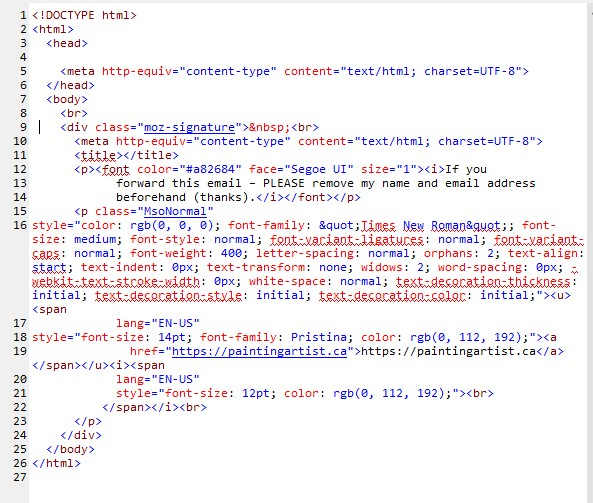
This is not at all what you originally posted. A suggestion: try clipping off the initial HTML and the bottom HTM so that it is just as in the screenshot, Let me know how that works: