Firefox Desktop Version 157 TLS key logging warning — Norton 360 Standard is suspected, but HTTPS scanning tests did not resolve it and so I need help with identifying the root casues and sepcifc steps to eliminate this warning

My system • Windows 11 on a Dell laptop. • Firefox Version 157, my default browser. • Norton 360 Standard. • Two Firefox profiles; the warning appears in both. • Firefox Troubleshooting Mode does not eliminate the warning https://support.mozilla.org/en-US/kb/sslkeylogfile-warning?utm_source=chatgpt.com
What I have observed
The warning appears on Firefox network-error pages, including when the internet is disconnected or I enter an incorrect URL.
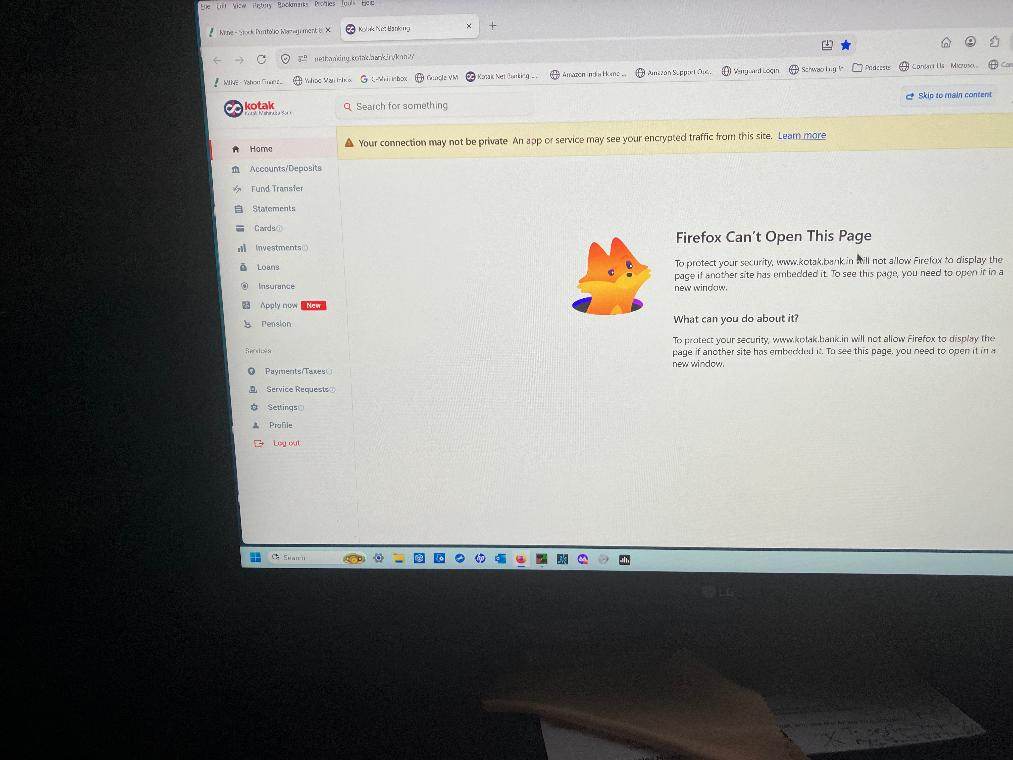
A particularly reproducible example occurs after I successfully log in to Kotak Net Banking and select Help → Raise a Query. Firefox then displays a connection/privacy warning associated with the embedded page. I do not see the same behaviour in Chrome or Firefox Private Browsing when performing the equivalent Kotak steps.
Troubleshooting already completed
1. Norton Safe Web HTTPS scanning was disabled and re-enabled without resolving the issue.
2. QUIC/HTTP3 scanning, WebSocket Protocol Scanning and DNS/DoH scanning were individually tested without resolving it.
3. Firefox Enterprise Policies are inactive.
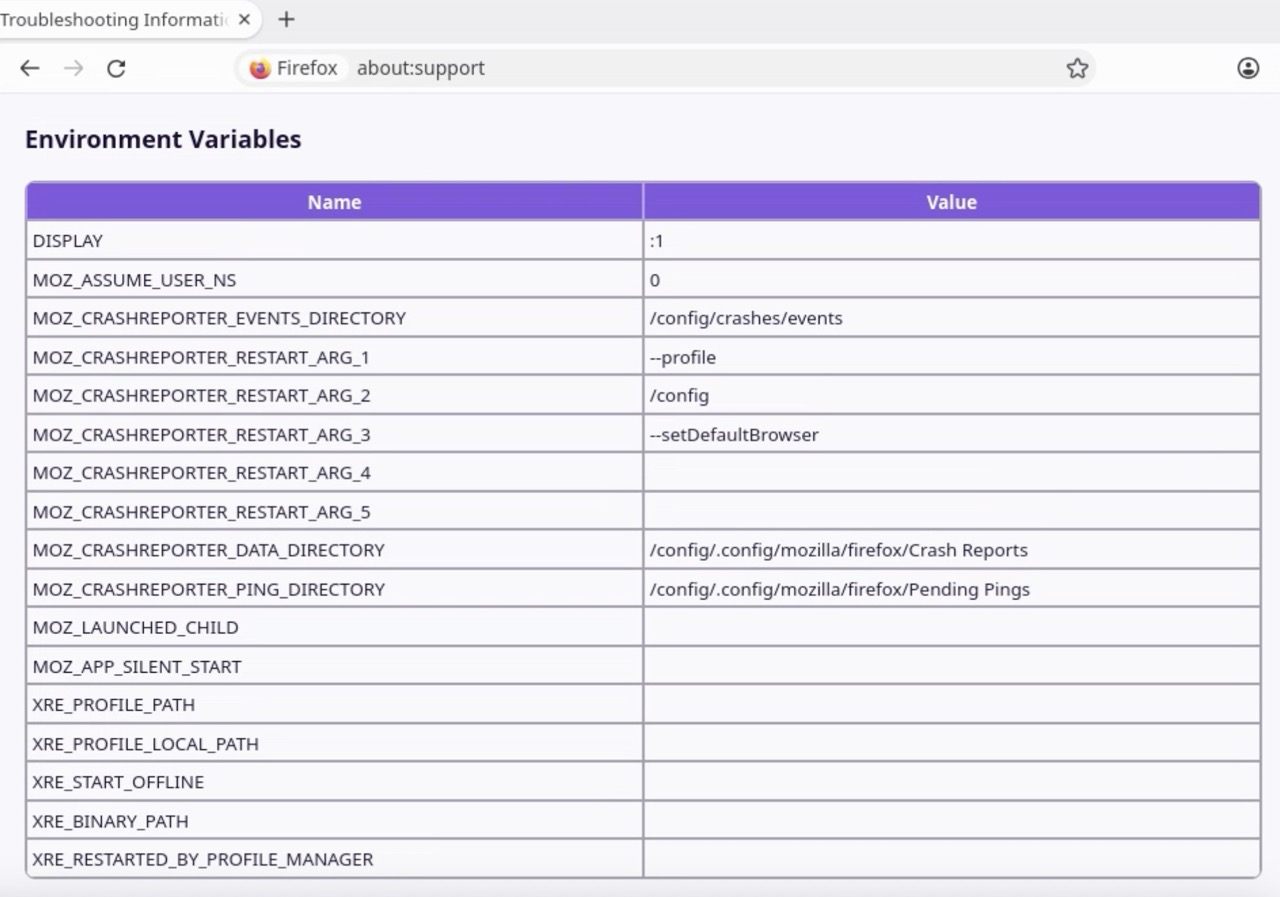
4. I found no SSLKEYLOGFILE entry in either Windows User Variables or System Variables.
5. Norton and Dell malware scans found no malware.
6. The warning also occurs when I connect through a mobile phone hotspot rather than my usual BSNL connection.
Questions for Mozilla's technical contributors
1. Does this warning establish that Firefox detects SSLKEYLOGFILE, or could another mechanism produce the same message?
2. Can the variable be inherited by Firefox from a parent process or injected into its running process even when it is absent from the Windows User and System Variables?
3. What is the safest way to identify which process or security product is setting it on Windows 11?
4. Is there a known interaction between Firefox 157 and Norton 360 Standard that could explain this behaviour?
5. What evidence should I collect to distinguish a Norton issue from a Firefox issue without disabling security protections or modifying Windows settings?
I am not looking to disable security features indiscriminately. I want to identify the actual cause and, if Norton is responsible, determine the precise setting that needs attention.
I would particularly appreciate a response from a contributor with Windows networking, Firefox TLS or security-software diagnostic experience.
Thank you.
การตอบกลับทั้งหมด (2)
First things first. The error page is due to subresource or content framing security defined by either the inner or the outer document, most likely developer.mozilla.org/docs/Web/HTTP/Reference/Headers/Content-Security-Policy/frame-ancestors — so that's an authoring choice, and ultimately an error on their side in nesting things, so that's not influenced by the scanning.
The scanning banner in displayed on error pages, but is not necessarily related to the error shown, or the reason for it. So seeing this through will have no effect on resolving the error attached — that's unrelated security policy configuration the site operators need to figure out.
(I'll skip the rest for now, as it's not apparent whether you wanna address the error state shown, or the TLS logging per se, since this is two unrelated things at this point.)
Firefox can't tell who is setting the logging, so you might need to liaise with Norton about this.
It's based on the env it's run with, I think it should be visible here: (potentially with a path that would shed some light on what tool set that based on the naming)