Is it normal for Firefox to be taking ~2800 MB of Memory?

Looking at the Task Manager in Windows, Firefox is using 2700-3000 MB of Memory when running. I only have 13 tabs at the time of writing this but it is driving my memory up to 50%. (I have 32GB RAM). Is this normal? When I open the Firefox manager, the GPU seems to take like 1-2 GB and i think it is driving up the Memory. I also have UBlock Origin, Privacy Badger and a third extension called Copy Plain Text. This is just concerning me and would like to know if I'm overreacting.
การตอบกลับทั้งหมด (2)
Yes and no. The processes take what they need, and if there are system resources available, use that performance to optimize the sites for speed, quality, fidelity, snappy rendering etc.
So the answer is "it depends".
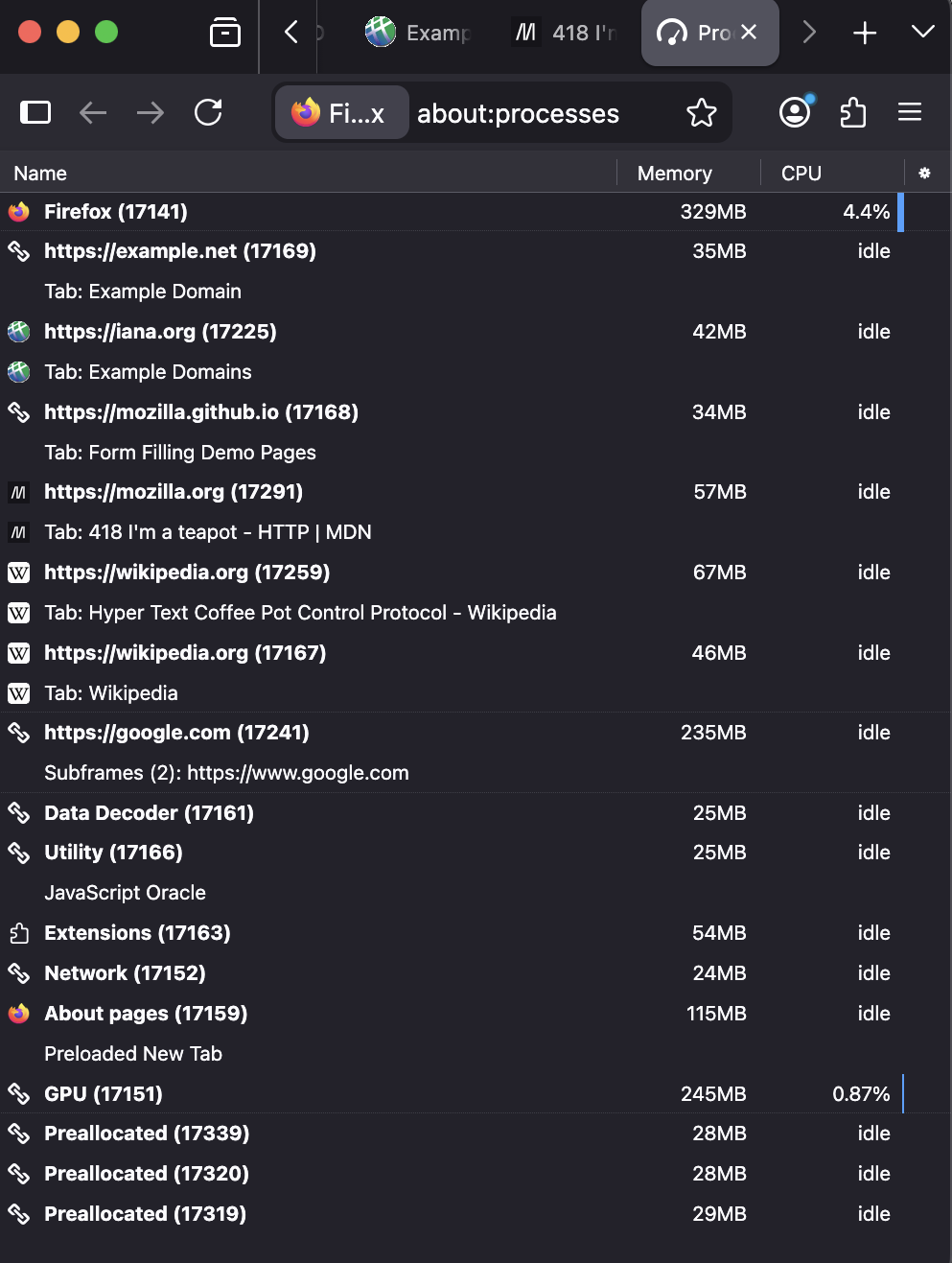
For me a freshly started Firefox with no addons and just a few static pages basically idles at under 1GB total. (fig.: left)
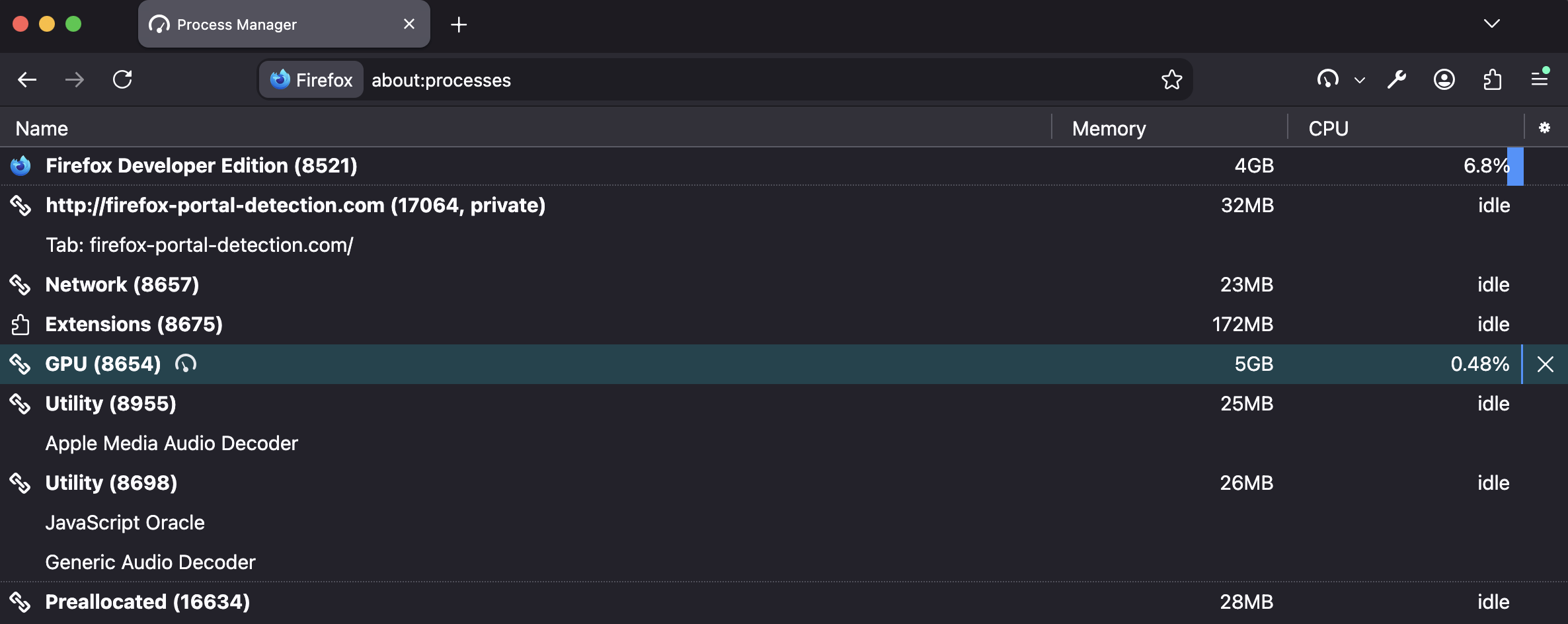
However my common use of my normal profile with my hundreds of tabs, workers, and loads of logic handed off to the browser (wasm, media render, push updates, infinite async updates for days/weeks on running active tabs) tells a different story, where just both the parent process and the GPU helper both take a healthy 5GB, each. (fig.: right)
(It's not the only instance, I run about ~3–5 side by side… some idling at 1GB, some actually really doing something with multiple 3–5GB processes… for actually a really stable experience I must say.)
So neither is wrong, just depends on your usage.
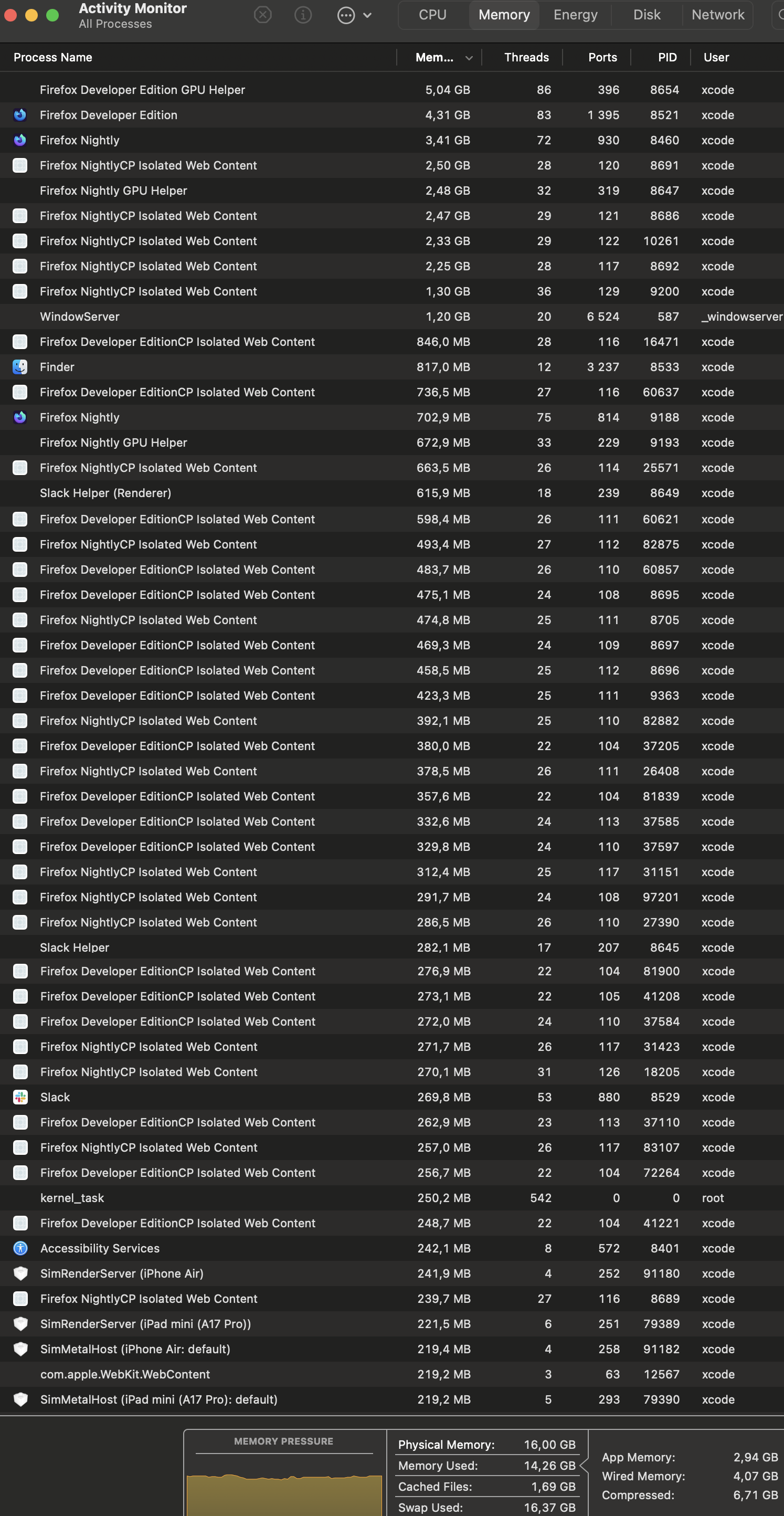
And I didn't intend to drop any scary logs here, but to just put it into some perspective, this is some of my busier processes sorted by memory… after ending my day, leaving behind some work, spinning down builds, shutting down Xcode… this is where most of the work still is. Feels pretty happy contrary to the numbers it shows: … ;D