


Open
Marking email as spam.

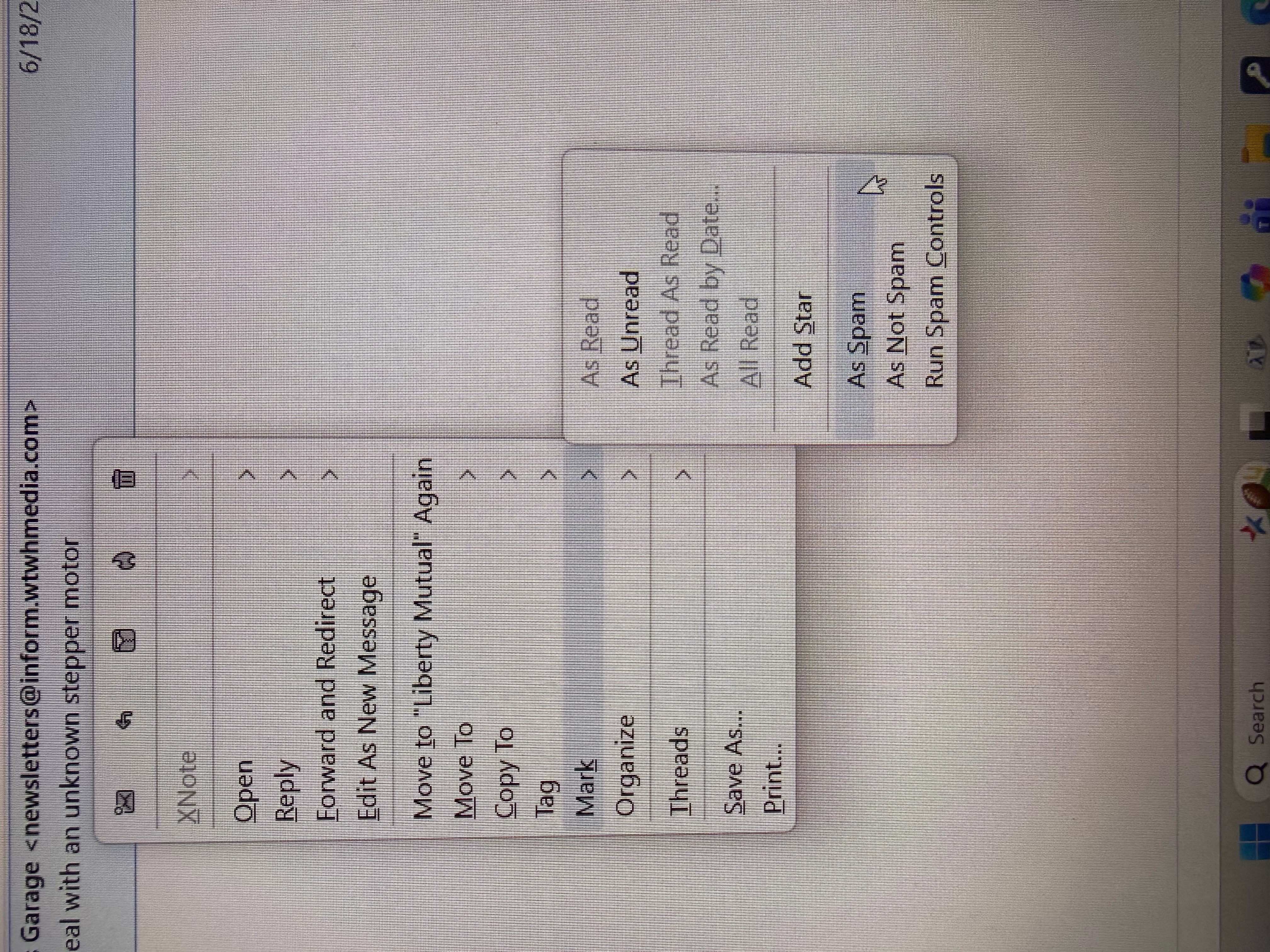
I use to be able to mark email as junk by right click then K then J. The junk option is not there any more but spam is. The problem is both add star and as spam are both S, so K - S does not work. Need to change one of them to a different letter.
I use to be able to mark email as junk by right click then K then J.
The junk option is not there any more but spam is.
The problem is both '''add star''' and '''as spam''' are both S, so '''K - S''' does not work.
Need to change one of them to a different letter.
การตอบกลับทั้งหมด (1)

This does seem to be a bug. If the account's spam folder is called "Junk" or "Bulk", the "Mark as..." option is "J", but if the folder is named "Spam", it's "S", which conflicts with "Star". This appears to have happened in the most recent versions. Until that's fixed, and maybe after, you might find it easiest to mark a message as Spam/Junk by just pressing "J" while the message is selected. Similarly, <Shift+J"> marks it as Not Spam.
เปลี่ยนแปลงโดย Lin เมื่อ