


Oauth challenge never appears

For a week or two I haven't been able to send any email from Thunderbird. I use smtp.gmail.com as my outgoing server, and have it configured using SSL/TLS on port 465 with Oauth2 authentication. I first saw this on an older TB version, but have now updated to Thunderbird 152.0.1 on MacOS Sequoia 15.7.7.
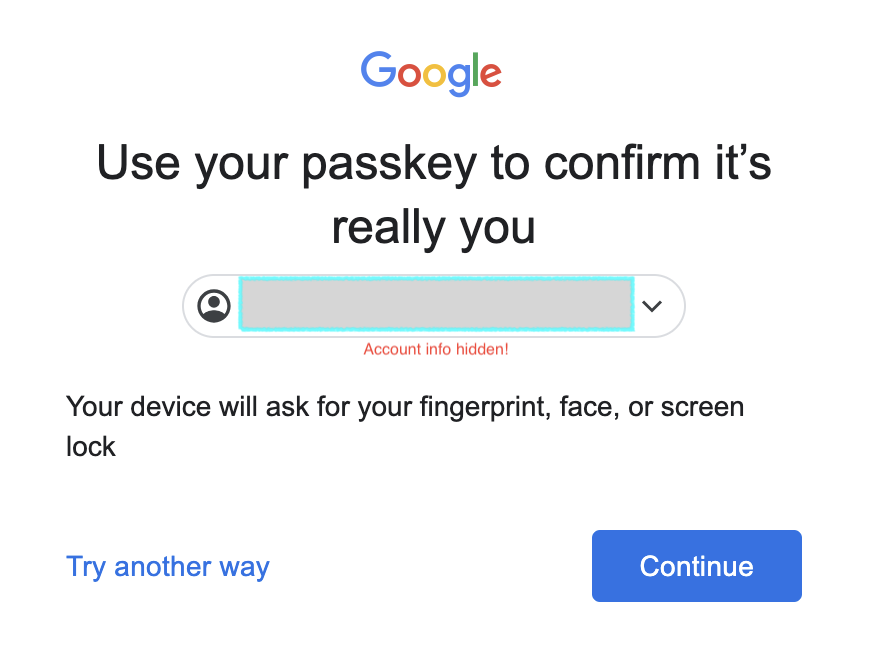
When I try to send email, a dialog pops up saying "Enter credentials" for my account, then "Verify it's you". When I click on Next it asks me to "Complete sign-in using your passkey". I believe at this point another window is supposed to pop up and I can use a fingerprint to enter the passkey, but that window never pops up. I have tried 3 different default browsers: Firefox (my usual one), Google Chrome, and Safari. All behave the same. Firefox might be suppressing Javascript, but the other two certainly aren't.
Is there some system security setting that might be preventing Thunderbird from opening a window in the default browser, or does Thunderbird maintain its own record of the browser? Any other suggestions on how to get the passkey challenge to appear?
การตอบกลับทั้งหมด (4)

I've never seen that particular "fingerprint, etc." screen. Maybe it's an Apple thing?...
Sometimes you have to jump through a few hoops to force an OAuth2 re-authorization. Try these steps:
- Make sure cookies are allowed (<Settings | Privacy & Security | Web Content | Accept cookies from sites>);
- Delete all cookies for that account (<Settings | Privacy & Security | Web Content | Show Cookies>);
- Delete all passwords for that account from saved passwords (<Settings | Privacy & Security | Passwords | Saved Passwords>);
Now restart Thunderbird. You will be asked for your credentials, a new OAuth2 token will be set, and hopefully they will be accepted and mail retrieval will resume.
Your suggestions have made things a bit worse.
I had cookies allowed, and I deleted all cookies. I think the problem came when I deleted all passwords. Now I can't read my mail from within Thunderbird either.
I was asked for my credentials, but apparently the ones I had saved weren't the right ones, so I can't get in at all.
During the resetting, again I am asked to enter my passkey, but I have no way to do it.
I'm terribly sorry. I should probably stay our of Apple threads because I'm not familiar with them and I don't have one to test on.
I would expect the device would prompt you for a face shot, fingerprint passkey, not this window per se. What happens when you choose the "Try another way" option?
It appears the "Passkey" thing is a kind of Apple password management function. In this case, I'm thinking that Google sites and accounts are "protected" by a passkey that, presumably you had set at one time, which is why you're getting that verification screen rather then the regular password one I'm used to seeing.
Here's a couple articles describing how to use it:
https://www.pcmag.com/how-to/no-more-passwords-how-to-set-up-apples-passkeys-for-easy-sign-ins
https://support.apple.com/guide/passwords/passkeys-mchl4af65d1a/mac
The first article has a section titled, "How to Use and Manage Passkeys" that described how to remove a passkey for an app or web site. If you can do that, you should be able to authenticate your Thunderbird Gmail account with your password.
Please let me know how it goes.
Don't worry about it, it was resolvable, just going through a dance with gmail to get signed in again. And it seems it may have solved my original problem: I just managed to send an email. We'll see if it lasts!