หัวข้อนี้ถูกเก็บถาวรแล้ว
โปรดถามคำถามใหม่หากคุณต้องการความช่วยเหลือ

เก็บถาวรแล้ว
How do I remove the space between lines when composing a message?

When I am composing a message, the lines are double spaced. I want them single spaced. I can't find a setting to change the spacing.
When I am composing a message, the lines are double spaced. I want them single spaced. I can't find a setting to change the spacing.
การตอบกลับทั้งหมด (3)
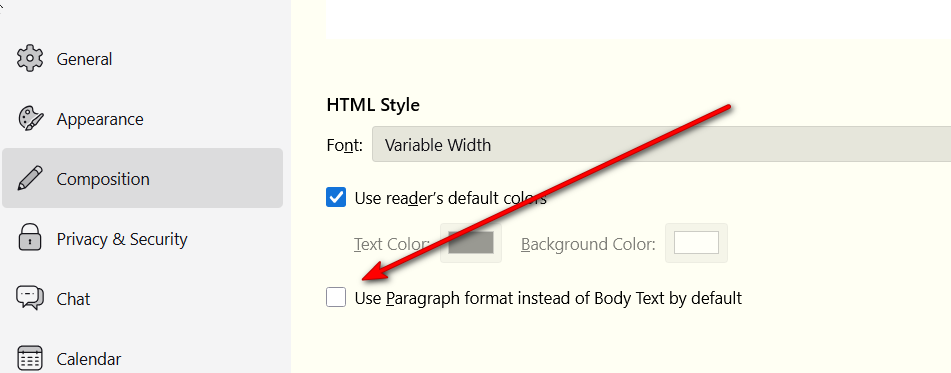
Are you pressing the Enter key at end of each line? That may be causing it. If you keep typing, the line will wrap. However, you can change that setting by going to settings>composition and UNticking paragraph format.
Hi David... I'm using the latest version of Thunderbird. In settings>composition there is only 3 selections and no selection for "paragraph format". Thanks in anticipation for help. Russ
See attached screenshot