


When email is marked "Thunderbird thinks this message is spam". What do you do?

Do I delete it? There's no "Yes this is spam, move to Junk" It's not clear how to make the email go away. Thanks,
Do I delete it? There's no "Yes this is spam, move to Junk" It's not clear how to make the email go away.
Thanks,
การตอบกลับทั้งหมด (4)
There is a setting in account settings > Junk to move junk mail to a junk folder. There is also an automatic cleanup of that folder option.
See
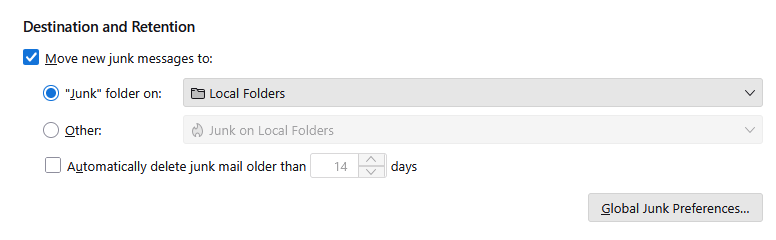
Thank you. Account Settings under tools, doesn't show any info\s regarding junk settings. Where is the "Destination and Retention" page you reference?
Haigster said
Thank you. Account Settings under tools, doesn't show any info\s regarding junk settings. Where is the "Destination and Retention" page you reference?
Tools > Account settings >Junk Settings
Perhaps try scrolling down so you see more that the address book list for whitelisting.