No Not Junk option on Junk Emails

I just downloaded Thunderbird because Outlook is doing a bad job or preventing on these junk emails and I'm wasting too much time sifting through all the junk emails every hour. Now I have Thunderbird and I don't see an option to mark an email that is in my junk folder as not junk.
การตอบกลับทั้งหมด (11)
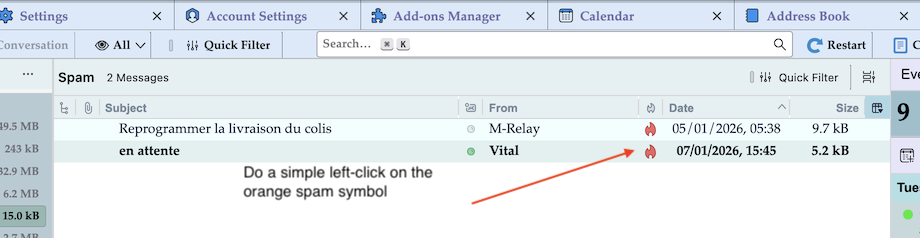
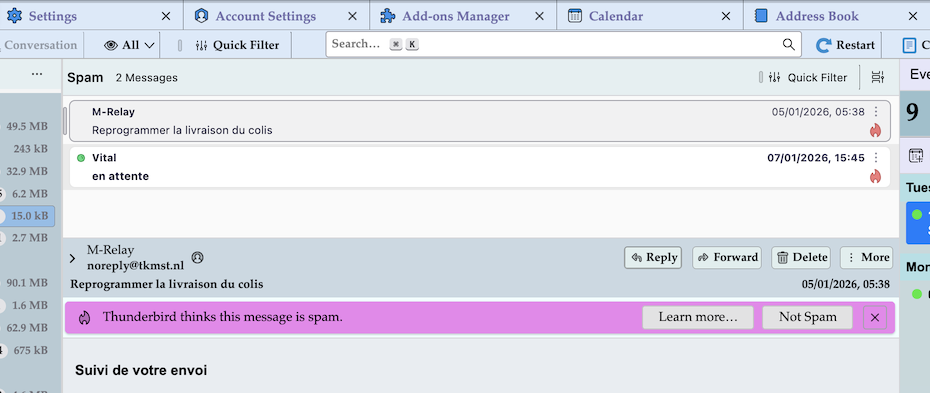
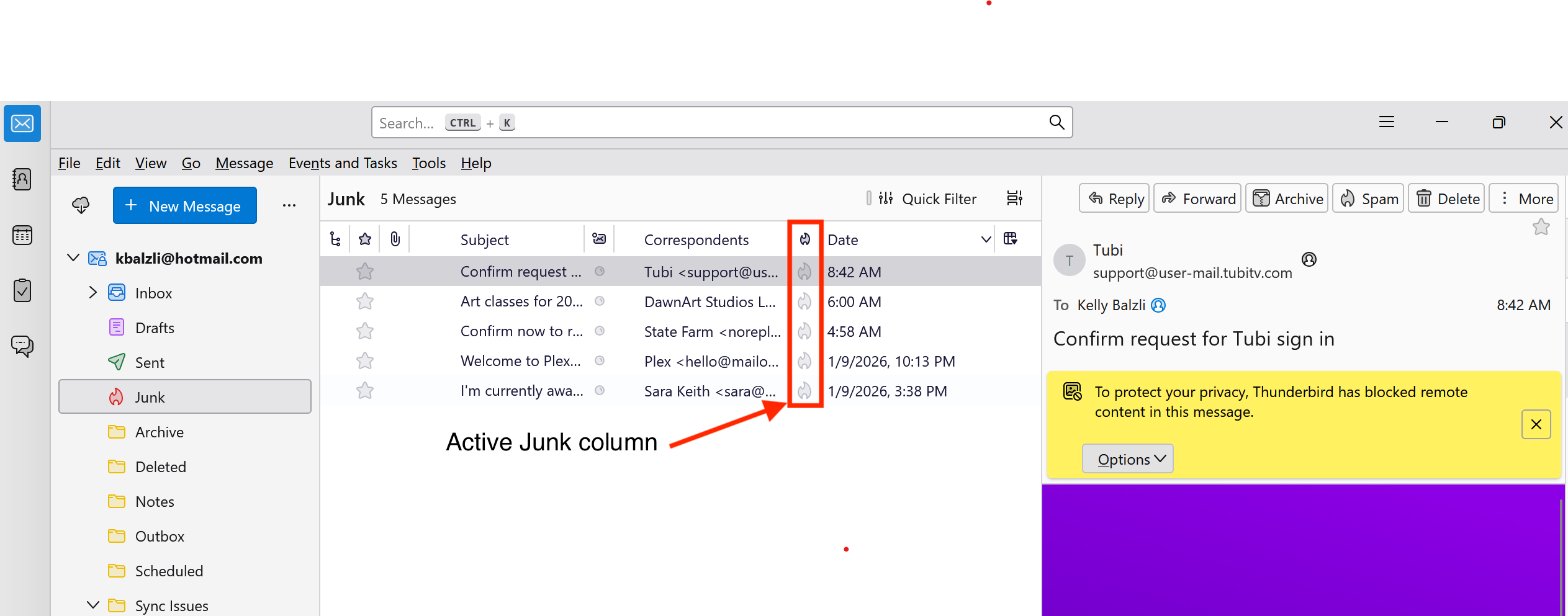
Do a simple left-click on the orange spam symbol in the spam status column and the message will return to its original folder Inbox
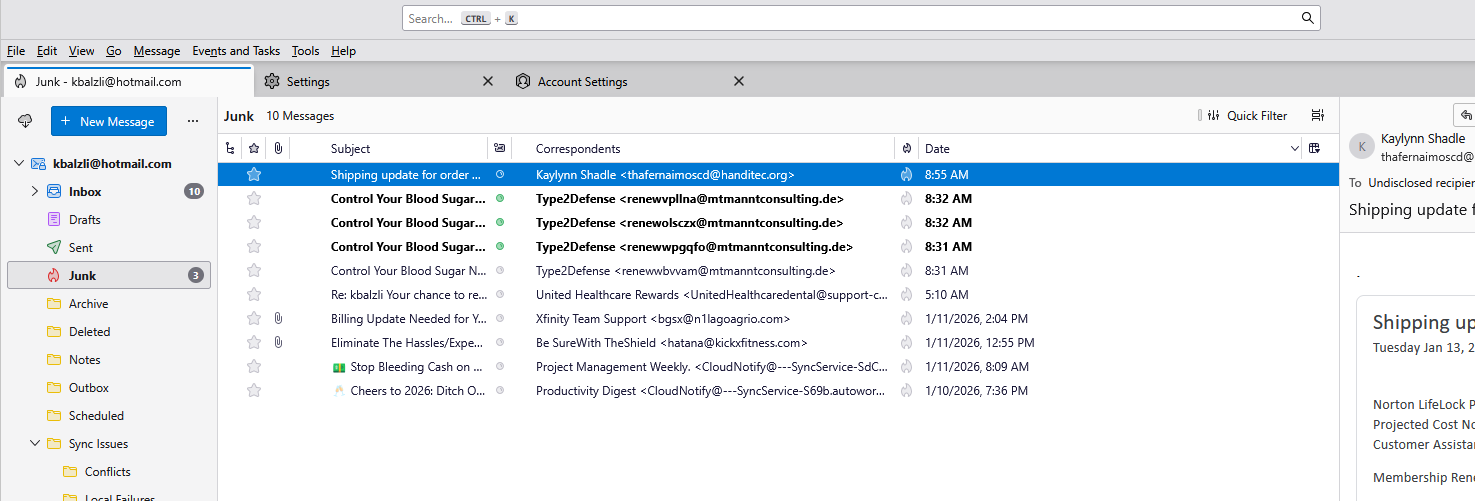
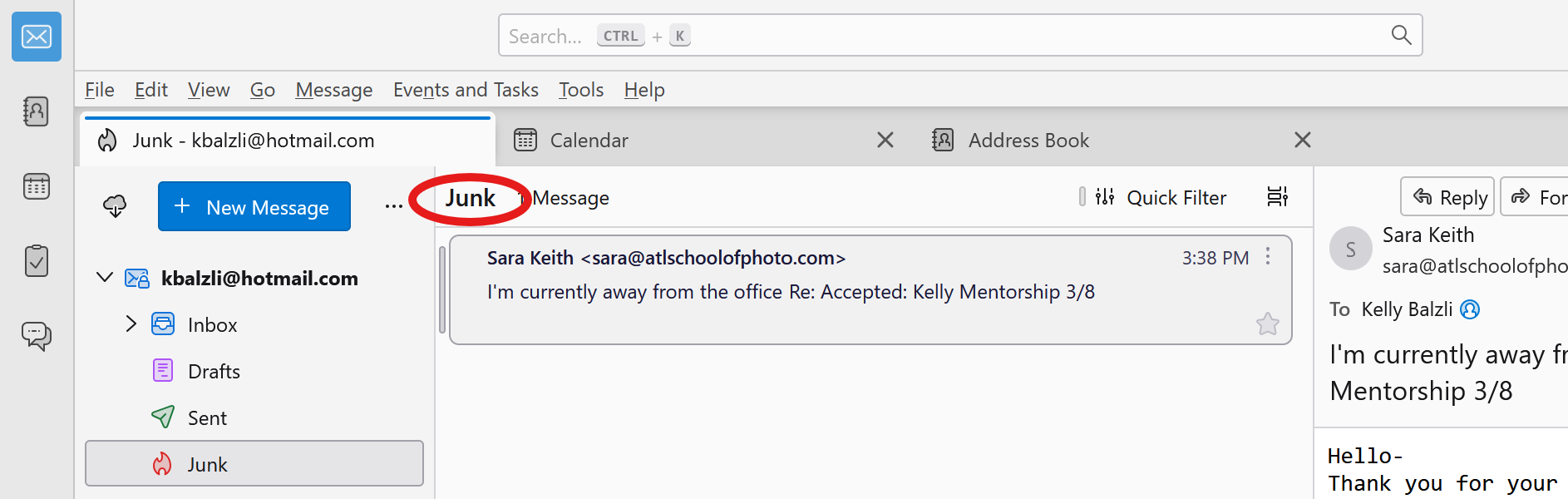
Hello and thank you for responding. So I am referring to emails that are in my junk folder already (none of my messages are going to the spam folder. Here is an example of one of them. Also, this user is in my address book so i'm really concerned that they ended up in the junk folder.
เปลี่ยนแปลงโดย kbalzli เมื่อ
The difference between my screen shot and yours is that I use "table view" and you're using "cards view". But that shouldn't make a difference and I don't know why the "Spam" symbol isn't shown in your image, contrary to my new image
เปลี่ยนแปลงโดย Mapenzi เมื่อ
Thanks but the issue is still occuring. Please note, the folder I am in is titled Junk and not Spam. I changed my view to table view but I still don't have a button that allows me to mark them as not junk. I think we may have 2 different types of installs. My email is using IMAP4 connectivity and not POP3. I won't be able to keep using Thunderbird if I can't get this resolved so hopefully someone can explain why I dont have an option to mark these emails as either not junk or not spam b/c quite a few of them are showing up here now. I found a shortcut key for marking them as not junk but I just can't believe there is not a simple button for this.
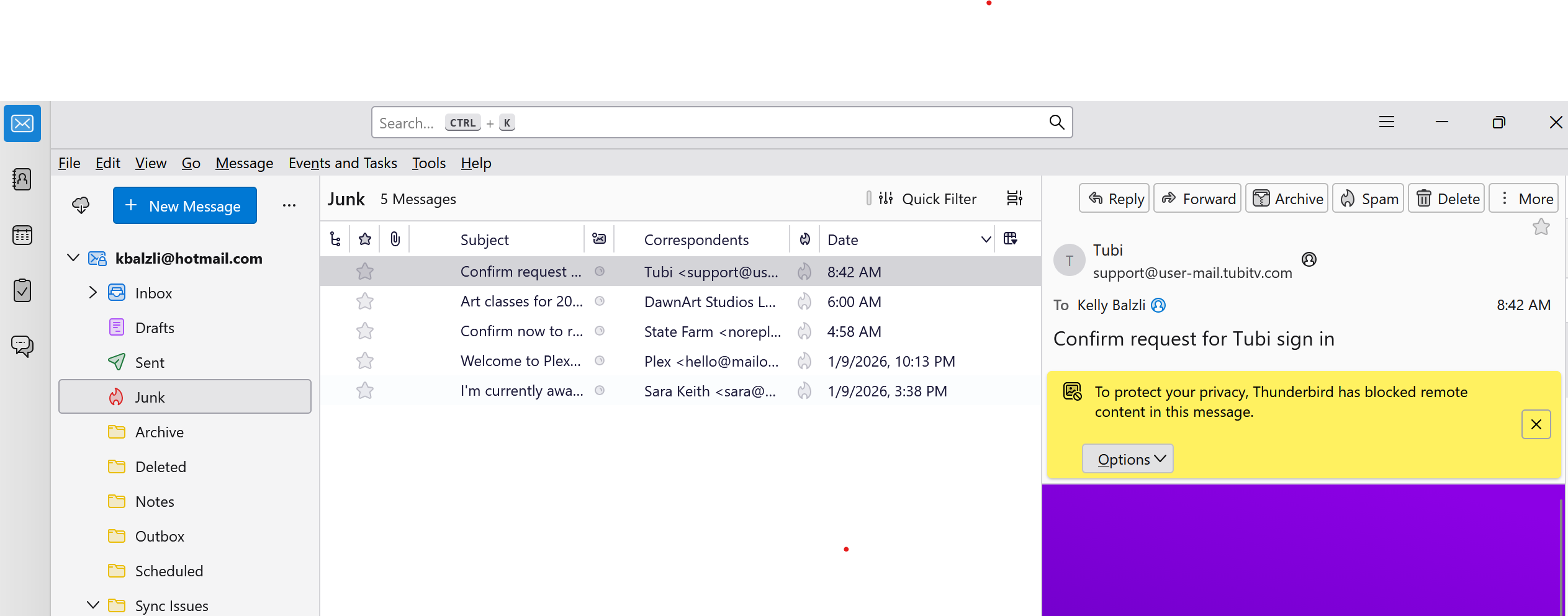
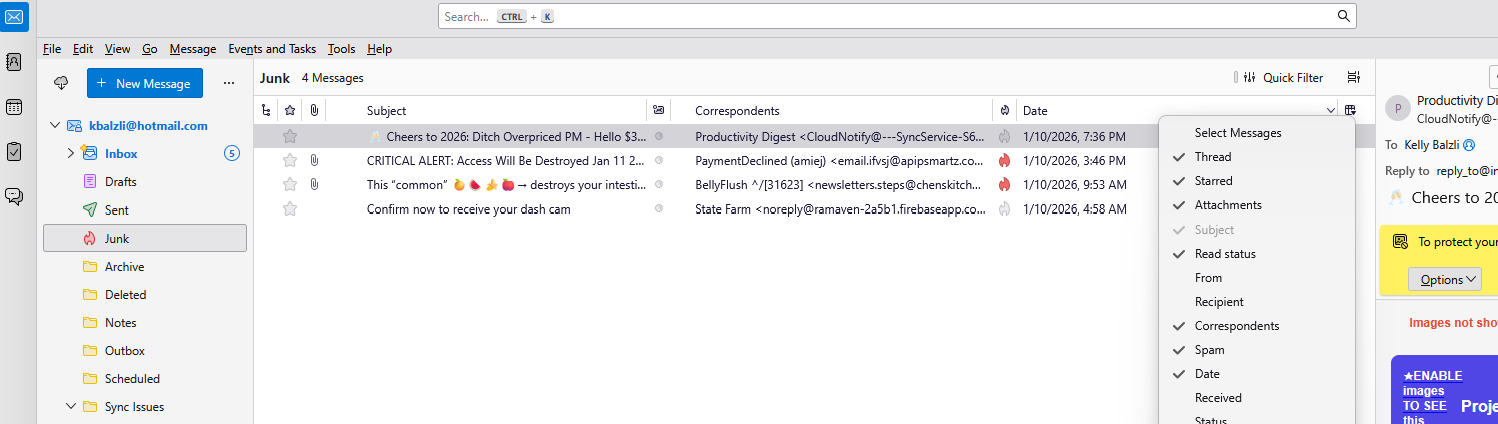
 Click this little widget on the end of the heading list in the table view and add the spam heading. Now there will be a column for SPAM status. Rather silly as spam/junk (they are fundamentally interchangeable terms) is by default moved to the spam/junk folder when it is determined to be that. But it does offer a rather helpful icon that when clicked changes the Junk/Spam status to either Junk or Not Junk. no right clicking.
No special menu items like this one on the message toolbar required 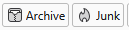
But if you use the only partially finished table view (I am sure it is still under development) the message toolbar is really your only choice to manage Spam/Junk.
Hi Matt,
Matt said
IMHO the Spam (or Junk) status column is already activated and displayed in kbalzli's last screen shot from yesterday (see his image modified by me) But what strikes me is the fact that in this screen shot showing the contents of the Junk folder in table view not any of the presumed junk (or spam) mails has an orange-red coloured junk mail symbol such as one can see them in the screen shot in my first reply. How did those messages arrive in the Junk folder where they are not marked by a "junk" symbol?
เปลี่ยนแปลงโดย Mapenzi เมื่อ
Thanks to you both for your help and yes Mapenzi that is exactly the issue. Emails are appearing in my Junk folder but the Spam symbol is not marked so there is no button for me to mark it as not Spam. Some that show up in my Junk folder do have the Spam icon marked and some do not. Is this a defect? Is there a way to report this? Seems like it would be a pretty big issue that is affecting a lot of users.
kbalzli said
Thanks but the issue is still occuring. Please note, the folder I am in is titled Junk and not Spam. I changed my view to table view but I still don't have a button that allows me to mark them as not junk.
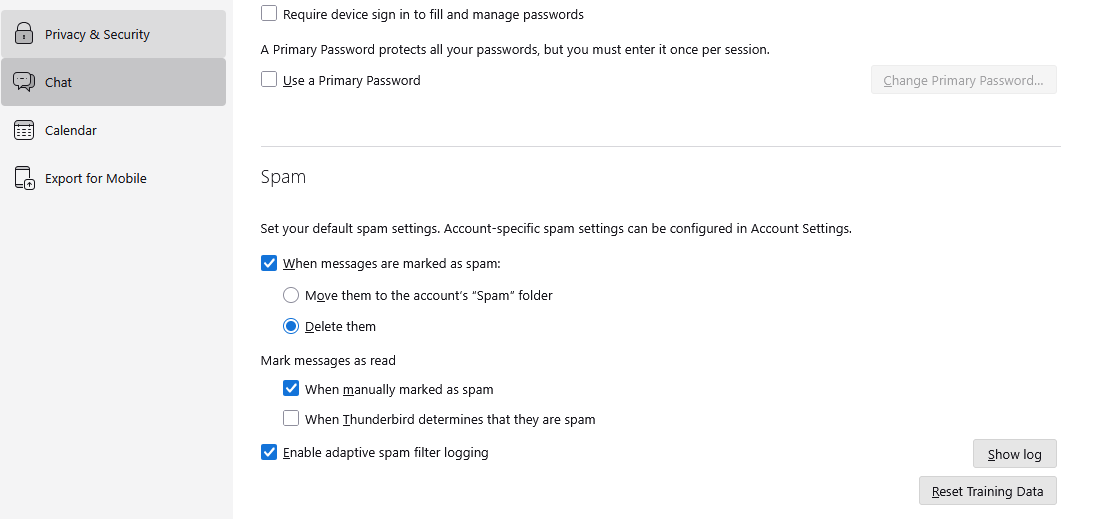
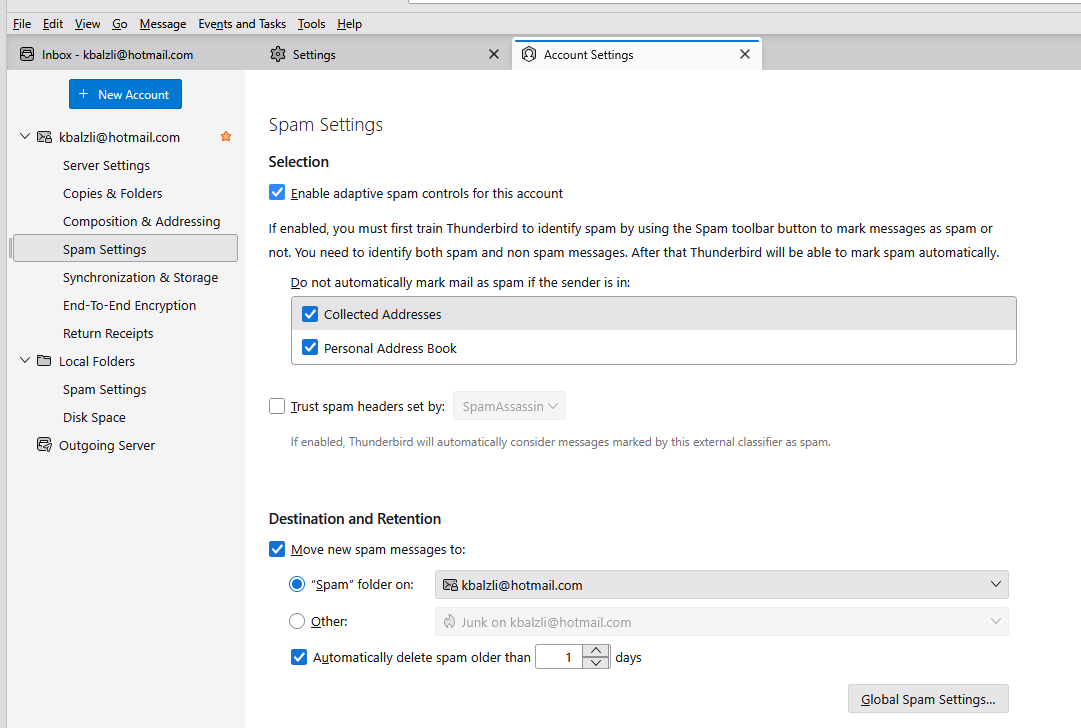
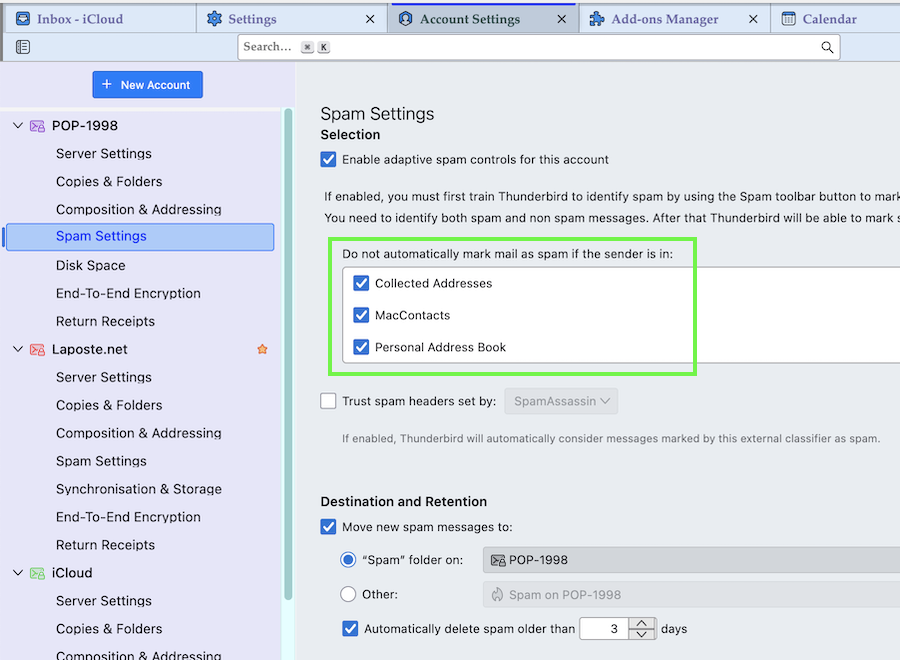
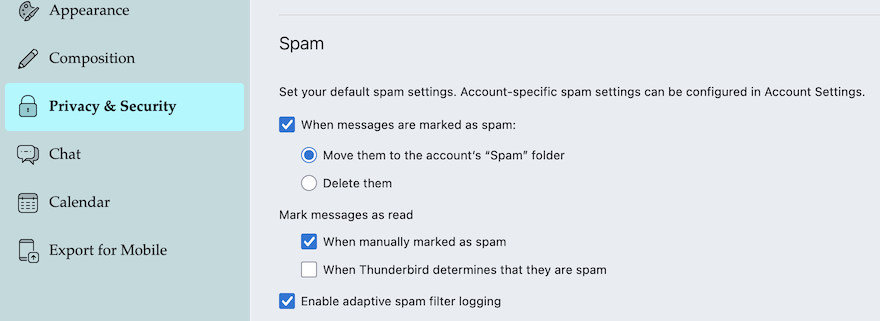
If there is evidence that not-junk messages are displayed in a junk folder, normally you just have to click on the orange-red junk symbol in the Junk status column to move the false junk (spam) message back to the Inbox folder. As I just wrote to Matt, I'm very surprised that those junk symbols are empty, or not coloured. I have often seen normal messages erroneously moved by Thunderbird to my Junk folder, but in these cases the junk symbol is coloured orange red, and not empty. Actually I would advise you to verify all junk settings in • Settings > Privacy & Security > Junk (= global junk preferences, see image) • Account Settings > accountname > Junk Settings (per account junk preferences, see image)
In my experience one of the most important settings for the training of the adaptive Thunderbird junk mail filter is to activate your address books in Account Settings > accountname > Junk Settings in the frame under "Do not automatically mark mail as junk if the sender is in: " You will have to do it for each email account.
เปลี่ยนแปลงโดย Mapenzi เมื่อ
Mapenzi said
Hi Matt,Matt said
IMHO the Spam (or Junk) status column is already activated and displayed in kbalzli's last screen shot from yesterday (see my modified image from now)
Missed that. Sorry folks.
But what strikes me is the fact that in this screen shot showing the contents of the Junk folder in table view not any of the presumed junk (or spam) mails has an orange-red coloured junk mail symbol such as one can see them in the screen shot in my first reply. How did those messages arrive in the Junk folder where they are not marked by a "junk" symbol?
That is perhaps one of the easier junk question I have had in yearss. Thunderbird marks mail as junk when it sees it as such. Mail placed in that folder by other means. Manual drag drop, server spam filtering and antivirus products is not considered spam by Thunderbird unless it's body meets the Thunderbird filters threshold so it does not have the spam flag set. So while it is in the folder. Thunderbird did not put it there nor does it consider the actual massage spam so it has no red flame icon.
I find the distinction is very helpful in determining if spam filtering issues come from Thunderbird filter or externally. My Gmail account has 177 message in it's spam folder right now. Only one is actually considered spam by Thunderbird the rest are the result of Google filtering.
Mapenzi said
kbalzli said
Thanks but the issue is still occuring. Please note, the folder I am in is titled Junk and not Spam. I changed my view to table view but I still don't have a button that allows me to mark them as not junk.If there is evidence that not-junk messages are displayed in a junk folder, normally you just have to click on the orange-red junk symbol in the Junk status column to move the false junk (spam) message back to the Inbox folder.
Probably two clicks, one to mark it as junk in Thunderbird, a second to unmark it as junk and move it out of the spam folder.
It does offer a great opportunity to set the training data for what is not junk, but as those mails are usually not there because Thunderbird put them there b you still have the underlying issue of is it antivirus or server spam filtering. If it is a Yahoo account you do not see that as Thunderbird and Yahoo always agree as far as that flag is concerned. I recall some bugs years ago around the IMAP /Junk flag and Yahoo, but I do not remember the exact details so I assume there is some special handling of Yahoo mail in the Bulk folder that results in Thunderbird setting the flag on everything.
Thank you both. Good to know Matt on why these emails are in the junk folder but not marked as junk although I don't think your solution will work with my current settings, pasted here. Here are my new and improved issues:
1. I have my spam setting set to delete when I mark an email as spam so I'm unable to click it twice b/c it disappears. I like this settings b/c I don't want to move an email around, if I mark it as spam I just want it gone. 2. I also have spam emails set to delete automatically after 1 day but that doesn't appear to be happening.
As you can see I'm getting bumbardded with junk and I really don't want to have to start using a different email address. I'm also adding addresses to a message filter to delete them immediatly and I think that is helping some.
Thanks, Kelly