


A LOT OF OPEN TABS

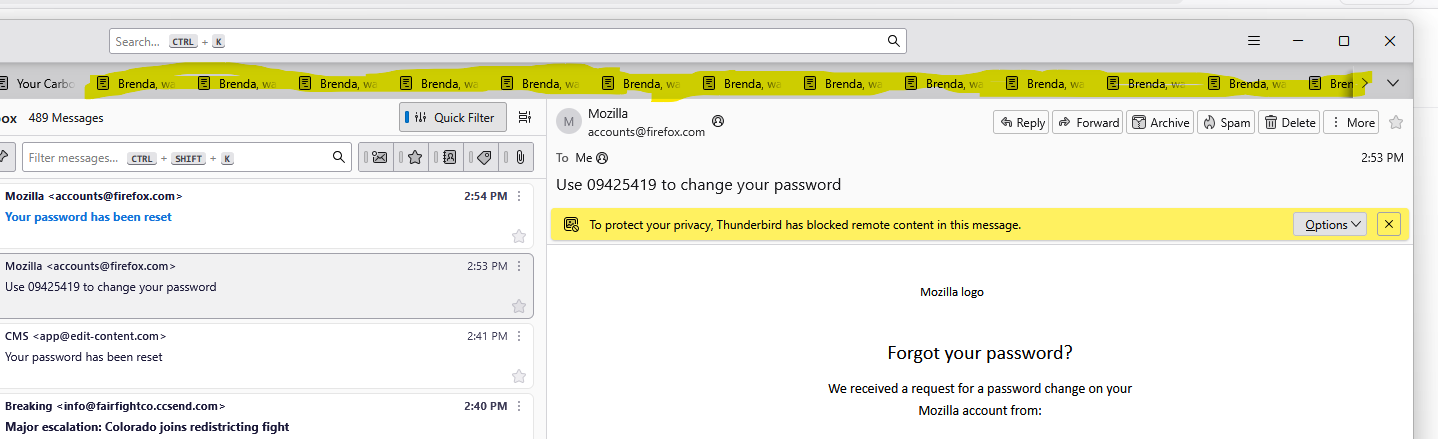
Thunderbird: My cat jumped on my keyboard while I was using Thunderbird, and, now I have every email I have in my Inbox opened about 50 times each, and each one in a separate tab.
I can delete the message and it closes the open tabs, but I would like to keep the open messages, just not have ten million copies of it open in a separate tab at the top of Thunderbird.
Is there any way to close all of the tabs without deleting each message?
Thank you.
Thunderbird: My cat jumped on my keyboard while I was using Thunderbird, and, now I have every email I have in my Inbox opened about 50 times each, and each one in a separate tab.
I can delete the message and it closes the open tabs, but I would like to keep the open messages, just not have ten million copies of it open in a separate tab at the top of Thunderbird.
Is there any way to close all of the tabs without deleting each message?
Thank you.
การตอบกลับทั้งหมด (1)
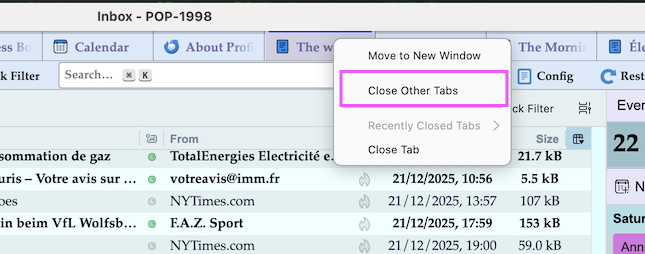
Closing a tab with an opened message doesn't delete the message! R-click on any tab and choose "Close other tabs" in the context menu
เปลี่ยนแปลงโดย Mapenzi เมื่อ