


Creating Group mailing addresses

Trying to create a Group of ten people. Went to New Message, File, New, Connect where I filled out the Group name and emails of people in in it and then clicked add to Personal Address Book. Then there wasn't any other choice but to x it out but when I went to use the Group in an email it wasn't there.
การตอบกลับทั้งหมด (2)
Why didn't you click on the small icon "Create a new mailing list" on the right of the big blue "New Contact" button? (see image). This click would open a window "New Mailing List" (image). Give it at least a "list name" and save the list. After that you can populate your mailing list by dragging & dropping contacts from any address book into the new list.
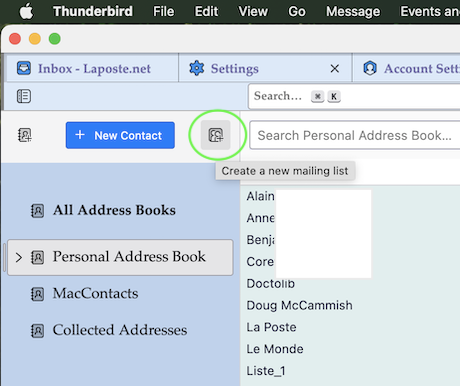
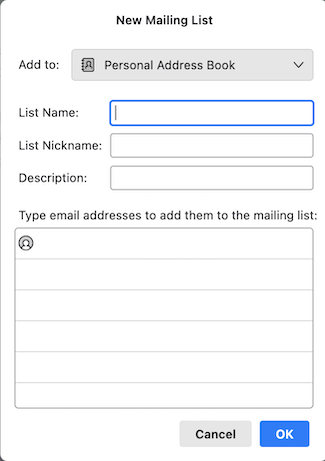

" After that you can populate your mailing list by dragging & dropping contacts from any address book."
Not quite, but I can drag and drop from the Address List I created the group in.