


Conditional access policy

Login to o365 email does not work on Firefox browsers after enabling the Conditional Access policy based on compatible devices
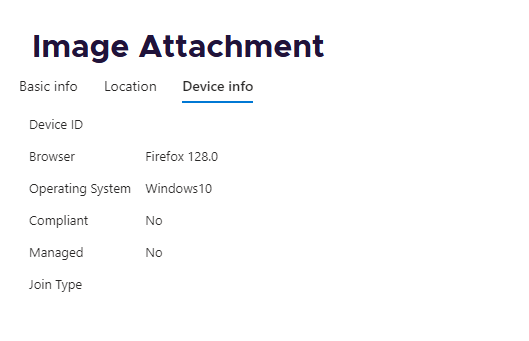
Firefox does not send device details, resulting in a device incompatibility message
Does Firefox support this?
There is an example of missing device ID in the attachment
การตอบกลับทั้งหมด (4)
Could you check whether the Windows SSO feature resolves this issue: How to enable Windows SSO login in Firefox. Let us know how it goes.
SSO feature solves the problem. Is there any other solution besides SSO?
I can't think of any other situation where Firefox would divulge device-identifying information to a website. However, I haven't researched it.

Turning on SSO is the only correct solution to this.
We don't send Windows headers/login/device info unless we're using SSO.