

หัวข้อนี้ถูกเก็บถาวรแล้ว
โปรดถามคำถามใหม่หากคุณต้องการความช่วยเหลือ

เก็บถาวรแล้ว
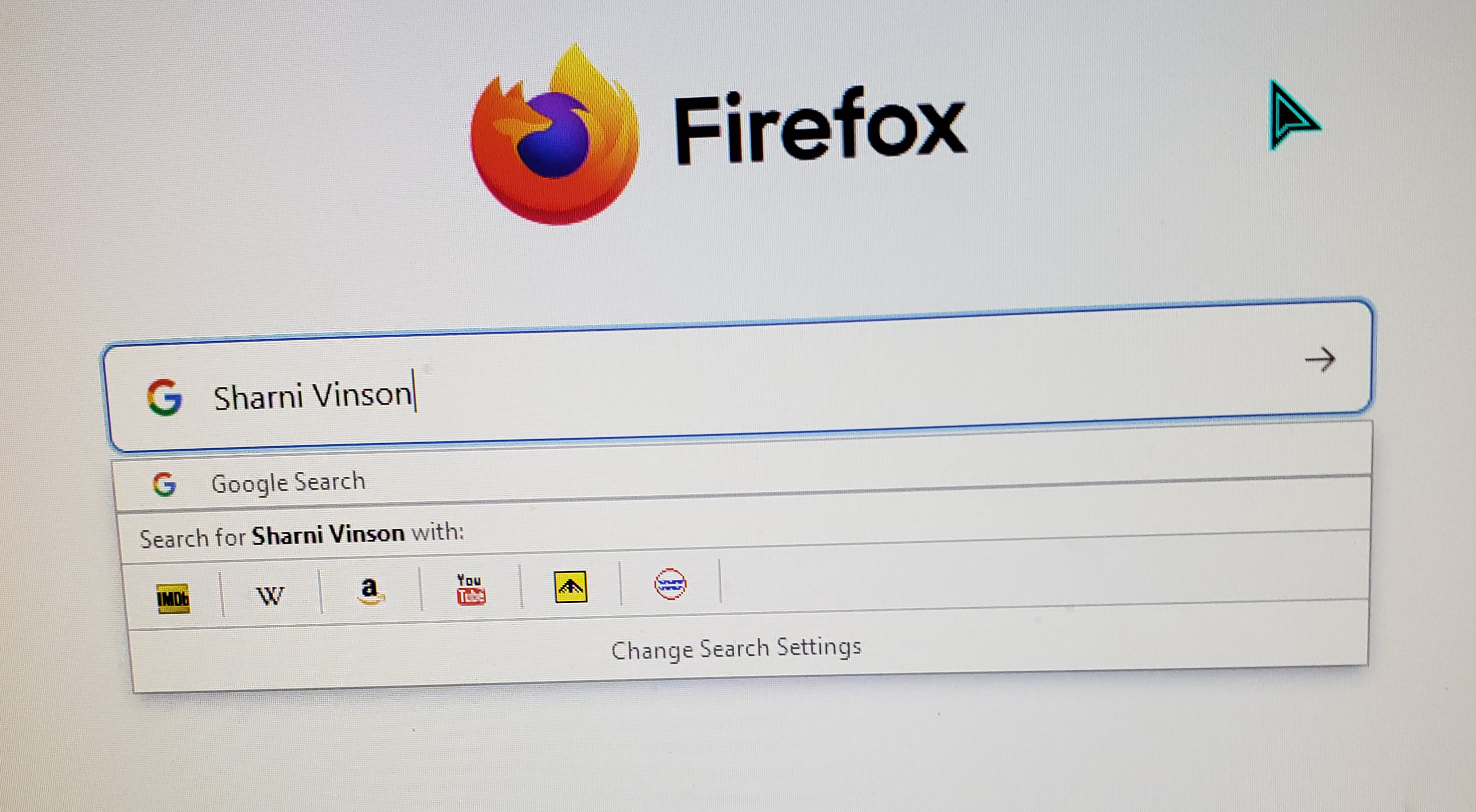
Search engines on main screen

I have search engines on the upper bar (Address?). Sometimes, not always, they appear on my desktop. They are annoying!. How do I remove them from appearing on my desktop.
I have search engines on the upper bar (Address?). Sometimes, not always, they appear on my desktop. They are annoying!. How do I remove them from appearing on my desktop.

การตอบกลับทั้งหมด (2)

Hi Aivas, I think this will help.
1) Enter "about:preferences#search" at address bar 2) Scroll down until you have found " Search Shortcuts " 3) Uncheck the unwanted search engine.
I hope it helps.
Thank you but all that did was remove all search engines. Why would anyone want their engines in the middle of the screen AND in the upper corner?
I just want to remove the engines from the middle of the screen because I keep accidentally clicking on them.