


Custom installed location not work on windows11

On Win11, after I installed firefox on a custom location(like D:\Firefox), Firefox can not open any page, even its option page. If installing at the default location(C:\program files\), everything works fine. But custom location works On Win10. Firefox version: 95.0.1, x64
วิธีแก้ปัญหาที่เลือก
I did more testing. The problem is about acessing permissions of the custom location, which inherited from the older system. Now it works fine. Thanks for your help.
อ่านคำตอบนี้ในบริบท 👍 1การตอบกลับทั้งหมด (4)
Interesting... Let me go try that on my Win11 laptop.
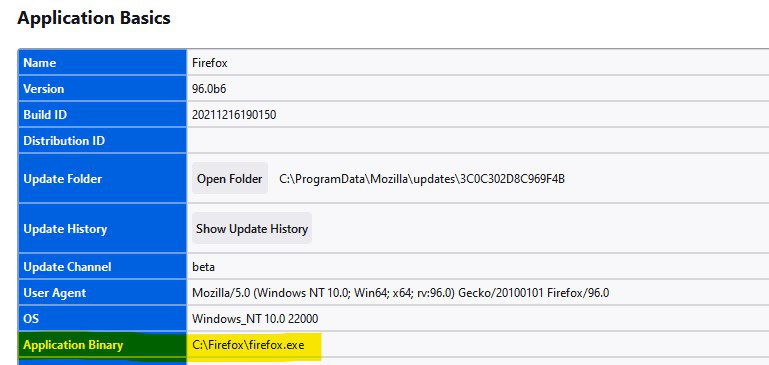
I was able to run Dev from c:\Firefox on Win11. see screenshot
Edition Windows 11 Pro Version 21H2 Installed on 03-Jul-21 OS build 22000.348 Experience Windows Feature Experience Pack 1000.22000.348.0
วิธีแก้ปัญหาที่เลือก
I did more testing. The problem is about acessing permissions of the custom location, which inherited from the older system. Now it works fine. Thanks for your help.
If your are no longer having issues mark your comment as resolved.
เปลี่ยนแปลงโดย jonzn4SUSE เมื่อ