


Browser cursor
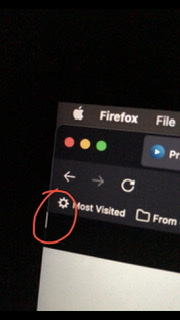
Why the cursor is active while playing videos from streaming services.(Netflix, Prime, Hotstar). Its very irritating while watching movies. Device: Macbook pro 2017 model MacOs: v12
Why the cursor is active while playing videos from streaming services.(Netflix, Prime, Hotstar).
Its very irritating while watching movies.
Device: Macbook pro 2017 model
MacOs: v12
วิธีแก้ปัญหาที่เลือก
You may have switched on caret browsing. You can toggle caret browsing off/on by pressing F7 (Mac: fn + F7).
- Settings -> General: Browsing
remove checkmark: [ ] "Always use the cursor keys to navigate within pages"
Note that this is a Firefox accessibility feature.
อ่านคำตอบนี้ในบริบท 👍 0การตอบกลับทั้งหมด (2)

Have you tried moving the cursor to an area not in the video area?
วิธีแก้ปัญหาที่เลือก
You may have switched on caret browsing. You can toggle caret browsing off/on by pressing F7 (Mac: fn + F7).
- Settings -> General: Browsing
remove checkmark: [ ] "Always use the cursor keys to navigate within pages"
Note that this is a Firefox accessibility feature.