


Can not install add-ons since Firefox68 upgrade

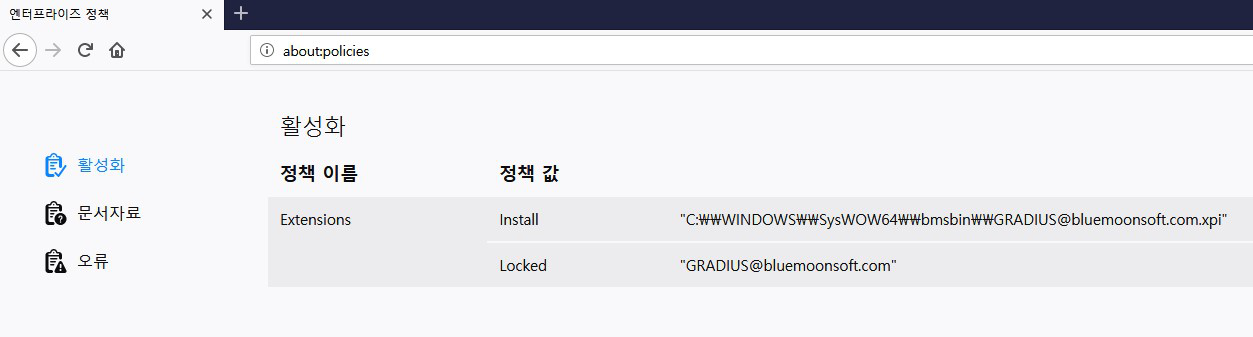
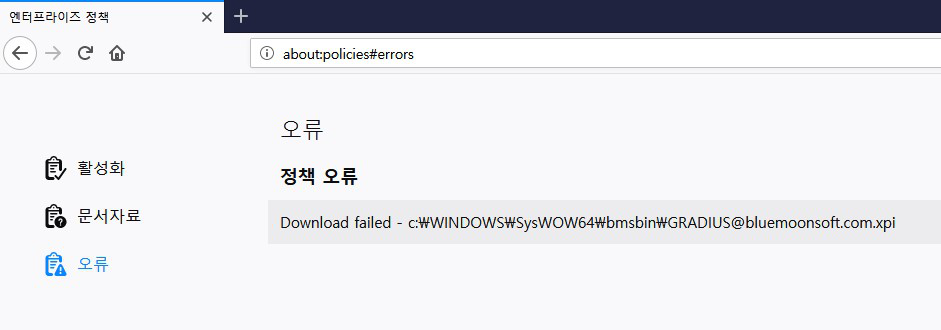
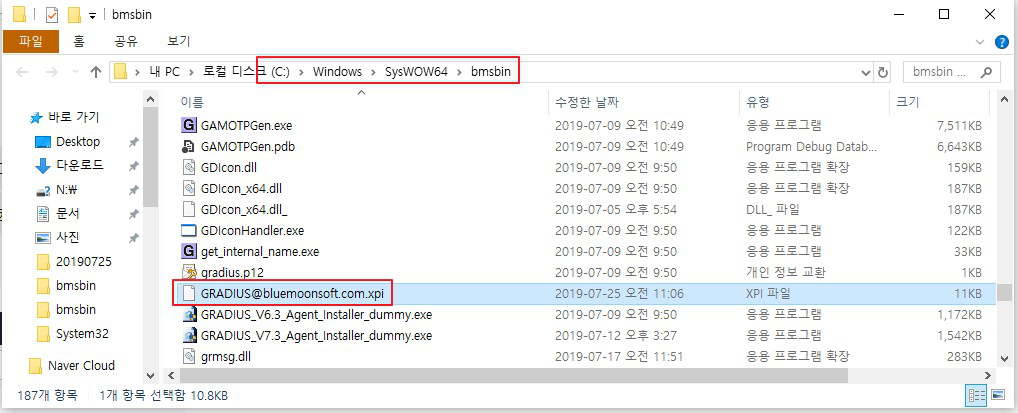
Hello. I have installed an add-on using a GPO. However, after upgrading to Firefox 68, my add-on is getting an installation error. Is it impossible to install by GPO on Firefox 68? If not, why is not it installed?
I attached the part that I confirmed by connecting to about: policies. Installation via download, not GPO, is installed normally, below is the installation link. https://addons.mozilla.org/firefox/downloads/file/3365031/gradius-7.3.11-fx.xpi?src=devhub
In the case of GPO installation, my add-on as well as other add-ons are not installed.
Please check the issue. Thank you.
วิธีแก้ปัญหาที่เลือก
This is a bug we accidentally introduced.
If you switch to a file URL, it should work:
file://c:/foo/bar.xpi
It should be fixed in the next version.
อ่านคำตอบนี้ในบริบท 👍 0การตอบกลับทั้งหมด (4)
Cross reference: https://discourse.mozilla.org/t/can-not-install-add-ons-since-firefox68-upgrade/43130 (unresolved)

วิธีแก้ปัญหาที่เลือก
This is a bug we accidentally introduced.
If you switch to a file URL, it should work:
file://c:/foo/bar.xpi
It should be fixed in the next version.
Did this fix things for you?
This has been fixed in the latest update to Firefox.