


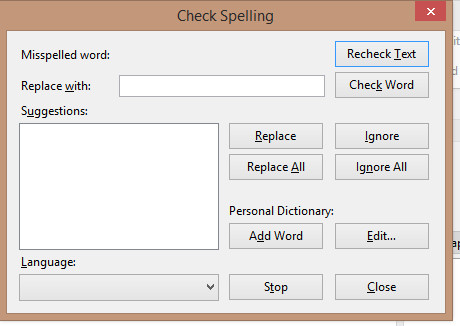
Spell check dialogue is blank

The spell check dialogue does not show misspelled words, or suggestions. I can't even turn the facility off. (Windows 8.1 TB ver 60.5.3
การตอบกลับทั้งหมด (8)
วิธีแก้ปัญหาที่เลือก
Which dictionaries are installed? Reply with the webpage and add-on version.
After downloading a UK dictionary, everything started working OK. Many thanks sfhowes!
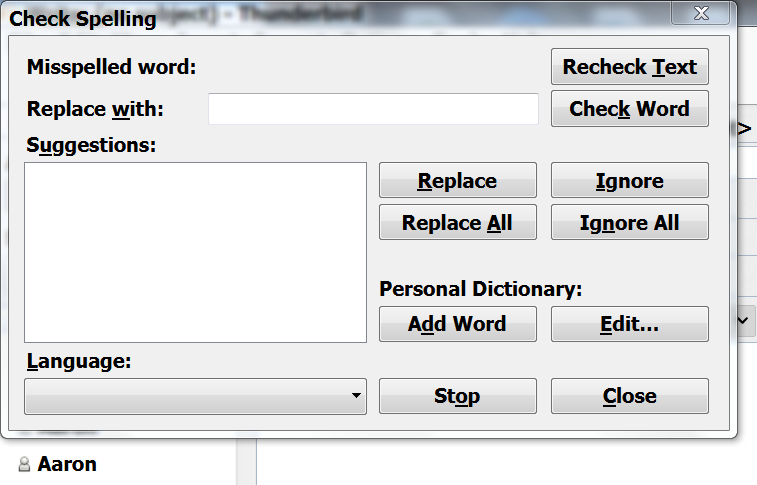
my spell check is not working it is blank and wehen i type a wrong word it does not check it
mine is blank too
Mary said
my spell check is not working it is blank and wehen i type a wrong word it does not check it
Do you have check-as-you-type enabled in Tools/Options/Composition/Spelling? Which language is shown there? In Tools/Add-ons/Dictionaries, what is the dictionary and version?
english US yes i do
not in add ons i have nothing about dictionaries in the addons
Install this dictionary and see if it helps:
https://addons.thunderbird.net/en-US/thunderbird/addon/us-english-dictionary/
Right-click the Download Now button, Save link as..., download the xpi installer, Tools/Add-ons/Dictionaries in TB, click the gear icon next to search, Install Add-on from file..., select the xpi file.